Best Cleaning Business Software 2026: 10 Tools Compared
The best cleaning business software in 2026 depends on your segment: CleanerHQ for full quote-to-cash with zero payment markup ($19/admin seat + $5/crew seat), Jobber for general field-service ease of use, ZenMaid for small residential maid services, and Swept for commercial janitorial crews.
 R Rashdi
·
June 15, 2026
·
24 MIN READ
R Rashdi
·
June 15, 2026
·
24 MIN READ
Quick answer
The best cleaning business software in 2026 depends on your segment: CleanerHQ for full quote-to-cash with your own Stripe account ($19/admin seat + $5/crew seat per month, first year), Jobber for general field-service ease of use (from $29/month), ZenMaid for small residential maid services (from $19/month), and Swept for commercial janitorial crews (real-world entry around $150/month).
By Rashdi, founder of CleanerHQ · Last updated: October 4, 2026 · Pricing last checked October 2026 on vendor pricing pages. Vendor prices change; confirm current terms before deciding.
Not sure which task needs a new tool? Use our cleaning business app choice sheet to decide what to keep, try or skip before comparing paid plans.
Before choosing a plan, use our cleaning software cost worksheet to compare seat charges, payment fees and extras for the same team.
Most cleaning business software comparisons are written by people who have never quoted a 3-bed house or chased a NET-30 invoice from a property manager. This one is different. We compared 10 tools on the things that decide whether your month runs smoothly: recurring scheduling, GPS-verified time, payment processing cost, and proof of work. Every price comes from the vendors’ live pricing pages, checked in June 2026.
CleanerHQ is our product, so it’s reviewed first. We’ve also been blunt about where each competitor genuinely wins, because if you pick the wrong tool for your segment, you’ll churn off it in 90 days and blame software in general. That helps nobody.

What the best cleaning business software actually has to do
Strip away the feature lists and cleaning software has one job: run the quote-to-cash cycle without you retyping anything.
- Capture the lead, whether it comes from your website, a call, or a referral.
- Price the job from square footage, bedrooms, bathrooms, and condition, not a guess.
- Send a quote the client can accept online, same day, before your competitor calls back.
- Schedule it, including the biweekly-forever version, with crew assignment and drive time considered.
- Prove the work happened: GPS clock-in, checklists, before/after photos. Operators with digital proof of work collect on roughly 95% of billings, an industry benchmark. Without documentation, 5-10% of revenue leaks to disputes.
- Invoice and collect automatically, with card payment links and reminders.
A generic calendar plus invoices gets you maybe half of that. The other half is where the tools below separate: cleaning-native pricing, recurring patterns, and proof of work.
If you’re still deciding whether you need software at all, the common rule of thumb is that field-service software pays for itself around $8-10K of monthly revenue or 10-15 field staff. Below that, spreadsheets are annoying but survivable. Above it, they cost you real money. Our guide to cleaning business software covers the build-up in detail.
How we evaluated these 10 platforms
Every tool on this list was scored against the same five criteria, weighted for how a working cleaning operator actually feels them month to month:
- Cleaning-specific depth, does it understand square-footage and condition-based pricing, recurring routes, crew swaps, and proof-of-work, or is it a generic field-service shell?
- True monthly cost, modeled at three team sizes (solo, 6-person, 12-person), including per-user fees, payment processing markup, and required add-on modules, not just the advertised entry tier.
- Mobile app quality on both platforms, cleaning crews are Android-heavy, so a great iOS app with a weak Android app counts against a tool.
- Scheduling and recurring-work model, skip dates, preferred cleaners, route-based recurring jobs, and what happens when a crew member calls in sick.
- Support and ecosystem maturity, documentation, community, and how fast a non-technical owner gets unstuck.
Sources: vendor pricing pages (June 2026), iOS and Google Play ratings (early 2026), operator reviews on Capterra, G2, and Reddit, and hands-on trials where a free tier or trial made that possible.
Disclosure: CleanerHQ is our product. We hold it to the same criteria as everything else here, and where a competitor is genuinely the better fit, we say so: ZenMaid for small residential maid services, Swept for multilingual commercial crews, Connecteam if you need free. The honest limitations of CleanerHQ are listed in its section like everyone else’s.
Comparison table: the 10 tools at a glance
All prices are entry prices as published by each vendor. Vendor prices and billing terms change; re-verify on the vendor’s own pricing page before deciding.
| Tool | Best for | Entry price | Payment markup | Cleaning-native? |
|---|---|---|---|---|
| CleanerHQ | Full quote-to-cash, 3-15 crew | $19 admin / $5 crew per mo (first year) | None (your own Stripe) | Yes, all segments |
| Jobber | General field service, ease of use | $29/mo (1 user) | 2.9% + $0.30 card | No |
| Housecall Pro | Residential services + marketing | $59/mo (1 user) | From 2.59% card | No |
| ZenMaid | Solo to 10-cleaner maid services | $19/mo (40 appts) | None (Stripe/Square direct) | Yes, residential only |
| Swept | Commercial janitorial crews | $30/mo (real plan ~$150) | No payments at all | Yes, commercial only |
| Connecteam | Workforce ops layer | Free under 10 users | No payments at all | No |
| Aspire | Enterprise commercial ($5M+) | Custom pricing | N/A | Yes, enterprise |
| Janitorial Manager | Janitorial bidding/inspections | Check current pricing | N/A | Yes, commercial |
| Maidily | Budget residential, per-job pricing | Free (10 jobs/mo); $29/mo | None (Stripe/Square) | Yes, residential |
| BookingKoala | Booking-widget-first shops | Check current pricing | Check current terms | Yes, booking-first |
The 10 best cleaning business software tools, reviewed
1. CleanerHQ: best for running the whole business in one place
CleanerHQ is built exclusively for cleaning companies and covers the entire cycle: lead capture, a pricing engine with 16 cleaning-specific calculators (house cleaning, office janitorial, move-out, post-construction, carpet, windows and more), every estimate produced as Good/Better/Best tiers, quotes, AI-generated proposals, recurring scheduling, GPS clock-in with automatic ghost clock-out, before/after photo proof, auto-invoicing with 3/7/14-day reminder cascades, and payments through your own Stripe account.
That last point is the structural difference. With Bring-Your-Own-Stripe, CleanerHQ adds zero markup on processing. You pay your processor’s published rate, the money lands in your bank, and as volume grows you can negotiate rates directly with Stripe. At $30,000/month of card volume, processor fees run roughly $870 a month no matter which tool you use. What differs is whether the platform adds its own markup on top. With CleanerHQ you connect your own Stripe account: Stripe’s fees still apply, and CleanerHQ charges no platform processing markup.
Seat pricing is $19/month for an owner or office seat and $5/month for a crew seat, covering your first year (renewal rates are not yet listed; ask before you start). The AI phone helper and text packs cost extra. A 14-day trial of the paid plan starts at checkout and requires a card; cancel before it ends to avoid a charge.
Honest limitations: CleanerHQ is the youngest platform on this list. You won’t find a decade of community forums and YouTube tutorials around it the way you will with Jobber, and payroll is export-based (QuickBooks, Gusto and ADP formats) rather than processed in-app. If native two-way accounting sync is non-negotiable for you, verify the current integration list before switching. See the full CleanerHQ platform overview for what’s included.
2. Jobber: best general field-service tool
Jobber is the default name a cleaning business hears first, and it earns the reputation. It won Capterra’s Best Ease of Use across 10 industries. Non-technical crews onboard in one session, its Client Hub portal is frequently the single feature that wins deals, and it’s the only horizontal tool here with strong apps on both iOS (~4.8) and Android (~4.7, ratings as of early 2026). Offline mode shipped in January 2026.
The catch is cleaning depth. There’s no square-footage or condition-based pricing, just a line-item catalog, so operators keep a side spreadsheet for estimates. There’s no per-visit profitability, no hiring tools, and reviewers’ #1 complaint is QuickBooks Online sync reliability. Pricing climbs fast: Core is $29/month annual for one user, but Connect (5 users) runs $99-149/month and Grow (10 users) $149-299/month (checked June 2026; re-verify), plus $29 per extra user, plus Jobber Payments at 2.9% + $0.30 per card transaction.
Pick Jobber if you want the safest mainstream choice, value community and ecosystem, and don’t mind pricing your jobs outside the software. Already on Jobber and eyeing the exit? Our Jobber alternative guide covers the switch math and migration.
3. Housecall Pro: best marketing automation
Housecall Pro serves 40,000+ home-service businesses and its scheduling/dispatch calendar is the most loved surface in the category. Its differentiator is marketing automation: automated review requests, drip campaigns, reactivation flows, even postcard marketing, which is unusual in this category and works.
For cleaning specifically, the fit is shallower. Recurring cleans are modeled as “memberships” rather than routes with swappable crews, there’s no square-footage estimating, and the Android app trails iOS badly (Google Play ~3.3 vs iOS ~4.7 as of early 2026). That’s a real problem for Android-heavy cleaning crews. The most documented complaint is add-on cost creep: the advertised tiers ($59/month Basic, $149/month Essentials for 5 users, $299/month MAX, June 2026 annual pricing) grow once you add proposals, price book, websites and other paid modules.
Pick Housecall Pro if reviews and remarketing are your growth engine and your team is iPhone-based.
4. ZenMaid: best for small residential maid services
ZenMaid was founded by a former maid-service operator and roughly 3,000 maid services run on it. For 1-10 cleaner residential shops it’s excellent: best-in-class recurring scheduling (skip dates, preferred and excluded cleaners per client), an automation stack users describe as “it runs itself,” a strong booking form, an SOS cleaner-safety button, and Stripe/Square-direct payments with no platform markup.
ZenMaid’s published plans: Starter $19/month (40-appointment cap), Pro $39/month, Pro Max $49/month, plus per-cleaner fees for team accounts (checked June 2026; re-verify before deciding). The limits arrive with growth. Payroll can’t handle travel time, mileage or tip distribution, it’s residential-only by design, and there’s no per-job profitability. Operators typically graduate off ZenMaid around 10-15 employees.
Pick ZenMaid if you’re a residential maid service under ~10 cleaners and want warm support and proven automations.
5. Swept: best for commercial janitorial operations
Swept is built exclusively for commercial cleaning and it shows: auto-translating crew messaging in 100+ languages, geofence-verified time tracking, and scored inspections with timestamped photos, which is the mechanism that wins contract renewals. Per-location pricing with unlimited users makes it roughly half the cost of per-seat tools once you pass 20 cleaners.
What Swept deliberately doesn’t do is quote-to-cash: no quoting, no bidding, no invoicing, no payments, no CRM. Swept operators run a 3-4 tool stack around it. Mobile reliability is the top customer complaint, and forgotten clock-outs run indefinitely because there’s no automatic clock-out. Pricing as of June 2026: Launch from $30/month, but the plan with geofencing and inspections is Optimize from $150/month; Scale from $225/month.
Pick Swept if you run multilingual night crews across many commercial sites and already have invoicing handled elsewhere.
6. Connecteam: best free option for tiny teams
Connecteam isn’t cleaning software. It’s a deskless-workforce platform (time clock, GPS, scheduling, forms, chat, training) with category-best mobile apps rated 4.6-4.8, and its free plan for under 10 users has no field-service equivalent.
The structural limit: there are no customers, jobs, quotes or invoices in its data model, so you can never see margin per job. Paid pricing is per hub. Operations, Communications, and HR are three separate $29/month subscriptions at the Basic tier (June 2026, annual billing, flat for the first 30 users), and that model is the #1 pricing complaint.
Pick Connecteam if you’re under 10 people and just need a free, excellent time clock and chat while you handle booking and invoicing elsewhere.
7. Aspire: best for enterprise commercial cleaning
Aspire is ServiceTitan’s commercial-cleaning and landscaping platform, aimed at large contractors (think $5M+ in revenue). At acquisition in 2021 it served 50,000+ users across 1,100+ customer locations. Pricing is custom-quoted, and onboarding is a significant project. It exists on this list as the ceiling: if you’re running 50+ crew across major facilities contracts, you’ve outgrown everything above and Aspire-class systems are the conversation.
Pick Aspire if you’re an enterprise janitorial contractor with a dedicated ops team.
8. Janitorial Manager: best for janitorial bidding workflows
Janitorial Manager focuses on the commercial side: bidding, work loading, inspections and contract management. Commercial shops sometimes pair it with a workforce tool like Connecteam. We couldn’t verify current pricing on its public site. It’s quote-driven, so check current pricing with the vendor and compare against Swept before committing.
Pick Janitorial Manager if detailed janitorial bidding and contract management is your bottleneck.
9. Maidily: best budget pick for residential
Maidily positions itself as the affordable residential option, and its June 2026 pricing model is unusual: you pay per job, not per seat. A free-forever plan covers 10 jobs/month with unlimited team members; paid tiers run $29/month (50 jobs), $49/month (150 jobs), and $99/month (250 jobs). You get online booking, two-way messaging, invoicing with Stripe/Square, and recurring scheduling. Feature depth is narrower than ZenMaid’s and the community is smaller, but for a part-time or early-stage residential operation, the math is friendly.
Pick Maidily if you’re job-volume-light and seat-count-heavy, say, a family operation testing the waters.
10. BookingKoala: best for booking-widget-first businesses
BookingKoala competes on the embeddable booking form: customers price, book, and pay from your website without a phone call. It generally positions below ZenMaid and Launch27 on price, though its pricing page blocked our verification, so check current pricing directly. If your entire growth model is “website converts visitors into booked jobs,” it’s worth a look. If you need depth in crew operations or commercial workflows, look elsewhere on this list.
Pick BookingKoala if online self-booking is the one feature you’d keep above all others.
Which tool fits which business
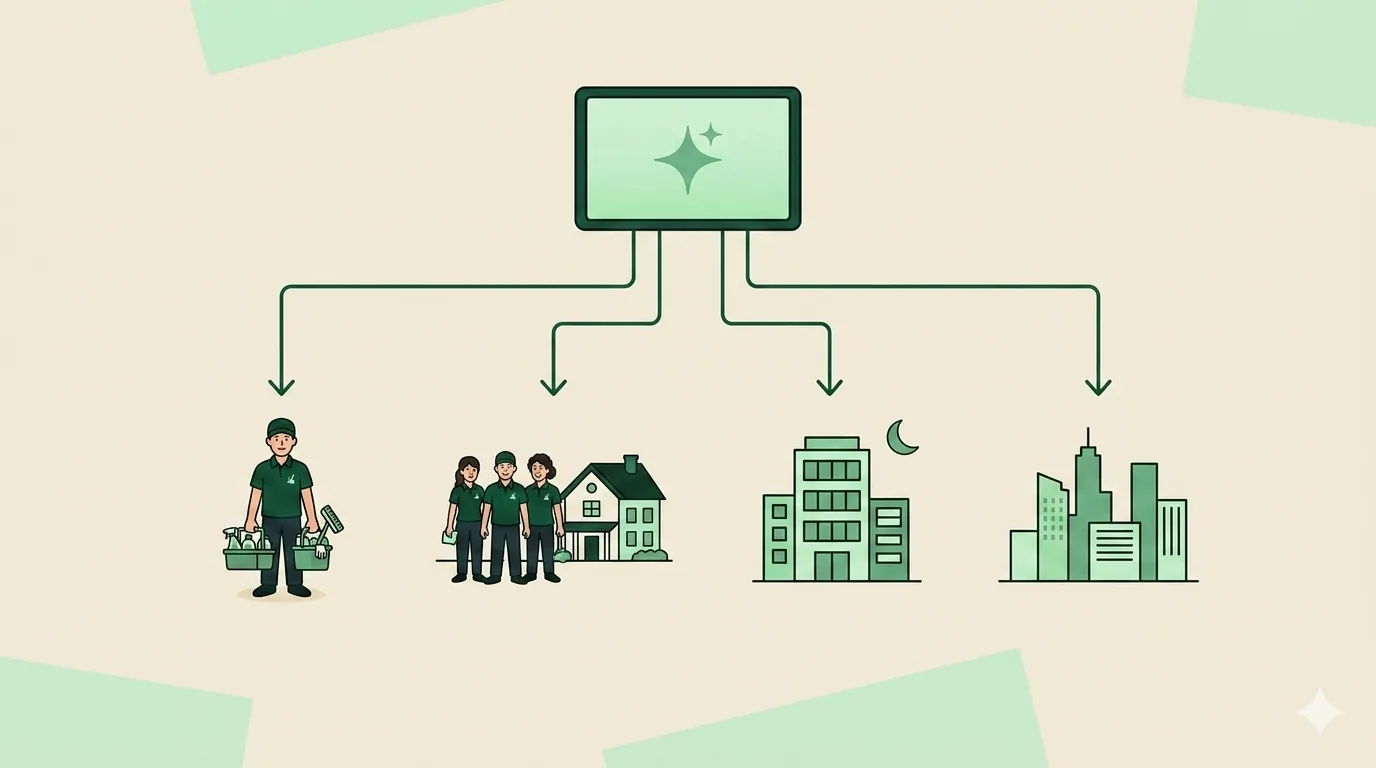
- Solo cleaner, under $8K/month: You may not need paid software yet. Start with Maidily’s free plan or Connecteam’s free tier plus invoices from your bank. When quoting and rescheduling eat your evenings, upgrade. (We’ve also covered free cleaning business software options in depth.)
- Residential crew, 2-10 cleaners: ZenMaid if you want the established maid-service community; CleanerHQ if you want pricing calculators, GPS proof of work and zero-markup payments in the same tool.
- Growing mixed business, 3-15 crew, $10-30K/month: This is the stage where manual tools break and the 5-tool stack (FSM + time clock + QuickBooks + payroll + Stripe) gets expensive. It’s the segment CleanerHQ was built for, and the honest alternative is Jobber’s Connect/Grow tiers plus Connecteam.
- Commercial janitorial, 10-75 crew: Swept for workforce depth if invoicing lives elsewhere; CleanerHQ if you want bidding-to-invoice in one system; Janitorial Manager for bid-heavy shops.
- Enterprise, 50+ crew: Aspire-class platforms.
Pricing reality: what you’ll actually pay per month
Sticker prices mislead because three other lines stack on top: extra users, add-ons, and payment processing.
Take a 5-person residential crew processing $20,000/month in card payments, June 2026 pricing:
| Stack | Subscription | Processing (cards) | Monthly total |
|---|---|---|---|
| CleanerHQ (5 seats) | $95 | Your Stripe rate (no markup) | $95 + processor |
| Jobber Connect (5 users) | $99-149 | 2.9% + $0.30 ≈ $610+ | ~$710-760 |
| Housecall Pro Essentials | $149 + add-ons | From 2.59% ≈ $520+ | ~$670+ |
| ZenMaid Pro + per-cleaner fees | $39 + seats | Stripe/Square direct | ~$100 + processor |
Two things jump out. First, at meaningful card volume, processing dwarfs the subscription: a 0.3% difference in rate is worth more than the entire software bill. Second, per-user pricing punishes cleaning businesses specifically, because we run many low-wage field workers per office user. That’s why per-location (Swept) and per-job (Maidily) models exist, and why CleanerHQ keeps every feature in every seat.
If you’re comparing at 10+ staff, run the math on a full year including processing. For illustration only: at first-year seat rates, a 10-seat CleanerHQ team (1 office + 9 crew) pays $64/month in seats, versus a Jobber Grow Team plan at its published annual-billing rate. Rebuild this math with live numbers from both pricing pages before deciding; CleanerHQ’s renewal rate is not yet listed.
Ready to run that math on your own numbers? Start a free CleanerHQ trial (14-day trial of the paid plan; card required at checkout) and price your next three jobs in it.
How to run a 14-day software evaluation
Most tools above offer 14-day trials (Jobber, Housecall Pro and ZenMaid all do, verified June 2026). Don’t just browse features. Run your real week through the trial:

- Day 1-2: Price three real jobs. A recurring house, a deep clean, and your most complex commercial bid. Time how long each quote takes and whether the price matches what you’d charge. This is where quote software earns or loses its keep.
- Day 3-5: Build your real schedule. Enter a full week of recurring clients with one crew-member vacation and one client skip. If biweekly patterns or skips need workarounds, that pain compounds forever. See our breakdown of scheduling software for cleaning businesses.
- Day 6-8: Put a cleaner’s phone on it. Clock in at a real job, complete a checklist, take photos. If your least technical cleaner can’t do this unassisted, adoption will fail.
- Day 9-11: Invoice and pay yourself. Send a real invoice to your own email, pay it by card, and find the money. Note every fee.
- Day 12-14: Check the exits. Export your client list. Read the cancellation terms. Month-to-month with self-serve export is the standard you should accept.
Score each tool out of 5 on those five steps. The winner is usually obvious by day 10.
Total cost of ownership: the four line items pricing pages hide
The advertised tier is rarely what you pay. Across the ten tools above, the gap between the pricing page and the real monthly bill comes from four places:
- Per-user fees at scale. A $29/month entry tier becomes $149–$349/month the moment your whole crew needs logins. Seat-based tools that price field staff differently (CleanerHQ crew seats at $5/month, Swept’s unlimited-user per-location model) bend this curve; flat per-user tools do not.
- Payment processing markup. A platform taking 2.9% + $0.30 on card payments costs about $870/month at $30,000 of card volume. Processor fees apply in every case; what varies is whether the platform adds its own markup on top. With a bring-your-own-processor model like CleanerHQ, you pay the processor (e.g. Stripe) directly and CleanerHQ adds no platform processing markup.
- Add-on modules. Proposals, price books, review campaigns, and websites are frequently separate paid modules on the mainstream platforms, documented above for Housecall Pro, and true of several others.
- Annual-vs-monthly gap. Advertised prices are almost always annual-billing rates. Month-to-month typically runs 20–30% higher, which matters if you are trialing a platform seriously before committing.
We keep a full breakdown with worked examples in our cleaning business software cost guide if you want the spreadsheet version.
Commercial vs residential: how your segment changes the pick
“Cleaning business software” hides two different jobs. Residential work lives and dies on recurring schedules, cleaner preferences, skip dates, and easy online booking, the things ZenMaid, Maidily, and BookingKoala are built around. (Launch27 lives in that same booking-first lane, see our CleanerHQ vs Launch27 comparison for how its $75–$299 tier ladder prices out.) Commercial and janitorial work is a different animal: multi-site contracts, night crews, scored inspections that win renewals, and bidding, Swept, Janitorial Manager, and Aspire territory.
The platforms that credibly serve both, CleanerHQ, Jobber, and Housecall Pro, do it with different depth. CleanerHQ ships segment-specific pricing calculators (house recurring, office janitorial, post-construction, move-out and 12 more), which is what makes quoting work across segments. Jobber and Housecall Pro rely on generic line-item catalogs, which is why mixed-segment operators on those tools tend to keep a pricing spreadsheet on the side.
If you are 100% residential under 10 cleaners, shortlist ZenMaid and CleanerHQ. (At the other end of the residential scale, 20+ cleaners with office staff, enterprise platforms like MaidCentral enter the conversation at several hundred dollars a month; see our CleanerHQ vs MaidCentral comparison.) If you are 100% commercial with multilingual crews, shortlist Swept (paired with separate invoicing) and CleanerHQ. If you run both segments, you want one system that can quote both, that is the specific gap this comparison kept finding in the generalist tools.
Switching platforms: what migration actually involves
Half the operators reading this are not choosing their first tool, they are leaving one. A realistic migration, based on what the vendors above support:
- Client list: every tool here imports a CSV of clients. Export from your current system first and clean it up, this is the easy part.
- Recurring schedules: these almost never migrate automatically. Budget an afternoon to rebuild your recurring jobs and routes in the new system before you cancel the old one.
- Cards on file: the biggest friction. Saved payment methods live in the processor’s vault, not the software, and generally cannot move between processors. (One exception worth knowing: if both your old and new setup run on your own Stripe account, your customers and saved cards stay put.) Otherwise, plan a re-authorization email to autopay clients.
- Crew retraining: one session for the easiest tools on this list, longer for the enterprise platforms. Do it before cut-over, not after.
- Parallel run: keep both subscriptions live for 2–4 weeks and time the switch to your slow season, not spring-clean rush.
The CRM question: what “CRM for a cleaning business” actually means
The most-asked variant of this whole topic on Reddit is “best CRM for a house cleaning business.” For a cleaning company, CRM means three concrete things: a lead pipeline (quote sent → follow-up → won), full client history (preferences, access notes, past jobs, complaints), and automated follow-ups. CleanerHQ and Jobber cover all three natively, CleanerHQ ties the pipeline to its quoting engine, Jobber’s Client Hub is the most polished client-facing portal in the category, and Housecall Pro leads if your CRM priority is reactivation and review campaigns. The trap to avoid: Connecteam has no customer object at all, and pairing a generic CRM (HubSpot, Pipedrive) with separate scheduling software means re-typing every client twice. Our cleaning business software guide covers the CRM feature checklist in depth.
Scheduling is the feature you will touch 50 times a day
Whatever else a platform does, scheduling is the surface a cleaning business lives in. Three models showed up across these ten tools, and they suit different operations. Calendar-first scheduling (Housecall Pro is the strongest example) treats every job like an appointment, great for on-demand and one-off work, weaker when 80% of your book is the same houses every two weeks. Recurring-first scheduling (ZenMaid at the top of the class, CleanerHQ close behind) is built around repeat visits: skip dates, preferred and excluded cleaners per client, and rescheduling a whole route when someone calls in sick. Shift-first scheduling (Connecteam, Swept) schedules people to locations rather than jobs to clients, which is exactly right for commercial night crews and exactly wrong for residential routes.
Two scheduling details worth testing in any trial before you commit: what happens to the rest of the day when you move one job (drag-and-drop that cascades vs manual re-entry), and whether the crew’s mobile view shows job-specific details, gate codes, pets, supplies, or just a time window. The gap between those experiences is the gap between a calm Monday and a phone that will not stop ringing. We rate the crew-facing apps separately in our best cleaning business apps roundup. For the full breakdown of what cleaning-specific scheduling should include, see our scheduling software for cleaning businesses guide.
The bottom line
Jobber is the best general-purpose choice and ZenMaid the best small-residential specialist. Both deserve their reputations. But if you want cleaning-native pricing, GPS-verified proof of work, and payments with your own Stripe account (processor fees still apply), all in one seat-priced system ($19 admin / $5 crew), that combination is exactly why we built CleanerHQ. See everything included, or start the 14-day trial (card required, cancel before it ends).
Frequently Asked Questions
What is the best software for a small cleaning business?
For residential maid services under 10 cleaners, ZenMaid (from $19/month) and CleanerHQ ($19/admin seat + $5/crew seat per month, first year; extras separate) are the strongest cleaning-native picks as of June 2026. Jobber (from $29/month) is the best general field-service option. Truly tiny teams can start free on Maidily (10 jobs/month) or Connecteam (under 10 users).
How much does cleaning business software cost?
As of June 2026, entry plans run $19-59/month for one user, and realistic 5-user setups run $95-250/month before payment processing. Processing is the hidden line: 2.9% + $0.30 per card transaction adds roughly $610/month on $20,000 of card volume, which is why zero-markup models matter at scale.
Is Jobber good for cleaning businesses?
Yes. Jobber is the easiest general field-service platform to adopt, with excellent mobile apps and a client portal customers love. Its gaps for cleaning are square-footage pricing, per-visit profitability, and hiring tools, which is why many cleaning companies pair it with spreadsheets or switch to a cleaning-vertical platform as they grow past 5-10 crew.
What is the difference between cleaning business software and general field service software?
General field-service tools (Jobber, Housecall Pro) serve 50+ trades with one workflow: line-item quotes, jobs, invoices. Cleaning-vertical software adds what cleaning uniquely needs: square-footage and condition-based pricing, recurring route density, checklist and photo proof of work, and multilingual crew tools. The closer your business is to recurring cleans with crews, the more the vertical depth pays.
Can I run a cleaning business on free software?
To a point. Maidily’s free plan covers 10 jobs/month and Connecteam is free under 10 users (verified June 2026). Industry rule of thumb: once you pass roughly $8-10K monthly revenue or 10-15 field staff, manual workarounds and free-tier limits cost more in lost time and missed invoices than paid software does.
What software do commercial cleaning companies use?
Small commercial shops typically run Swept (from ~$150/month for the tier with geofencing and inspections) plus QuickBooks, or an all-in-one like CleanerHQ that covers bidding through invoicing. Bid-heavy operations add Janitorial Manager. Enterprise contractors ($5M+) move to Aspire, ServiceTitan’s commercial cleaning platform, with custom pricing.
What is the best software for a commercial cleaning business?
For commercial and janitorial operations: Swept if your priority is multilingual crew management and scored inspections (you will need separate invoicing), CleanerHQ if you want the full quote-to-cash cycle including office-janitorial and post-construction bidding calculators, and Aspire if you are an enterprise operation with a dedicated back office. Janitorial Manager is the specialist pick for bid-heavy janitorial work.
Is QuickBooks good for a small cleaning business?
QuickBooks is good for the books and wrong for operations. It handles accounting, taxes, and payroll well, but it has no scheduling, no crew app, no quoting engine, and no proof-of-work. The pattern that works is an operations platform for the day-to-day paired with QuickBooks for accounting, see our guide to running CleanerHQ with QuickBooks for the exact setup.
Is there a free CRM for cleaning businesses?
Not a real one. Connecteam’s free plan (under 10 users) is the best free tool on this list, but it has no customer records, quotes, or invoices, it is a time clock and communication app. Generic free CRMs exist but do not connect to scheduling or invoicing, so you end up managing every client in two systems. Most operators are better served by the trials on the paid platforms above. Read each vendor’s trial terms: whether a card is required and what is charged afterwards differs by product.
What is the best scheduling app for a cleaning business?
For recurring residential schedules, ZenMaid and CleanerHQ have the strongest models, skip dates, preferred cleaners, and route-level rescheduling. For on-demand and one-off jobs, Housecall Pro’s calendar is the most polished. For commercial shift crews across multiple sites, Swept and Connecteam schedule people to locations, which fits janitorial work better than job-based calendars.

Written by
Rashdi has spent 15+ years building and managing enterprise software, and has worked with US cleaning businesses since 2006. He founded CleanerHQ.