
Your choice about job texts
How job texts work
These texts are about cleaning jobs and accounts. They can include reminders, arrival updates, and bills. The full consent words and ways to sign up are below.
- Read the text message choice before you agree. The consent box starts unchecked.
- You can reply STOP to stop texts or HELP to ask for help.
- Your phone company may charge for messages and data.
- For help with your choice, email support@cleanerhq.com.
This short guide does not replace the full consent disclosure below.
CleanerHQ sends transactional SMS notifications to two audiences on behalf of cleaning businesses that use our platform:
- End customers of the cleaning business — appointment reminders, on-my-way crew alerts, job completion confirmations, invoice payment reminders, and post-service review requests.
- Staff and field crew of the cleaning business — job assignment notifications, schedule reminders, and clock-in reminders.
Every SMS recipient must provide explicit, affirmative opt-in consent through one of the three flows documented below. No marketing, promotional, or unsolicited messages are sent.
Three opt-in flows
Public Booking Widget
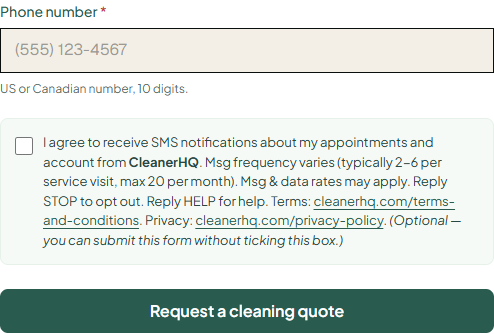
When an end customer requests a quote or books a cleaning service through the CleanerHQ booking widget embedded on a cleaning provider’s website, they enter their phone number and are then shown an unchecked consent checkbox. The customer must actively click it to opt in. Submitting the form stores a timestamped consent record (consent text, IP address, and timestamp) in the CleanerHQ database.
A live demo of this widget is at https://cleanerhq.com/booking-widget-demo/.
Client Portal Booking
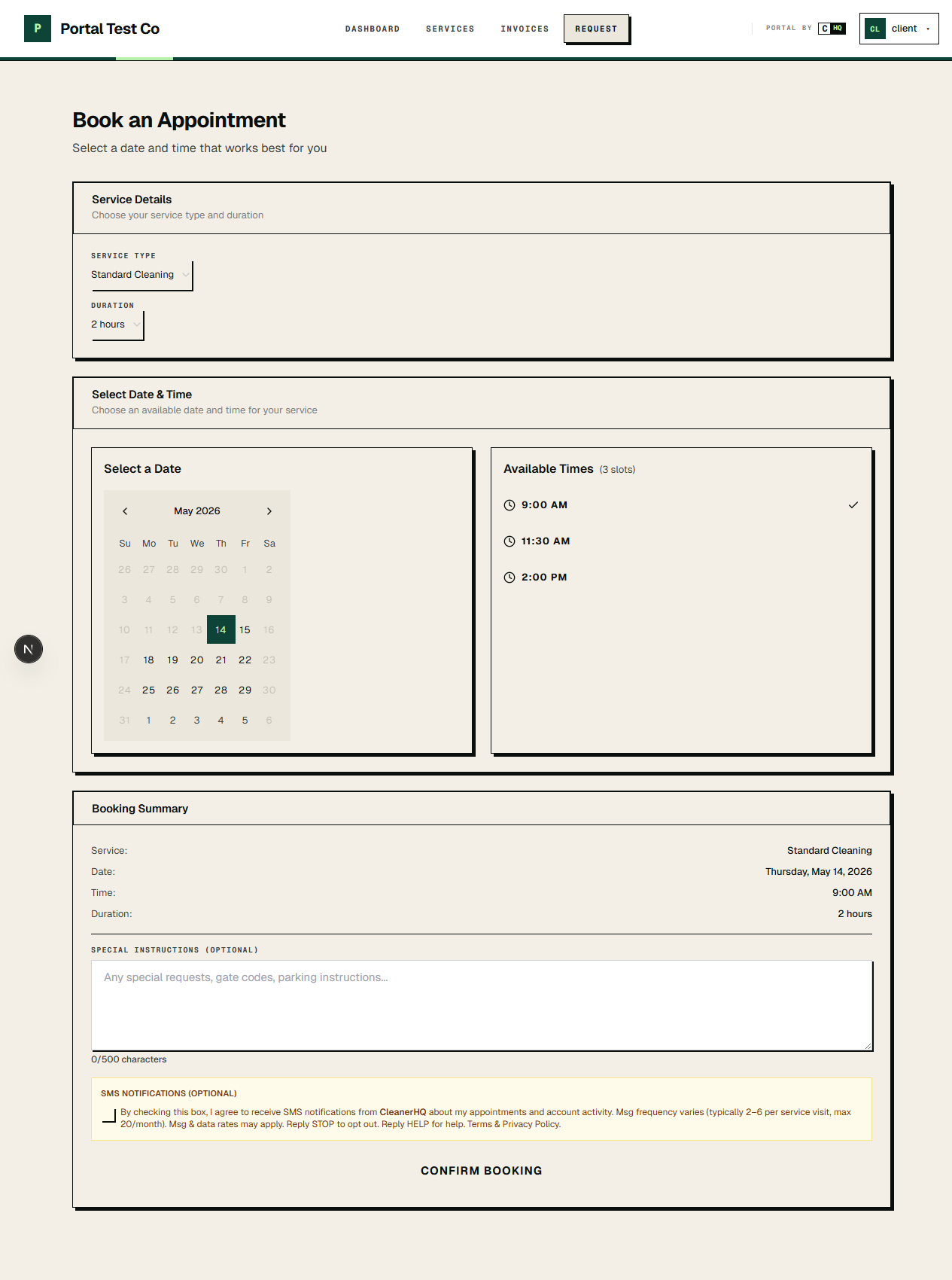
When an existing customer logs into the CleanerHQ client portal at app.cleanerhq.com and books a service, they see the same affirmative consent checkbox before submitting. The consent record is stored against the customer’s contact record with timestamp, IP address, and the exact disclosure text shown.
CRM Contact Entry (Owner-Attested Consent)
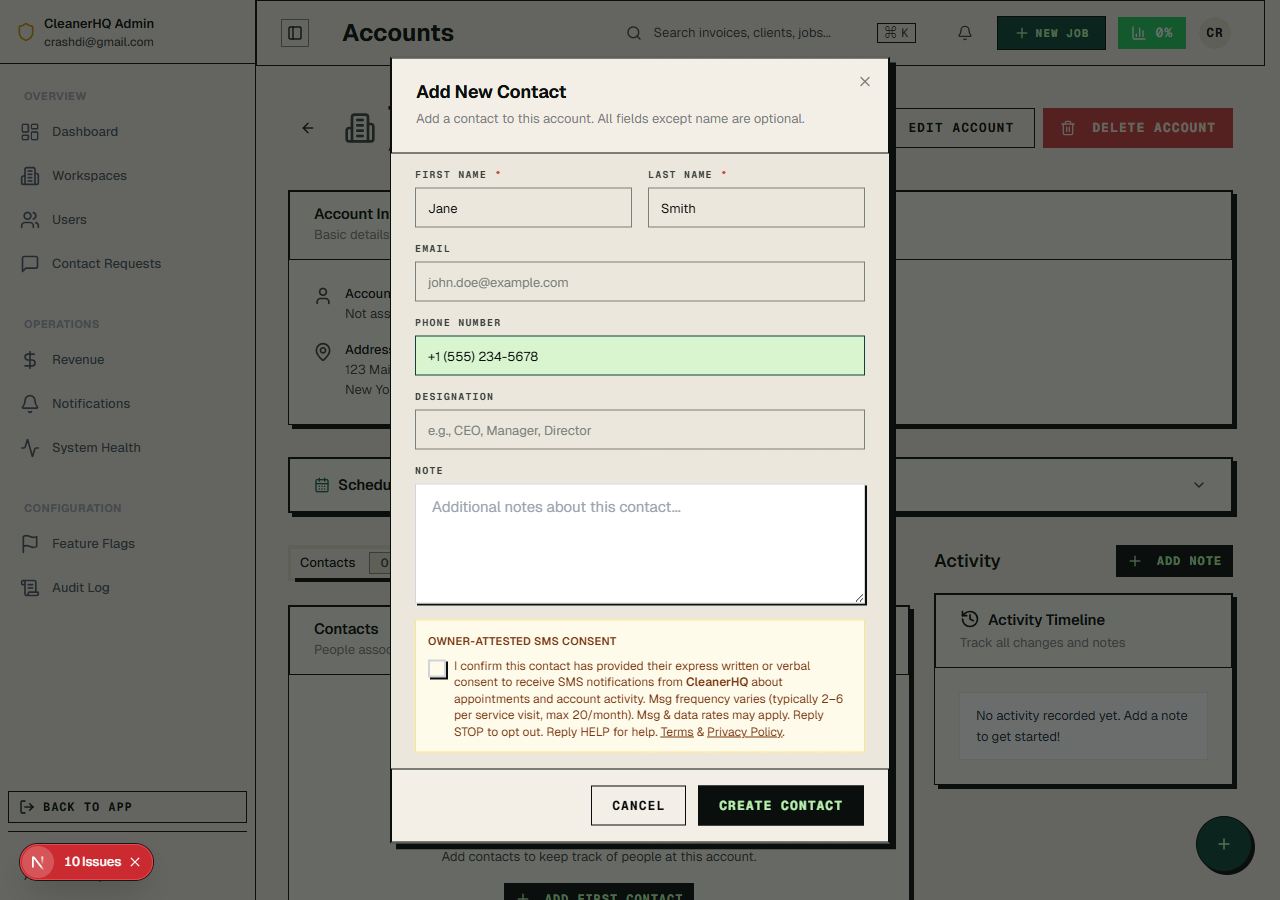
When a cleaning business owner adds a new customer to their CRM after collecting consent verbally or in person (for example, on the phone or on a paper service agreement), they record that consent on the customer’s behalf using a dedicated checkbox. This option is only available to authenticated workspace owners and staff. The CleanerHQ Terms of Service contractually require that workspace owners obtain and retain documentation of the underlying customer consent (signed service agreement, recorded phone-call disclosure, or paper opt-in form) before checking this box. The checkbox is unchecked by default.
Full consent disclosure text
The complete disclosure language presented to end users at the time of opt-in (and stored verbatim with each consent record):
Sample messages
Representative messages sent under this campaign. Every message includes the brand identifier and (on the first message of any conversation) the STOP/HELP keywords.
How to opt out
- Reply STOP to any SMS message to immediately unsubscribe from all future messages. Other accepted opt-out keywords: STOPALL, UNSUBSCRIBE, CANCEL, END, QUIT, REVOKE.
- Reply HELP (or INFO) to any SMS message for assistance and support contact information.
- Update preferences in your client portal at app.cleanerhq.com.
- Email support@cleanerhq.com and we will process the opt-out within one business day.
Opt-outs are honored permanently across all CleanerHQ workspaces and all message categories. Once opted out, a phone number cannot be re-enrolled unless the recipient texts START, YES, or SUBSCRIBE to the same toll-free number, or the recipient explicitly re-checks the consent box in the CleanerHQ client portal.
Sending-hour restrictions
In compliance with the TCPA, all messages are sent only between 8:00 AM and 9:00 PM in the recipient’s local time zone. Time zone is computed from the contact’s service address. The only exception is emergency safety alerts (SOS crew safety notifications), which a workspace owner may send outside normal hours when a field crew member triggers the in-app SOS button.
Data sharing & mobile information
Phone numbers and message content collected for SMS opt-in are shared only with our SMS delivery provider for the sole purpose of delivering messages. No mobile information will be shared with third parties or affiliates for marketing or promotional purposes. SMS opt-in data and consent records will not be sold or transferred to lead generators. Full data-handling disclosure is in our Privacy Policy §6.