
CleanerHQ · For cleaning businesses
Keep the small client details with the job.
Client notes give your cleaning team a place for the details they need to remember. Record an entry step, a room to leave alone, or a customer’s product choice.
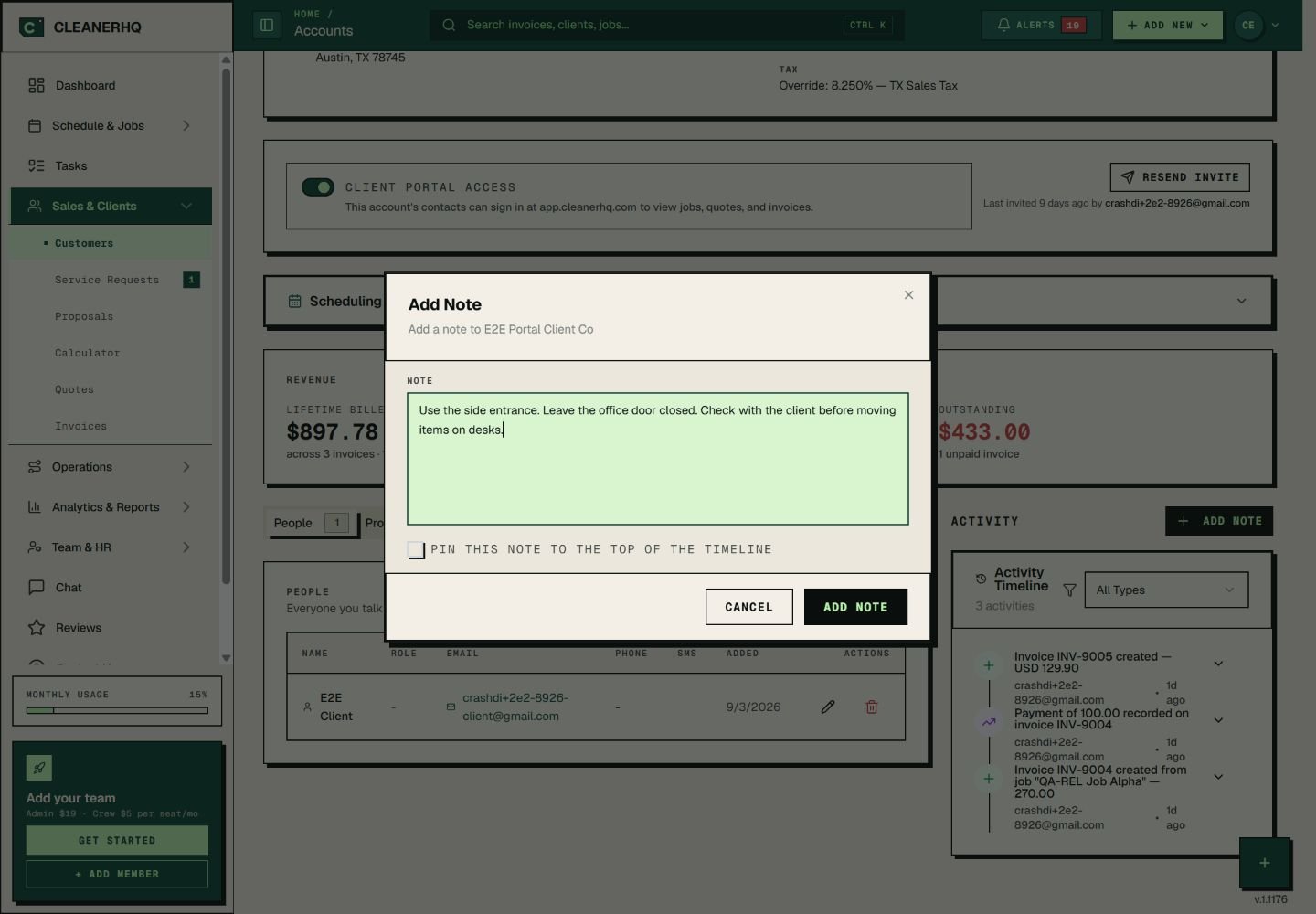
Client notes in CleanerHQ are entries on the customer’s activity list, and the Add Note form can pin one to the top for a detail your office needs to see often. They hold details such as an entry step or a room to leave alone, while staff-only remarks go in the job form’s internal note field.
- Write clear client notes
- Pin key details
- Keep a shared record
See it in CleanerHQ
Write client notes people can act on
“Be careful” does not tell a cleaner what to do. “Leave the office door closed” does.
Put one clear step in each sentence. Name the room, item, or entry point so the next person does not have to guess.
Pin the note that matters most
The Add Note form includes a box to pin a note at the top of the customer’s activity list. Use it for a detail your office needs to see often.
Review old notes when the customer changes their plan. A clear note can still cause trouble if it is out of date.
Keep staff notes and customer messages separate
The job form has both customer-facing instructions and internal notes for staff. Choose the right place for each message.
A customer request belongs with the work. Staff-only remarks should stay in the internal note field.
Make a handover easier to follow
Start with the customer record when a new office user takes over. Read the key notes, then check the linked jobs and quotes.
For the crew’s plan, use the schedule. For the full record, use customer management.
Questions about this feature
Can I pin a client note?
Yes. The Add Note form has a box to keep the note at the top of the activity list.
What makes a good cleaning note?
Write the action and the place. For example: “Use the side entrance. Leave the office door closed.” Keep it short and review it when the customer’s needs change.
See the related steps
- Customer Management for Cleaning Businesses →
- Recurring Cleaning Jobs and Visits →
- Customer Portal for Cleaning Businesses →
- Multilingual Chat for Cleaning Teams →
See how the steps fit together in CleanerHQ’s cleaning business software.
Create your accountEmail us for a 15-minute demo →