
CleanerHQ · For cleaning businesses
Plan the week for your cleaning team.
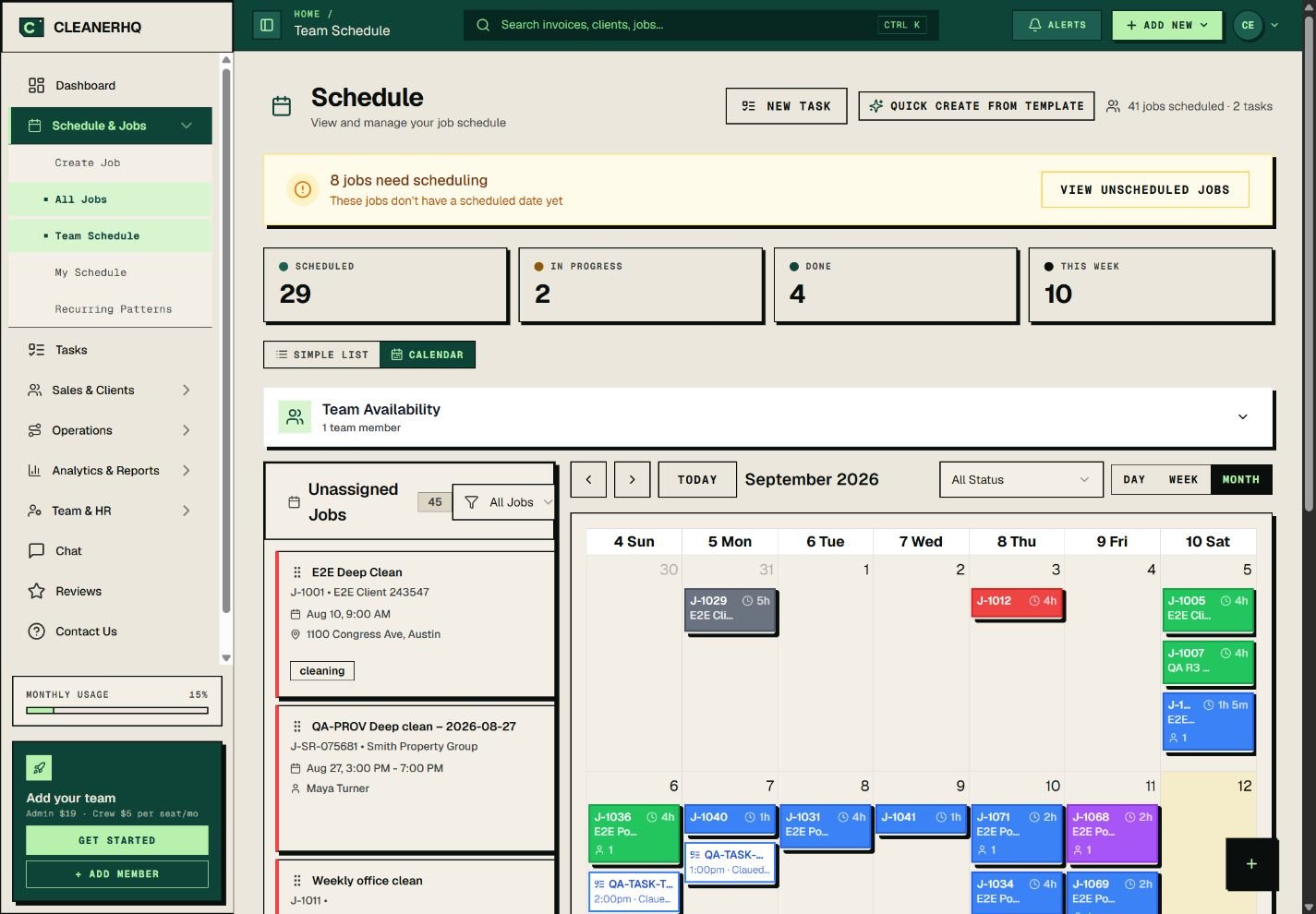
CleanerHQ’s cleaning business scheduling software puts jobs, crew time, and work still to assign in one place. See the week before you promise a time to a client.
- See jobs on the calendar
- Check crew time
- Find work still to assign
CleanerHQ launches November 8, 2026. See prices and trial terms.
See it in CleanerHQ
Build a schedule your crew can follow
A list of dates only tells part of the story. You also need the job address, the crew, and enough time to do the work.
Open the calendar to see the plan. Use the day, week, or month view to check the right span of time.
Keep unassigned jobs in sight
Work without a crew can slip through the cracks. The schedule keeps these jobs in a list beside the calendar.
Check that list when you plan the day. Open each job and confirm the time and crew before you call the client.
Check time before you add a job
The job form has a “Find available time” option. You can also set a start and end time yourself.
Allow time to drive, park, and get inside. A gap on the calendar is only useful if the crew can reach the next job.
Keep repeat work clear
A weekly office clean and a one-off house clean need different plans. Keep the next visit linked to the right client and check the dates when plans change.
Use repeat cleaning jobs to follow a client’s visits. Use repeat routes to think about the order of stops.
Questions about this feature
Can I see jobs on a calendar?
Yes. You can switch between the list and calendar views, then choose the time span you need.
Does the calendar include time to drive?
Leave time for travel when you set each job. Check the route and the gap between stops before you confirm the day.
See the related steps
- Recurring Cleaning Jobs and Visits →
- Plan Recurring Cleaning Routes →
- Cleaning Team Management Software →
See how the steps fit together in CleanerHQ’s cleaning business software.
Bring one job to a demo