
CleanerHQ · For cleaning businesses
Keep crew messages in the same place.
CleanerHQ’s multilingual chat gives your cleaning team shared, direct, and job chats with language choices. Keep the message with the people and work it is about.
- Use a team chat
- Find job messages
- Choose a chat language
CleanerHQ launches November 8, 2026. See prices and trial terms.
See it in CleanerHQ
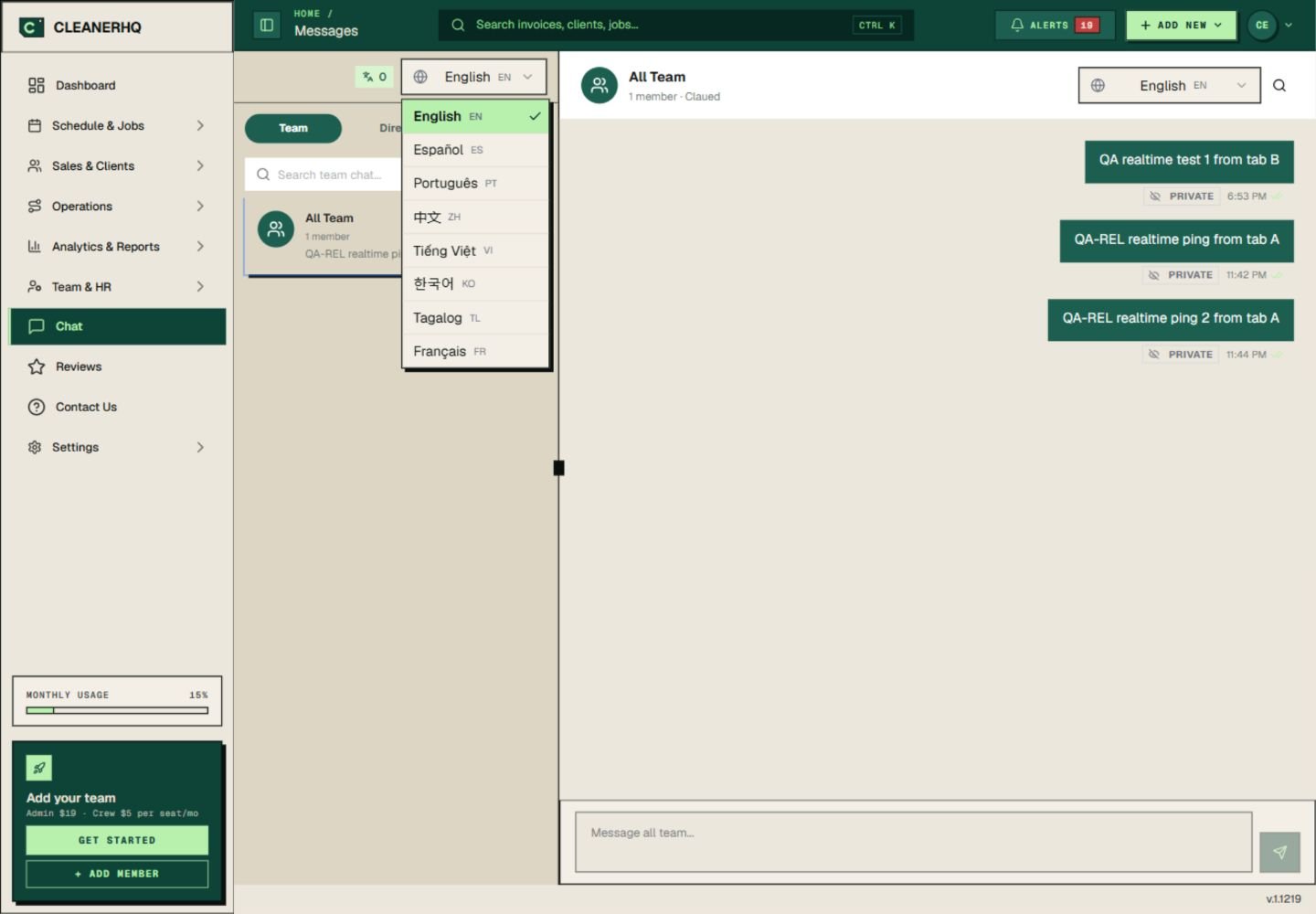
Choose a language in multilingual chat
The chat menu lists English, Spanish, Portuguese, Chinese, Vietnamese, Korean, Tagalog, and French.
Choose from the menu in the app. Keep key job steps short so their meaning is clear in the original message too.
Put the message in the right chat
Use the Team view for a message that concerns the crew. Use Direct for a person, or Jobs for work tied to a job.
This gives a later reply some context. It also makes more sense than mixing every address and question in one long group chat.
Check a message that could be misunderstood
A short sentence can help, but language tools can still miss the meaning. Ask the reader to confirm a time, address, or key work step if it is unclear.
Use the same names for rooms and tasks. Do not rely on a translated message alone for a safety step.
Keep lasting details in the client record
Chat is useful for a question today. A standing instruction, such as which door to use, belongs in client notes too.
For the time and crew assigned to the job, use the schedule.
Questions about this feature
Which languages are listed in the app?
The menu shown lists English, Spanish, Portuguese, Chinese, Vietnamese, Korean, Tagalog, and French.
Can I use separate chats for jobs and people?
Yes. The chat screen has Team, Direct, and Jobs views. Choose the view that fits the message.
See the related steps
- Client Notes for Your Cleaning Team →
- Cleaning Team Management Software →
- SOS Safety Alerts for Cleaning Teams →
See how the steps fit together in CleanerHQ’s cleaning business software.
Bring one job to a demo