
CleanerHQ · For cleaning businesses
Give clients a place to see their work.
CleanerHQ’s client portal lets invited contacts sign in to view jobs, quotes, and bills. Keep those details within reach when a client wants to check their work.
- Give a contact access
- Keep jobs in view
- Share quotes and bills
CleanerHQ launches November 8, 2026. See prices and trial terms.
See it in CleanerHQ
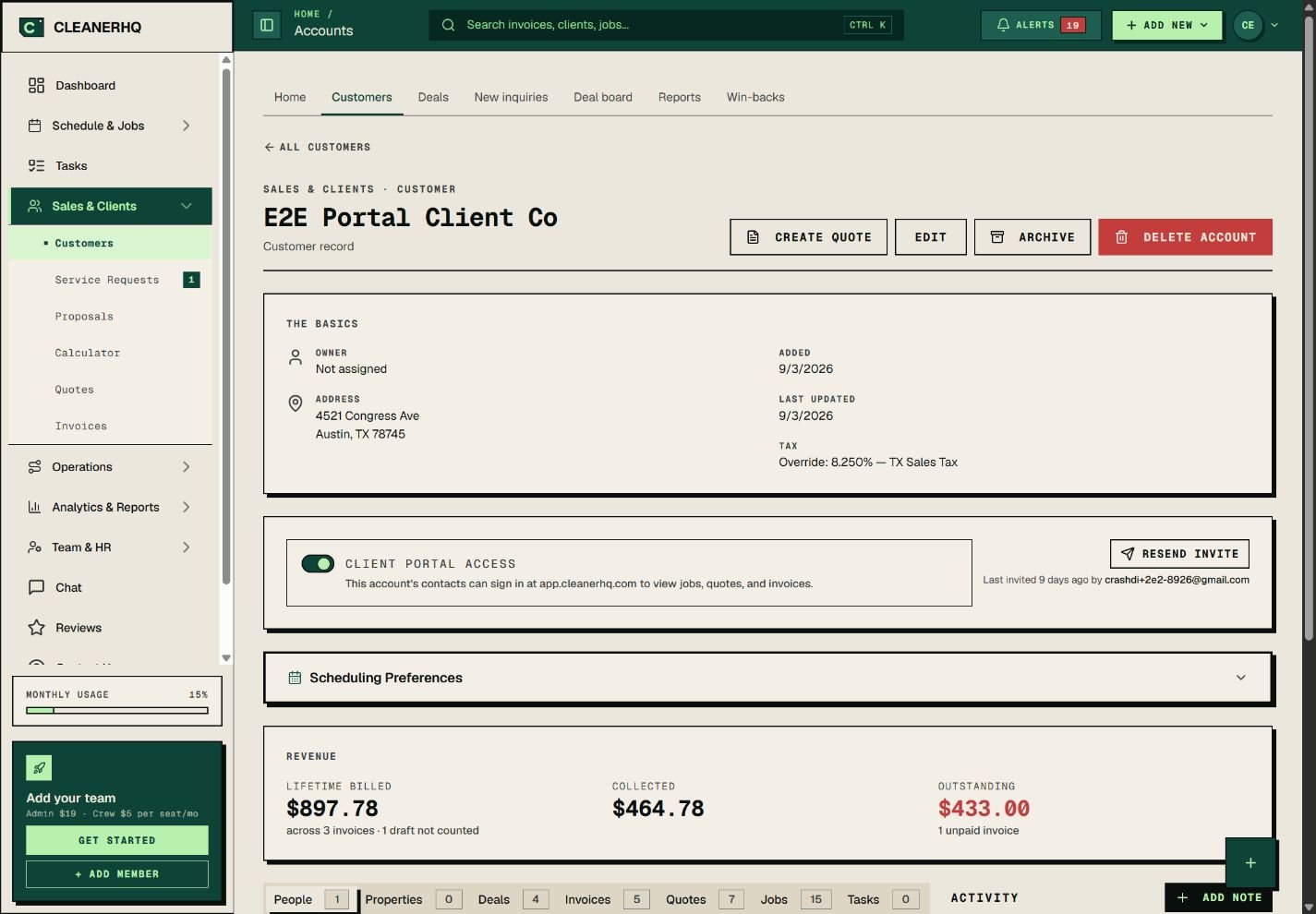
Manage client portal access from the record
The client record includes a portal access switch and the contacts tied to the account. Those contacts can sign in to see jobs, quotes, and bills.
Check that the contact belongs to the right client before you give access. Use their own email address.
Give the client a clear next step
Tell the client where to sign in and which email to use. A short note is enough: “Sign in to view your jobs, quotes, and bills.”
If someone cannot get in, check the contact record and whether portal access is on. Avoid sending new invites to an address you have not checked.
Keep the source records up to date
A portal is most useful when the job, quote, and bill are current. Check a changed date or price in the work record first.
Use client management for the full account. Use client notes for details your office needs to keep.
Use the right place for a schedule change
When a client asks to move a clean, check the crew and time before you confirm it. Update the job so the office and client have the same plan.
The schedule helps you see the rest of the day before you agree.
Questions about this feature
What can invited contacts view?
The app’s access screen lists jobs, quotes, and invoices. The screenshot shows where the owner manages this access.
Is the screenshot a client’s portal?
It is the owner’s setup view. It shows the portal access switch on a demo client record.
See the related steps
- Client Management for Cleaning Businesses →
- Client Notes for Your Cleaning Team →
- Recurring Cleaning Jobs and Visits →
- Plan a Cleaning Referral Program →
See how the steps fit together in CleanerHQ’s cleaning business software.
Bring one job to a demo