
CleanerHQ · For cleaning businesses
Know which supplies need a refill.
CleanerHQ’s cleaning supply tracking shows low stock and requests from your crew. Check what is on hand before the next set of jobs leaves for the day.
- Find low stock
- Read crew supply requests
- Keep an item list
CleanerHQ launches October 1, 2026. See prices and trial terms.
See it in CleanerHQ
Use a stock limit for each item
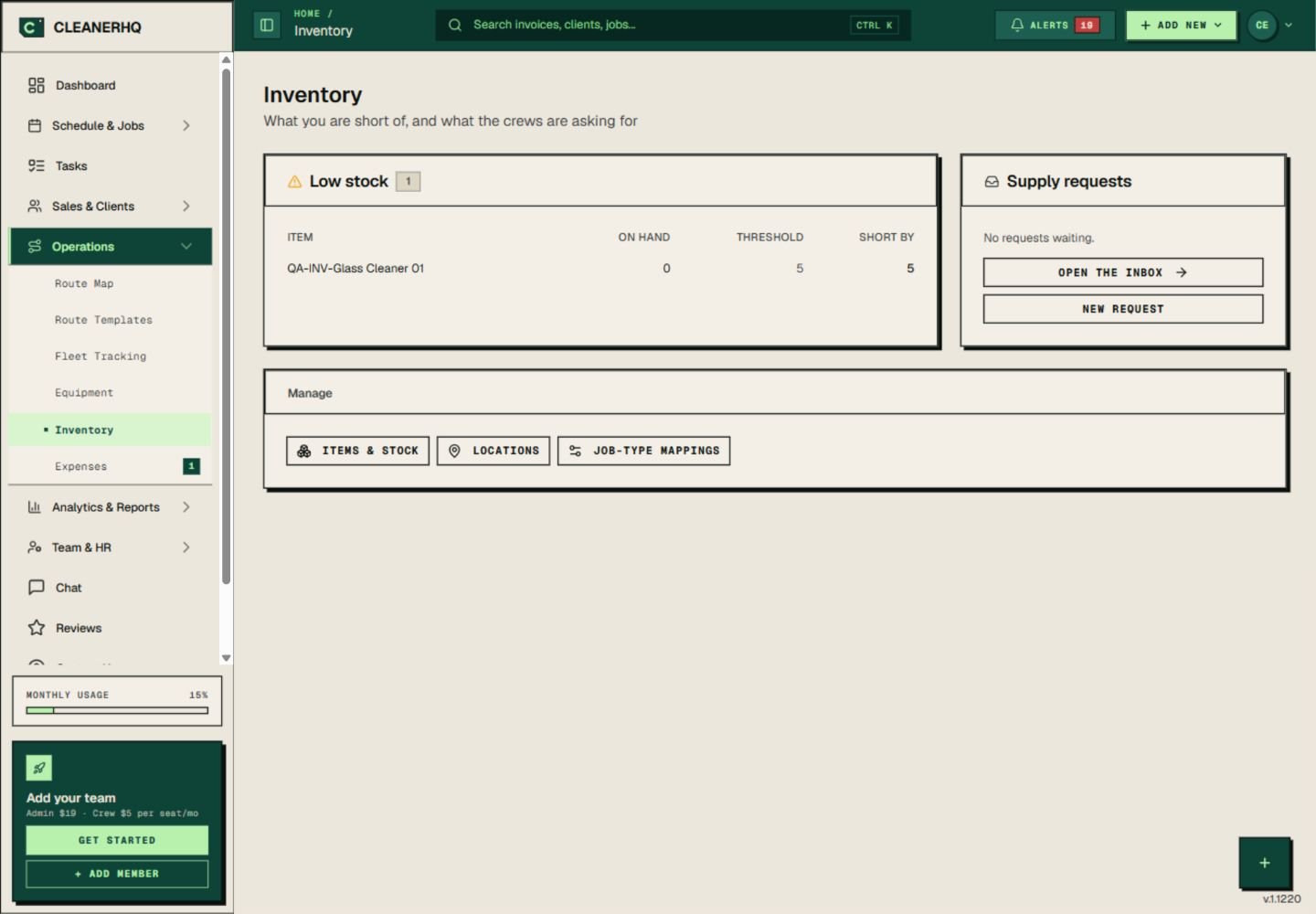
The low-stock list shows the amount on hand, the limit you set, and how much is missing. Choose a limit that fits how fast your crew uses the item.
Check the figures against the shelf when you restock. A stock list is only useful when the counts stay current.
Keep crew requests together
The supply request area shows whether requests are waiting. You can open the request inbox from the same screen.
Check requests before buying more. One crew may need an item that is already stored at another site.
Separate tools from supplies
The item list separates assets, such as a vacuum, from supplies that get used up. You can also view stock by location.
That helps you ask the right question: does the crew need a refill, or do they need a tool moved to the job?
Review supplies as part of job costs
Stock counts show what you have. They do not, by themselves, show the full cost of a job.
Record the supplies used with the work. Use job profit reports to review costs alongside income.
Questions about this feature
Can I choose the low-stock limit?
The item list includes a low-stock threshold for each item. Set it to the point where you want to check or refill that stock.
Does a low-stock warning place an order?
Use it as a prompt to check stock and buy what you need. The screen shown here is a stock and request view, not an automatic purchasing service.
See the related steps
- Cleaning Job Profit Reports and Costs →
- Cleaning Team Management Software →
- Cleaning Business Scheduling Software →
- Plan Recurring Cleaning Routes →
See how the steps fit together in CleanerHQ’s cleaning business software.
Bring one job to a demo