
CleanerHQ · For cleaning businesses
Catch a shift that was left running.
CleanerHQ’s automatic clock-out review helps you find time entries that need a check. Open the flagged entry, confirm what happened, and review the hours before approval.
- Find auto clock-outs
- Check recorded hours
- Review before approval
CleanerHQ launches October 1, 2026. See prices and trial terms.
See it in CleanerHQ
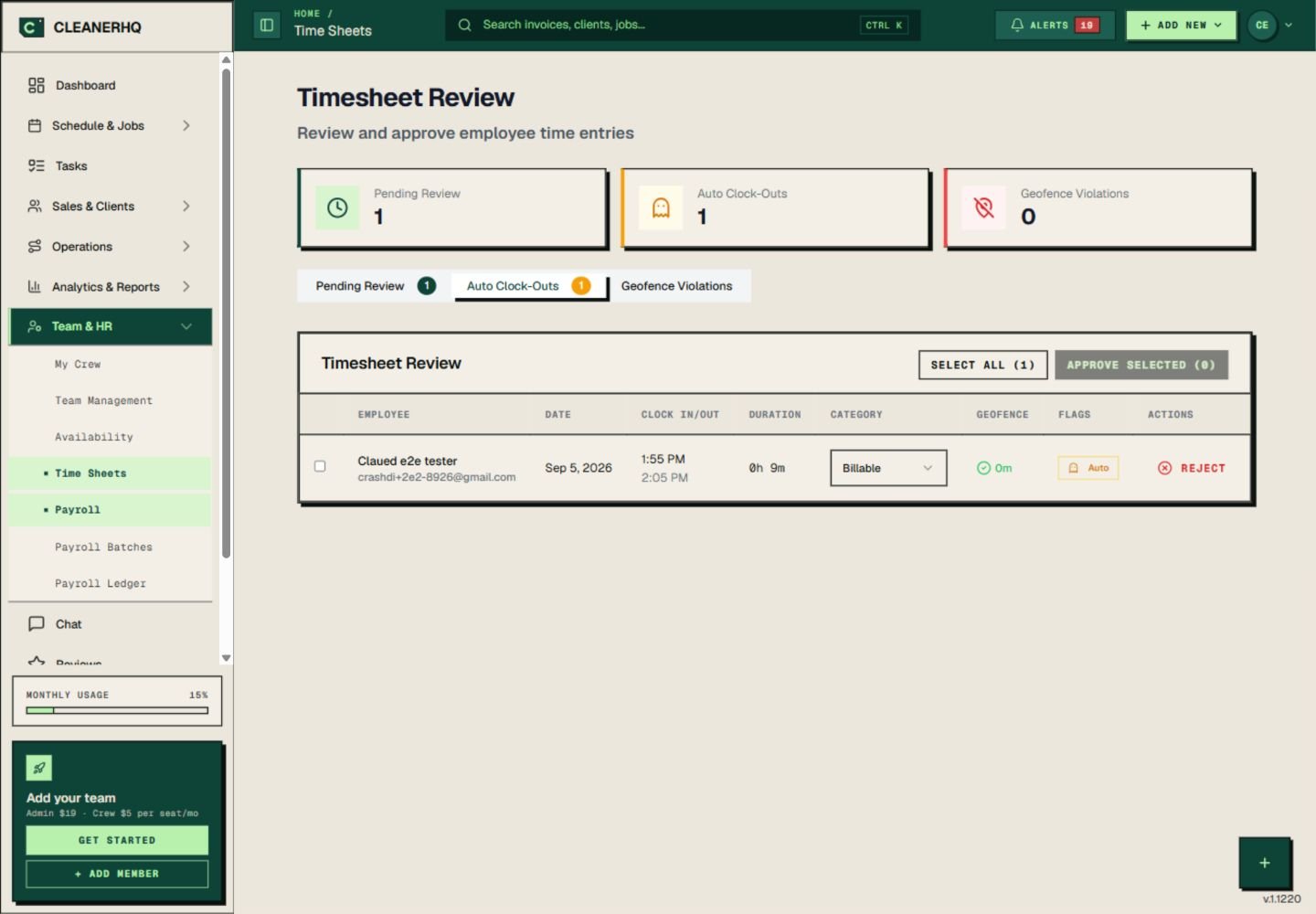
Find automatic clock-outs in one list
The Timesheet Review screen has a separate Auto Clock-Outs tab. It shows the person, date, start and end times, and the length of the entry.
The Auto flag explains why the entry closed. In this demo record, the note refers to time after the scheduled end.
Check the time with the crew
An automatic end time is a reason to review the entry. It does not prove when the cleaner stopped working.
Compare the entry with the job and speak to the crew member if it looks wrong. Make sure the final record reflects the work done.
Keep approval as a separate step
The review screen lets an owner select entries for approval. A flagged entry does not have to pass straight through unchecked.
Build this check into your pay review so a missed tap does not stay hidden until payday.
Use the job and location details
Need more context? Check the location column in the time list alongside the job record before you decide whether the hours look right.
The GPS clock-in page explains those checks. You can also open team records to review who has access and which role they use.
Questions about this feature
Does an auto clock-out prove when work ended?
No. Review the entry with the job and crew member. The actual work time is what matters.
Where do I find these entries?
Open Timesheet Review and choose Auto Clock-Outs. The list keeps those entries together for review.
See the related steps
- GPS Clock-In Checks for Cleaning Teams →
- Cleaning Team Management Software →
- Cleaning Job Profit Reports and Costs →
See how the steps fit together in CleanerHQ’s cleaning business software.
Bring one job to a demo