
Clean books need
clean data.
Here is the honest answer about accounting software for a cleaning business: you need two layers. QuickBooks keeps the books. CleanerHQ runs the money operations — invoices, payments, expenses, payroll prep — and hands your accountant clean, categorized data.
Start 14-Day Free Trial →See pricing
Most cleaning businesses run QuickBooks (or Xero) for accounting plus an operations platform for the daily money work. CleanerHQ handles invoicing with automated overdue reminders, payments through your own Stripe at 0% markup, expense tracking with 21 cleaning-specific categories, and payroll exports for Gusto, ADP, and QuickBooks — then exports everything with tax codes so your books reconcile in minutes, not weekends.
No single tool does both jobs. Anyone claiming otherwise is selling you a gap.
“Accounting software for a cleaning business” hides two different jobs, and the businesses with clean books split them deliberately:
QuickBooks / Xero
- Chart of accounts, P&L, balance sheet
- Tax filing and year-end close
- Bank reconciliation
- Your accountant already lives here
CleanerHQ
- Invoices generated from completed jobs — no re-typing
- Payments through your own Stripe, 0% platform markup
- Field expenses with receipts, approvals, and job allocation
- Payroll calculation exported to Gusto / ADP / QuickBooks
- Accounting CSV export with tax codes
CleanerHQ deliberately does not do P&L statements, balance sheets, or tax filing — that is your accountant’s layer, and pretending otherwise creates messes. What it does is make sure the data flowing INTO that layer is complete, categorized, and job-linked. Full setup pattern in our CleanerHQ + QuickBooks guide.
Invoices that chase themselves.
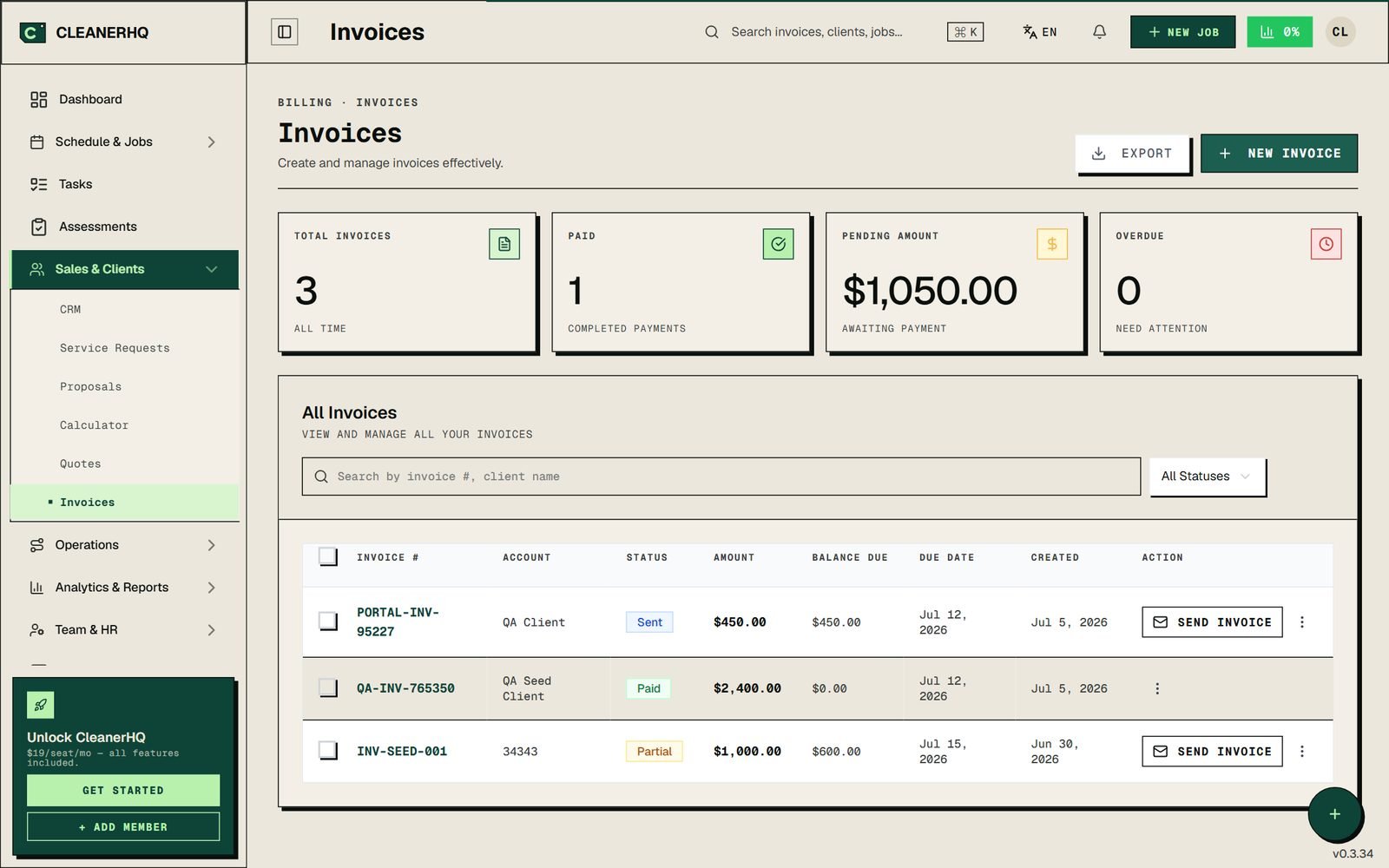
FIG 01 — The invoices workspace: paid / pending / overdue at a glance, statuses per invoice, one-click send.
One click from job to invoice. A completed job becomes an invoice with line items, hours, and materials carried over — auto-numbered (INV-0001…), with billable field expenses automatically attached as line items.
Escalating overdue reminders. Gentle → firm → final notice, sent automatically. The most common cleaning-business cash-flow leak — unpaid net-30 invoices nobody chased — gets chased by the system.
Pay Now built into every email. Client clicks, pays by card through your Stripe checkout, invoice status updates itself, and a polished receipt PDF goes out automatically.
Recurring invoices for contract accounts, saved cards on file for repeat clients, and void/refund flows with idempotency safeguards — you cannot accidentally double-refund.
Your Stripe. Your bank. 0% platform markup.
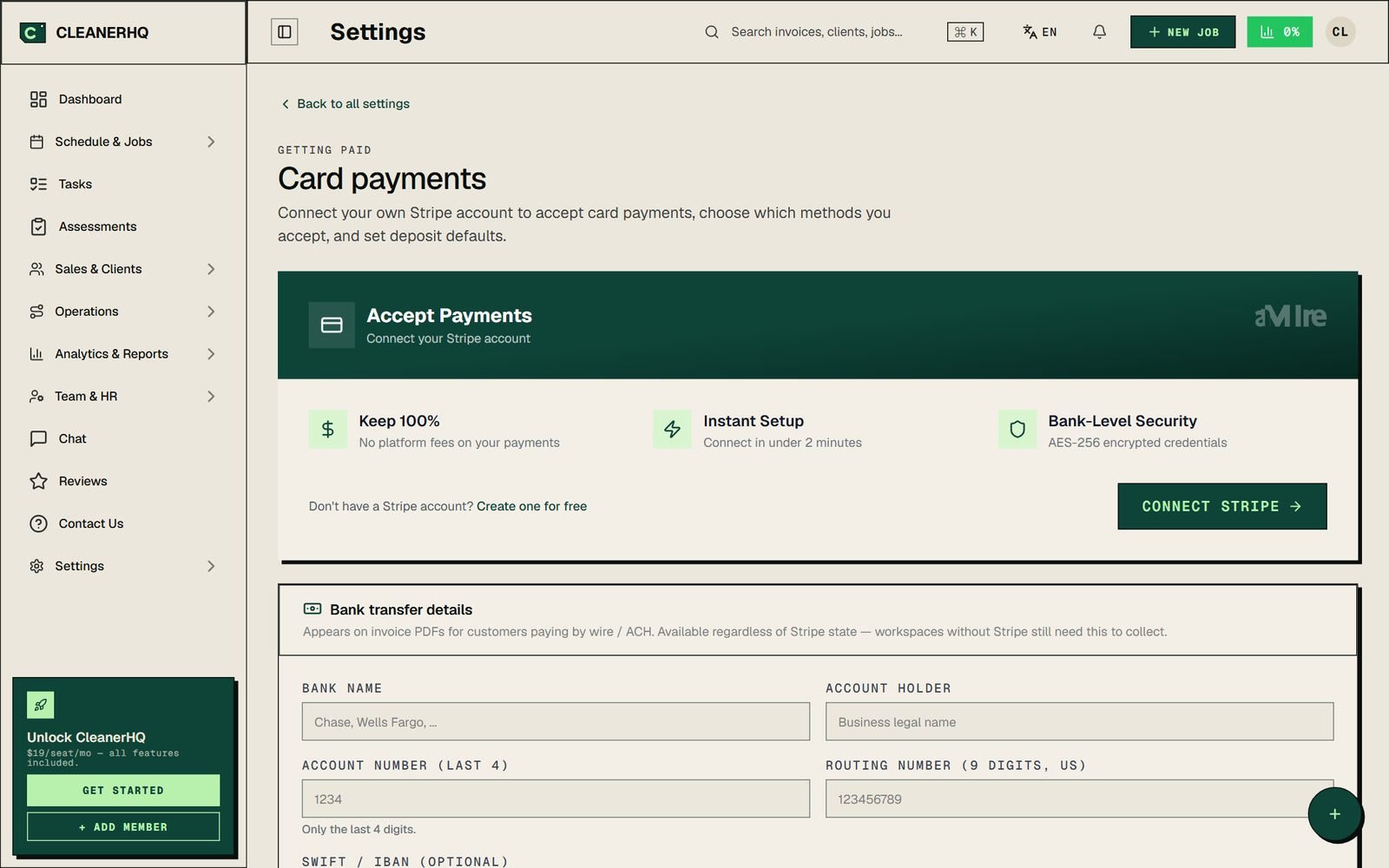
FIG 02 — Payment setup: connect your own Stripe, keep 100%, add bank transfer details for wire/ACH clients.
Bring Your Own Stripe. Payments flow directly into your bank — CleanerHQ never touches the money. You pay Stripe’s published rate and nothing on top. Platforms that add 2.9% markup cost roughly $10,440/year at $30,000/month of card volume.
Bank transfer support for commercial clients. Add your account details (routing, IBAN/SWIFT) and every invoice PDF carries a “Pay by bank transfer” section — essential for janitorial contracts paid by wire.
Self-reconciling card payments. Stripe webhooks update invoice status automatically — a paid invoice marks itself paid, in your books and in front of your client.
Bank-level credential security. Stripe keys are encrypted at rest (AES-256), verified live before saving, and re-checked daily with a warning if the connection ever breaks.
Every receipt captured, coded for the books.
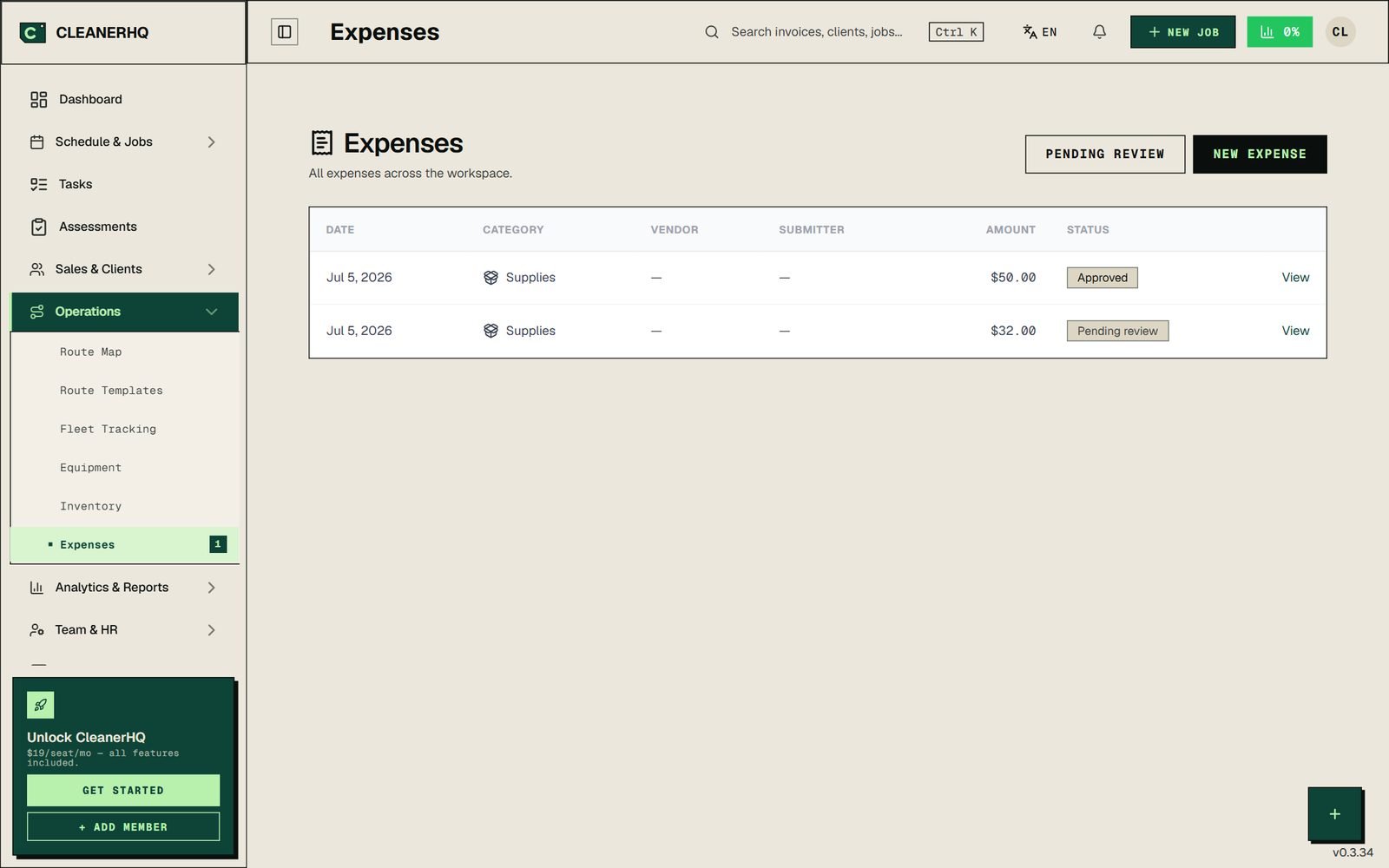
FIG 03 — Expense inbox: crew submits from the field, approvals route by rule, everything lands categorized.
21 categories built for cleaning — supplies, chemicals, PPE (separate from uniforms), equipment, vehicle fuel and maintenance, mileage, parking, tolls, certifications, tips paid out, and more. Your Schedule C stops being a guessing game — see our cleaning business tax deductions guide for what each category means at tax time.
Receipt OCR + multi-job allocation. Snap the receipt; one supply run covering three jobs splits across them four ways: even, by revenue, by calculator estimate, or manual.
Policy engine for approvals. Rules like “auto-approve under $25 if the submitter has no rejections in 30 days” — and routing rules so chemicals always reach the safety lead. OSHA SDS registry included, with alerts when a data sheet ages past 3 years.
Reimbursable and billable flags. Crew reimbursements flow into the payroll ledger automatically; client-billable expenses appear on the next invoice as line items. Nothing falls through.
Accounting CSV export with tax codes. The whole ledger exports clean for QuickBooks import — categorized, job-linked, with mileage logged odometer-to-odometer.
Payroll calculated here, paid through your provider.
CleanerHQ calculates what every crew member earned — hourly, commission, fixed per-job, or hybrid pay models, with tip tracking and distribution — and exports the batch in Gusto, ADP, or QuickBooks-compatible formats. Your payroll provider handles the actual run: tax withholding, direct deposit, W-2s.
GPS-verified hours feed the numbers. Clock-in/out with geofence enforcement and automatic ghost clock-out for forgotten shifts — so payroll starts from hours you can trust.
5-star review bonuses, automatic. A 5-star client review auto-creates a bonus line in the payroll ledger for the assigned crew. Retention math that runs itself.
Full audit trail. Every payout batch is logged, and reimbursable expenses flow in automatically when paid via payroll.
An architectural commitment, not a missing feature
CleanerHQ never moves money to employees and never holds client payments. Payroll always runs through your provider; client money always lands in your own Stripe. Your funds are never on our balance sheet — by design.
What clean data does for your margin.
Job-level profitability
Every completed job gets a revenue-minus-labor-minus-materials-minus-travel calculation. You see which accounts make money and which quietly drain it — before year-end.
Reconciliation in minutes
Invoices, payments, expenses, and payroll all export categorized and job-linked. Month-end stops being a shoebox-of-receipts weekend.
An accountant who loves you
Your bookkeeper imports clean CSVs with tax codes instead of interrogating your bank statement line by line. Fewer billable hours, fewer errors.
The money stack is part of the full platform — see the complete cleaning business software guide, how CleanerHQ ranks among the best cleaning business software, or how quoting feeds this whole flow in cleaning quote software.
Frequently asked about the money stack.
What accounting software do cleaning businesses use?
Most use QuickBooks Online or Xero for the books, paired with an operations platform for daily money work. The accounting tool handles P&L, taxes, and reconciliation; the operations layer (CleanerHQ) handles invoicing, payments, expense capture, and payroll prep — then exports clean data into the accounting tool.
Is QuickBooks enough to run a cleaning business?
QuickBooks is enough for the books, not for operations. It has no scheduling, no crew app, no quoting engine, no job-level profitability, and its invoices don’t know which job or crew they came from. The pattern that works: operations platform for the day-to-day, QuickBooks for accounting — our CleanerHQ + QuickBooks guide covers the exact setup.
Does CleanerHQ replace QuickBooks?
No, and deliberately so. CleanerHQ does not produce P&L statements, balance sheets, or tax filings. It replaces the six tools feeding your books — invoicing, payment collection, expense tracking, mileage logs, payroll calculation, profitability reporting — and exports everything to QuickBooks, Xero, Gusto, or ADP.
How do field expenses get into my accounting?
Crew submits the expense from the field with a photo receipt. It routes for approval by your rules, lands in one of 21 cleaning-specific categories, links to the job it belongs to, and exports in an accounting CSV with tax codes. Billable expenses also auto-attach to the client’s next invoice.
Does CleanerHQ handle payroll taxes?
No — payroll is export-only by design. CleanerHQ calculates earnings (hourly, commission, per-job, or hybrid, plus tips and bonuses) and exports to Gusto, ADP, or QuickBooks formats. Your payroll provider withholds taxes, runs direct deposit, and issues W-2s/1099s.
What does it cost?
$19/month per admin seat, $5/month per crew seat — invoicing, payments, expenses, and payroll export all included, no feature gates. Payments run through your own Stripe with 0% platform markup. 14-day free trial, no credit card required.
Give your accountant clean data.
Invoices that chase themselves. Payments through your own Stripe. Expenses coded for the books. Payroll exported, not guessed.
$19/ADMIN SEAT · $5/CREW SEAT · 0% PAYMENT MARKUP · NO CREDIT CARD REQUIRED