How to Ask Cleaning Clients for Honest Google Reviews
Use simple review requests, public reply examples and a free tracking sheet. Ask clients fairly and keep cleaning complaints separate.
 R Rashdi
·
July 2, 2026
·
7 MIN READ
R Rashdi
·
July 2, 2026
·
7 MIN READ
Quick answer
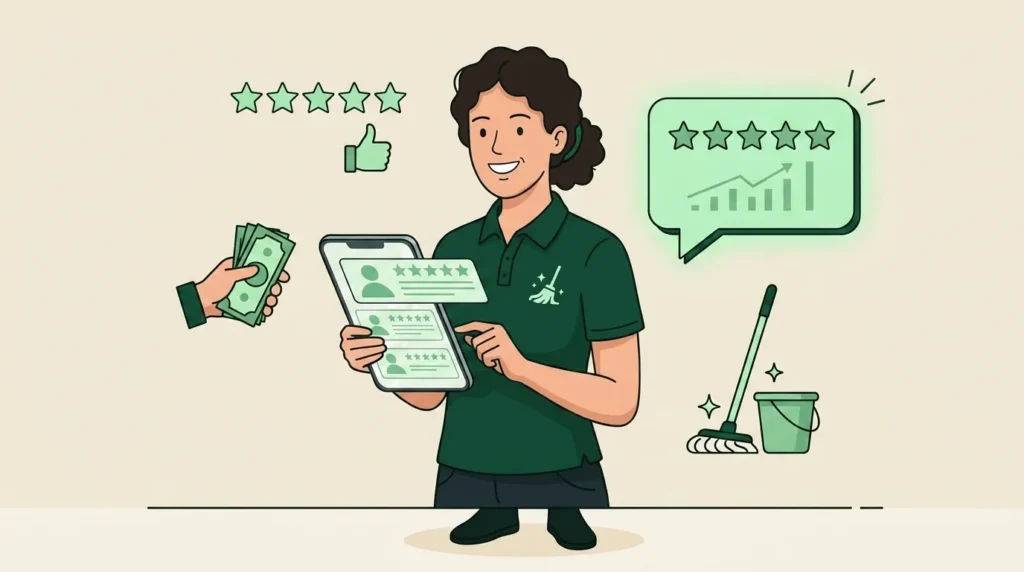
Ask cleaning clients for an honest review with a short message and your Google review link. Use the same invitation for eligible clients, whether their feedback is good or bad. Keep a record so you do not ask twice or contact someone who has opted out.
A review request should be easy to answer or ignore. This guide gives you messages to copy, a free request log and a way to handle complaints without asking clients to change what they say in public.
We checked the official Google and FCC guidance linked below on September 14, 2026. The message examples are written for cleaning businesses; they are not actual customer reviews.
Get the free review request log
Download the cleaning review request log (XLSX). It has one made-up example and blank rows for your records. No app account or email signup is needed.
Use a client or job code instead of a home address. Record the allowed contact method, where permission is recorded, request date and any reminder. Keep opt-outs and service follow-up in separate fields. The sheet sends nothing and cannot check whether you have lawful consent.
How to get reviews for your cleaning business fairly
Use a simple rule: invite clients who have used your service and whom you may contact, without checking their star rating first. Apply the same limits for recent requests and opt-outs to everyone.
The old version of this article told owners to send a Google link only after a happy reply. That was wrong. Google’s review policy does not allow selective requests for positive reviews.
- Do not offer a discount, free clean or refund for posting, changing or removing a review.
- Do not set staff review-request quotas or ask clients to name a cleaner in a review.
- Let the client choose the words and rating. Avoid pressure to post while you are at the property.
Copy your Google review link
- On a computer, open your Google Business Profile.
- Choose Read reviews, then Get more reviews.
- Choose Copy for the review link.
- Open the copied link yourself. Check that it shows the right cleaning business before you put it in a message.
These are Google’s current link-sharing steps. The same screen offers a QR code on a computer. You can put it on a receipt so a client can use it later. If your profile needs work, start with our Google Business Profile guide for cleaners.
Clients need to sign in to a Google Account to post; they do not need a Gmail address. If they would rather send private feedback, accept it. Do not write a public review for them.
Choose when to ask, then use one channel
A useful starting point is after the client has had time to look at the finished work. For an office clean done at night, that may be after the contact returns the next day. Send during reasonable local hours. There is no proven one-hour rule in this guide.
Check the last request before asking a weekly client again. Do not send a fresh request after every visit. Choose email or text based on the permission you have, rather than sending both because someone has not replied.
For texts, FCC guidance explains consent and ways to opt out. Rules depend on the message, sending method and location. Before using automatic sends, check your provider’s requirements and the rules that apply to you. A booking checkbox or a fixed send window is not a complete compliance check.
Two review requests you can copy
Replace every bracketed field, check the link, and make sure someone monitors replies. Use the text option only through a channel you may use, with opt-out handling in place.
Short text request
Hi [first name], it’s [your name] from [business]. Thanks for choosing us. If you’d like to share your experience, you can leave an honest Google review here: [review link]. Thank you. Reply STOP to opt out.
Email request
Subject: Your cleaning visit with [business]
Hi [first name],
Thank you for choosing [business]. If you would like to share your experience, here is our Google review link: [review link]. Honest feedback helps people decide whether our service is right for them.
If you need help with the clean, reply to this email or call [business phone]. You can contact us whether or not you leave a review.
Thanks,
[your name]
[business]
To stop review requests from us, reply “no thanks.”
One optional reminder
If you choose to follow up, wait several days and send one reminder at most. That is a suggested limit, not a claim about response rates. Skip it if the client has declined, opted out or said they already reviewed. If you cannot match a Google name to a client, leave it as unknown and avoid chasing them.
Hi [first name], [your name] from [business] here. This is our last review reminder. If you’d like to leave an honest review, here is the link: [review link]. If you’ve already done so, thank you. Reply STOP to opt out.
Handle a cleaning problem on its own
A client may say a shelf was missed. Check the agreed tasks, ask what happened and arrange the next step. Record who will follow up and when. Keep this work separate from the review request; poor feedback does not take away the public link.
For example, you might write: “Thanks for telling me about the shelf. I’ll check the job notes and call you tomorrow to agree the next step.” Only promise a time you can meet. This is a made-up example, not a fixed rule for every complaint.
If a re-clean or refund is appropriate, resolve it on its own terms. Never make it depend on posting, changing or deleting a review. Our cleaning complaint guide covers the service follow-up in more detail.
Three public replies to adapt
Keep replies brief. Use only details the client has made public, and do not share an address, access code, invoice, health detail or private message. Google’s reply guidance recommends protecting privacy and moving complex issues to a private conversation.
A client praises the clean
Thank you for taking the time to leave a review. We’re glad you were pleased with the clean. — [your name], [business]
A client says a task was missed
Thank you for letting us know. I’m sorry the clean fell short of what you expected. Please contact me at [business phone or email] so I can check what happened and discuss the next step. — [your name]
You cannot match the review to a job
I’d like to look into this, but I can’t match the details here to a booking. Please contact [business phone or email] so we can check. — [your name], [business]
Do not call someone a liar because you cannot find their name. If you believe a review breaks Google’s rules, use its reporting option and explain the issue. Criticism alone is not a reason for removal, and reporting does not guarantee it.
Use the log before the next request
| Field | What to record |
|---|---|
| Client / job code and job date | Enough to find your private job record. |
| Allowed channel and permission record | The method you may use and where you checked it. |
| Request and reminder dates | What you actually sent, not a target number. |
| No contact? | Any opt-out, date and reason. Check this before sending. |
| Review seen? | Date if known; otherwise write unknown. |
| Service follow-up | Owner, action and due date, whether or not a review was left. |
In the filled example, DEMO-104 has a missed shelf to check and the same review invitation as other clients. The issue is assigned to the owner. A complaint is not an opt-out; a clear request to stop contact is. This is a manual log, so you must check the records before each send.
Common questions
Should I ask for five stars?
Ask for an honest account of the service. Leave the rating and wording to the client.
How many reviews do I need?
There is no review count in this guide that guarantees a rank or booking. Check that your link works, requests are fair and client concerns get a reply. Do not turn review totals into staff quotas.
Can software send these for me?
Some tools can send requests, but check the actual setup before relying on one. Test permission checks, opt-outs, duplicate requests and the public link. A poor private rating must not block that link. This guide does not promise that CleanerHQ automates those steps.
Keep the job details close
Clear records help you check a client’s concern. See how CleanerHQ keeps client notes alongside cleaning work.

Written by
Rashdi has spent 15+ years building and managing enterprise software, and has worked with US cleaning businesses since 2006. He founded CleanerHQ.