Running a cleaning business from your phone isn’t just convenient anymore—it’s how you keep up. While big platforms like Quote2Clean handle your main operations, real power comes from building a mobile ecosystem that covers every angle.
The right mix of specialized mobile apps can totally change how cleaning business owners manage teams, track jobs, and serve customers out in the field.
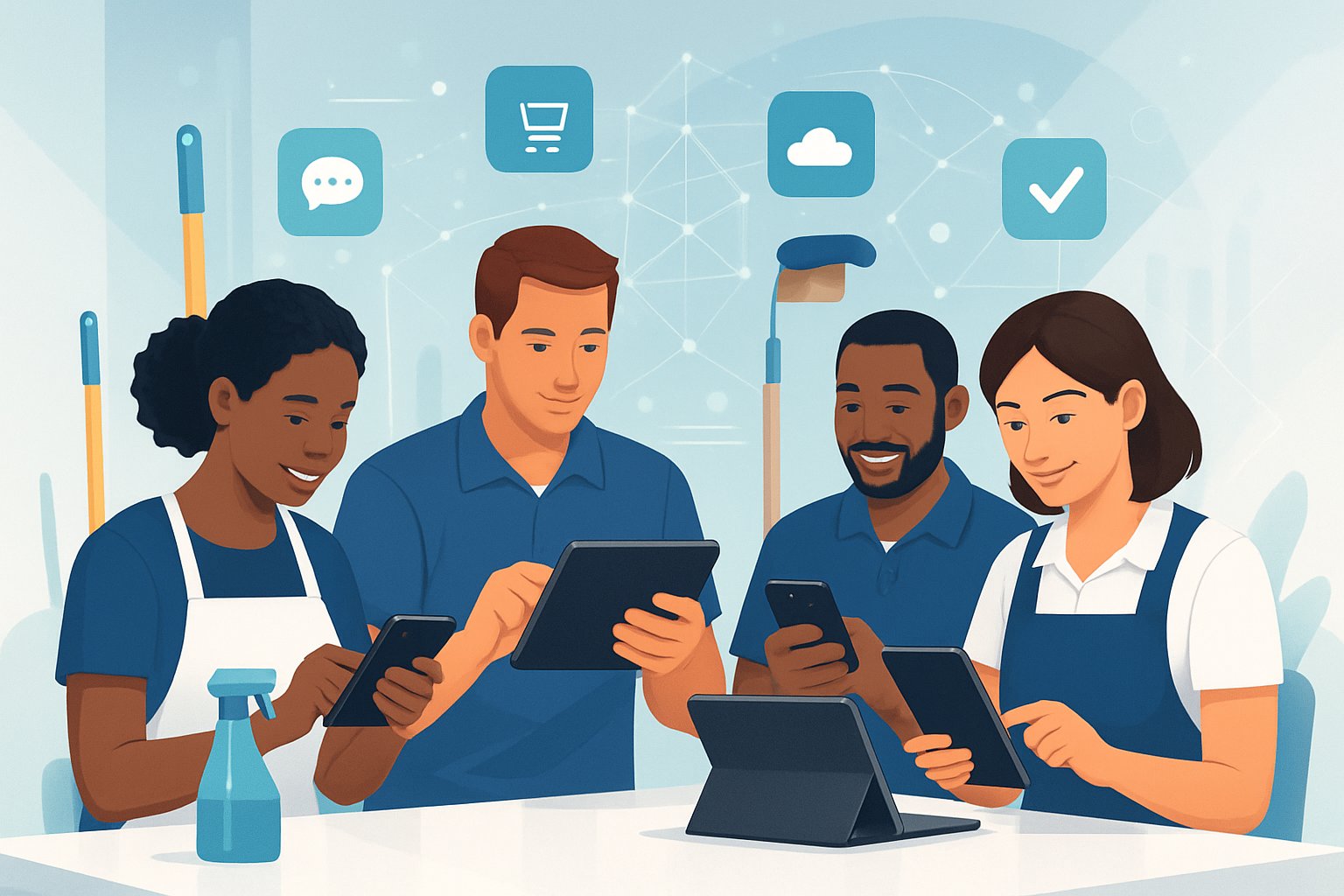
Smart cleaning business owners know: you need the right tools at your fingertips. Time tracking apps help you keep labor costs in check, and GPS solutions keep crews on schedule.
Photo documentation apps show proof of work quality. Mobile payment processors get you paid faster—always a win.
These tools create a smooth operation, whether you’re on-site or managing remotely. Everything just works better when you’ve got the right tech.
Paper-based systems? They just can’t keep up with how fast this industry moves. Modern cleaning business apps give you real-time data about job progress, team locations, and customer satisfaction.
A mobile-first approach helps you make better decisions, cut overhead, and scale up without losing control of quality or profit.
Key Takeaways
- Build a mobile app ecosystem with tools for time tracking, communication, payments, and documentation—not just your main platform.
- Real-time GPS tracking and mobile documentation apps help maintain quality control and accountability at every job site.
- Mobile payment processing and instant communication tools can really boost cash flow and customer satisfaction.
Essential All-in-One Cleaning Business Management Apps
These platforms handle scheduling, invoicing, customer management, and team coordination in one place. Each one targets specific cleaning business models with features that fit your needs.
Jobber for Streamlined Operations
Jobber gives service pros a full cleaning business software solution. It pulls together job scheduling, customer management, and invoicing in one system.
Key Features:
- Scheduling Tools: Drag-and-drop calendar, recurring job automation
- Customer Portal: Clients book, view schedules, and pay online
- Mobile App: Field workers update job status, snap photos, collect signatures
- QuickBooks Integration: Syncs financial data automatically
You can run both residential and commercial cleaning with Jobber. Teams track time, manage routes, and send automated reminders.
Pricing starts at a reasonable monthly rate based on users. All plans include unlimited customers and jobs.
Small to medium cleaning businesses get the most from Jobber’s balance of features and price. The basics are easy to pick up—no steep learning curve.
Zenbooker for Online Booking and Scheduling
Zenbooker is all about online booking and self-service for cleaning services. The focus here is on automated scheduling and making things easy for customers.
Core Capabilities:
- 24/7 Online Booking: Customers schedule services any time, no calls needed
- Automated Confirmations: Email and SMS reminders help cut down on no-shows
- Service Customization: Flexible pricing by home size and cleaning type
- Payment Processing: Collects credit card and ACH payments
This app works for businesses that want to cut admin work. Clients can modify appointments and add services on their own.
Zenbooker syncs with popular calendars and accounting tools. The booking system works on any device.
If you’re focused on growing through online presence, Zenbooker fits. High booking volume businesses get the most out of it.
ZenMaid for Maid Service Management
ZenMaid is built for residential maid services. Features are tuned for home cleaning operations and recurring appointments.
Specialized Features:
- Recurring Scheduling: Automatic weekly, bi-weekly, or monthly jobs
- Team Assignment: Smart routing, matches cleaner availability
- Customer Profiles: Notes, preferences, service history
- Quality Control: Photo documentation, completion checklists
You also get workflows for key management and pet info tracking. Teams can snap before and after photos for quality checks.
ZenMaid works with Stripe and Square for payments. The mobile app supports real-time updates and direct messaging.
If you run a residential cleaning company with lots of recurring clients, ZenMaid’s specialized tools make life easier. It scales from solo cleaners to big maid service teams.
Swept for Commercial Cleaning Teams
Swept is aimed at commercial cleaning operations. It handles complex scheduling and quality checks for big facilities.
Commercial Features:
- Site Management: Multiple locations, specific cleaning protocols
- Inspector Tools: Quality audits with photos and scoring
- Supply Tracking: Inventory across sites
- Compliance Reporting: Health and safety documentation
You can manage big teams across shifts and locations. Supervisors track progress and spot issues fast.
Swept includes analytics for efficiency and cost control. It connects with major accounting and HR systems.
If you’ve got multiple commercial contracts, Swept’s depth really helps. It handles the messiness of large-scale jobs.
Time Tracking and GPS Solutions for Mobile Crews
Mobile cleaning crews need accurate time tracking and location monitoring. GPS-enabled apps help business owners track where employees are, automate attendance, and link hours directly to job costing systems.
GPS-Enabled Time Tracking Apps
GPS time tracking apps let cleaning crews clock in and out, recording their location. These apps stop buddy punching and make sure employees are at the job site when they say they are.
Popular GPS time tracking solutions:
- Connecteam – GPS tracking with geofencing, $29/month for up to 30 users
- ClockShark – Mobile time tracking for field workers, $8/user/month plus platform fees
- Chronotek Pro – Janitorial software with decades in the cleaning industry
Most work on any smartphone or tablet. Employees just tap to start and stop tracking.
The GPS logs exact coordinates and times. Owners can check that crews arrived on time and stayed for the full shift.
Many apps have offline mode, so employees can track time even with spotty service.
Geofencing and Location-Based Attendance
Geofencing sets up virtual boundaries around client sites. Employees can only clock in when they’re on location and clock out when they leave.
This tech takes manual oversight out of the equation. Owners get real-time alerts when teams show up or leave.
Key geofencing benefits:
- Stops time theft and early exits
- Automates attendance
- Gives clients proof of service
- Cuts admin time spent on monitoring
Field service management tools like WorkWave often have advanced geofencing. You can set different boundaries for every client.
Some apps remind employees if they forget to clock in or out. That keeps time records accurate without nagging.
Location data doubles as billing documentation. It proves cleaning teams did their scheduled visits.
Job Costing and Payroll Integration
Time tracking apps can tie hours to specific clients or projects. That way, you know exactly where your labor dollars go.
Most modern apps sync right into payroll. Hours move from the time tracking app to payroll software—no more manual entry.
Integration features usually include:
- QuickBooks and other accounting software
- ADP, Gusto, and big payroll providers
- Direct deposit and tax calculations
Job costing lets teams track time for specific services—window cleaning, floors, restrooms, whatever. Owners can see which jobs run long and adjust pricing or staffing.
Tracked hours generate digital timesheets for review and approval. Managers can check them before running payroll, saving time and headaches.
Mobile Tools for Mileage and Job Tracking
Cleaning business owners need reliable tracking of vehicle expenses and job progress. Mileage tracker apps grab tax-deductible driving costs automatically. Job tracking tools keep an eye on work completion and billable hours in real-time.
Mileage Tracker Apps for Expense Management
MileIQ is a top pick for cleaning businesses. It detects trips automatically and lets you swipe to mark them as business or personal.
Everlance tracks more than just mileage. Snap receipts, connect with QuickBooks Online, and keep accounting smooth.
Look for:
- GPS accuracy for tracking miles
- IRS compliance with detailed reports
- Automatic detection so you don’t miss trips
Most apps run $5-15 per user each month. They spit out reports with business miles, estimated tax deductions, and trip logs.
If you’ve got multiple vehicles, these apps can save you hundreds in missed deductions. Automatic tracking means drivers don’t have to remember to log every trip.
Job Tracking On the Go
Mobile job tracking lets cleaning teams document work and manage time on the fly. ServiceTitan and Jobber lead the pack for field teams.
Cleaners clock in at job sites, upload before-and-after photos, and check off tasks. Managers get real-time updates—no more phone tag or paperwork.
Look for:
- Photo documentation for quality
- Digital checklists for consistency
- Time stamps for billing
The best apps sync with scheduling and generate client reports automatically. Customers can see exactly what was done—transparency helps build trust.
Reporting features show which jobs take longer than expected. That info helps you make better estimates and assign crews more efficiently.
Capturing and Documenting Job Quality in the Field
Photo documentation apps and digital quality control checklists help business owners track job completion and keep standards high. These tools give instant visual proof of completed work and make sure teams follow proper procedures everywhere.
Photo Documentation Apps
Photo documentation apps let teams snap proof of their work before and after each job. This record protects your business from disputes and shows clients the real value.
CompanyCam is a favorite for cleaning services. It sorts photos by job and date, lets teams add notes, and shares images with the office instantly.
JobProgress builds photo features right into project management. Workers take photos that attach to work orders, and the app compresses images to save space.
Markup Hero lets teams add arrows, text, and highlights—great for pointing out problem spots. You can compare before and after shots side by side.
Most apps work offline, then upload when you’re back online. That way, you don’t lose documentation just because of bad cell service.
Quality Control Checklists
Digital checklists make sure teams complete every task at each location. These apps replace paper forms and give managers live updates on job progress and quality issues.
Janitorial Manager has customizable checklists for different property types. Supervisors build task lists that match each client’s needs and track who did what.
CleanGuru offers ready-made checklists for offices, medical, and retail spaces. Teams check off tasks on their phones, and managers get instant alerts when jobs finish or something goes wrong.
Process Street is handy for detailed quality control. It can require photo uploads for certain tasks and sends reminders if something takes too long.
Mobile checklists cut down on missed tasks and help new employees learn the ropes. They also create a record that proves you did the work as promised.
Enhancing Team Communication and Coordination
Strong communication keeps cleaning crews organized and helps deliver consistent service quality. Modern scheduling tools help janitorial managers coordinate multiple teams and reduce missed appointments or scheduling headaches.
In-App Messaging for Cleaning Teams
WhatsApp is the go-to communication tool for a lot of janitorial businesses. Managers use it to send real-time updates, photos, and service reminders to cleaners out in the field.
Teams snap before-and-after photos of their work and report supply shortages right away. It’s fast, easy, and everyone’s already got it on their phones.
Most field service management apps come with built-in messaging. These tools tie in with scheduling software to shoot out job notifications and updates automatically.
Cleaners get job details, customer preferences, and special instructions delivered straight to their phones. It’s all right there, no more digging through emails or paper notes.
Group messaging helps everyone stay on the same page during big cleaning jobs. Supervisors set up team chats for specific properties or shifts.
This keeps all relevant staff in the loop about schedule changes or client requests. It’s hard to imagine running a team without it.
Key messaging features for cleaning teams:
- Photo sharing for documentation
- Group chats for team coordination
- Automatic job notifications
- Client communication tracking
Team Scheduling Apps for Field Staff
Drag-and-drop scheduling makes assigning cleaning jobs a breeze. Managers can see everyone’s schedule in real time and shuffle things around quickly if someone calls in sick.
GPS tracking shows where each team member is during work hours. This helps with route planning and keeps everyone accountable.
Staff can clock in and out from the job site using mobile time tracking. No more chasing down timesheets or wondering who showed up.
Route optimization tools cut down travel time between jobs. The software finds the smartest paths for daily routes.
This saves fuel and lets teams fit in more jobs each day. It’s one of those things you don’t know you need until you have it.
Mobile scheduling apps sync with external calendars to prevent double-booking. Cleaners get push notifications about appointments and any last-minute changes.
Seamless Mobile Payment Processing and Invoicing
Mobile payment solutions and automated invoicing systems take the pain out of billing. These tools handle everything from on-site card payments to recurring payment collection.
Mobile Payment Processors and On-Site Payments
Mobile payment processors let cleaning business owners get paid instantly after a job. Square and Stripe are top picks that work with smartphones and tablets.
Square charges 2.6% plus $0.10 for in-person transactions. The card reader plugs right into your phone or tablet, so you can process payments on the spot.
Stripe offers basically the same thing, with 2.9% plus $0.30 per transaction. It connects to most cleaning business software and supports credit cards, debit cards, and Apple Pay.
Both processors send digital receipts to customers by text or email right after payment. It adds a professional touch and builds trust.
Mobile processors also log every transaction automatically. Bookkeeping becomes way less stressful, and you make fewer mistakes.
Automated Invoicing and Payment Collection
Automated invoicing systems save hours every week. QuickBooks Online leads the way with automation features that work on mobile devices.
The software generates invoices automatically after jobs wrap up. It pulls in customer info, service details, and pricing from past records.
Recurring billing takes care of regulars—no more manual work. The system sends invoices on a schedule, like every week or month.
Payment reminders go out automatically when bills are overdue. You don’t have to chase anyone down.
QuickBooks Online connects with appointment scheduling and online booking forms. This streamlines the workflow from booking to payment.
Mobile invoicing apps let customers pay directly through the invoice. They just click a link and pay with a card or bank account.
It’s way faster than waiting for checks in the mail.
Additional Must-Have Apps for Cleaning Businesses
Smart cleaning business owners rely on apps for inventory tracking and bringing in new customers. These tools keep things organized and help grow your client list.
Inventory Management and Supply Tracking
Cleaning businesses run through supplies quickly. Running out of products mid-job can really hurt your reputation and bottom line.
Sortly is a favorite for cleaning companies. The app tracks supplies with photos and barcode scans.
You can set up low-stock alerts for products, equipment, and other essentials. It’s simple and visual, which beats spreadsheets any day.
Key features include:
- Visual inventory tracking with photos
- Barcode scanning for quick updates
- Custom categories for different supply types
- Low-stock notifications to prevent shortages
The app starts at $24 per month after a free trial. Most owners say the visual approach just feels easier.
If you want something simpler, basic notes apps or inventory trackers exist. Still, dedicated apps like Sortly save time and help prevent costly shortages during busy seasons.
Lead Generation and Client Acquisition Platforms
New customers keep cleaning businesses alive. Lead generation apps connect you with people looking for cleaning services right now.
Thumbtack is a top pick for cleaning businesses. You make a profile and bid on local jobs.
The app sends leads based on your area and availability. It’s pretty straightforward.
Angi (formerly Angie’s List) helps build your reputation with customer reviews. You can list your services, bid on jobs, and collect verified reviews to build trust.
Key benefits of these platforms:
- Direct access to customers seeking cleaning services
- Local job opportunities in your area
- Profile building with photos and reviews
- Mobile-friendly bidding and communication
Both platforms charge per lead, not monthly. Prices vary by location and job size.
Most cleaning businesses see about 10-20% of leads turn into paying customers. Using multiple platforms keeps your calendar full.
Frequently Asked Questions
Cleaning business owners often ask for advice when picking mobile apps. The right mix of tools can save hours each day and boost service quality.
What are the essential time tracking apps for cleaning business owners?
Jobber handles automatic clock-ins based on location. Cleaners don’t need to remember to log their time at every job.
ZenMaid keeps it simple with clock-in and clock-out buttons for cleaning teams. Workers just tap when they start and finish.
Swept uses location-based timers that start when cleaners arrive at customer properties. This is handy for commercial teams with lots of locations.
Most cleaning apps have basic time tracking. Look for apps with GPS verification and automatic timers.
Which mobile payment processing applications are recommended for managing financial transactions in the field?
Jobber connects to mobile card readers for on-site payments. Cleaners can process payments as soon as the job’s done.
QuickBooks Online manages invoicing and payment tracking. The app links expenses right to customer invoices.
Square offers mobile payment processing with competitive rates. Their card readers work with most smartphones and tablets.
A lot of all-in-one cleaning apps include payment processing now. This means you don’t need a separate payment app and can cut down on transaction fees.
Can you suggest effective mileage tracker apps that cater specifically to the needs of a cleaning service business?
FleetSharp tracks vehicles and optimizes routes for cleaning teams. The app helps you fit more jobs into each day.
MileIQ automatically tracks business miles using GPS. Owners can swipe to mark trips as business or personal.
Everlance offers automatic mileage tracking and calculates tax deductions. It’s great for businesses with several vehicles.
TripLog creates detailed mileage reports for taxes. You can track multiple vehicles and generate IRS-compliant reports.
What are the best tools available for photo documentation purposes to support cleaning teams?
CompanyCam keeps all job photos organized online. The app has before-and-after camera features to show results to customers.
Jobber lets teams attach photos right to job records. This builds a complete history of work for each location.
Google Photos gives you unlimited storage for job documentation. Teams can share albums with customers to show off completed work.
Most cleaning management apps have basic photo features. Try to find ones that organize photos by customer and job date.
How do team communication platforms benefit cleaning businesses and which ones are most popular?
Swept offers two-way messaging between teams and customers. The app lets you set up custom channels for different crews and projects.
WhatsApp Business gives small cleaning teams free messaging. It’s great for sharing job updates and schedule changes.
Slack organizes team conversations into channels. Cleaning businesses can split up chats for scheduling, customer issues, or general updates.
Microsoft Teams connects with other business apps and offers video calls. It’s useful for training sessions and team meetings.
Are there any all-in-one mobile tools that combine various management functions for cleaning businesses?
Jobber pulls together scheduling, quoting, invoicing, and payment processing on one platform. You also get time tracking, customer communication, and route optimization.
ZenMaid puts most of its energy into schedule management and offers basic invoicing. It seems to work best for residential cleaning services that rely on repeat customers.
Swept aims at commercial cleaning businesses and brings team messaging and time tracking to the table. You can even manage your cleaning supply inventory inside the app.
ServiceTitan gears itself toward larger cleaning operations. It comes with marketing tools, customer management, and pretty detailed reporting.

