Running out of cleaning supplies during a job can really mess up client relationships and damage your reputation. Lots of cleaning companies deal with inventory headaches: empty shelves, wasted money on forgotten products, or supplies scattered between teams without any real tracking.
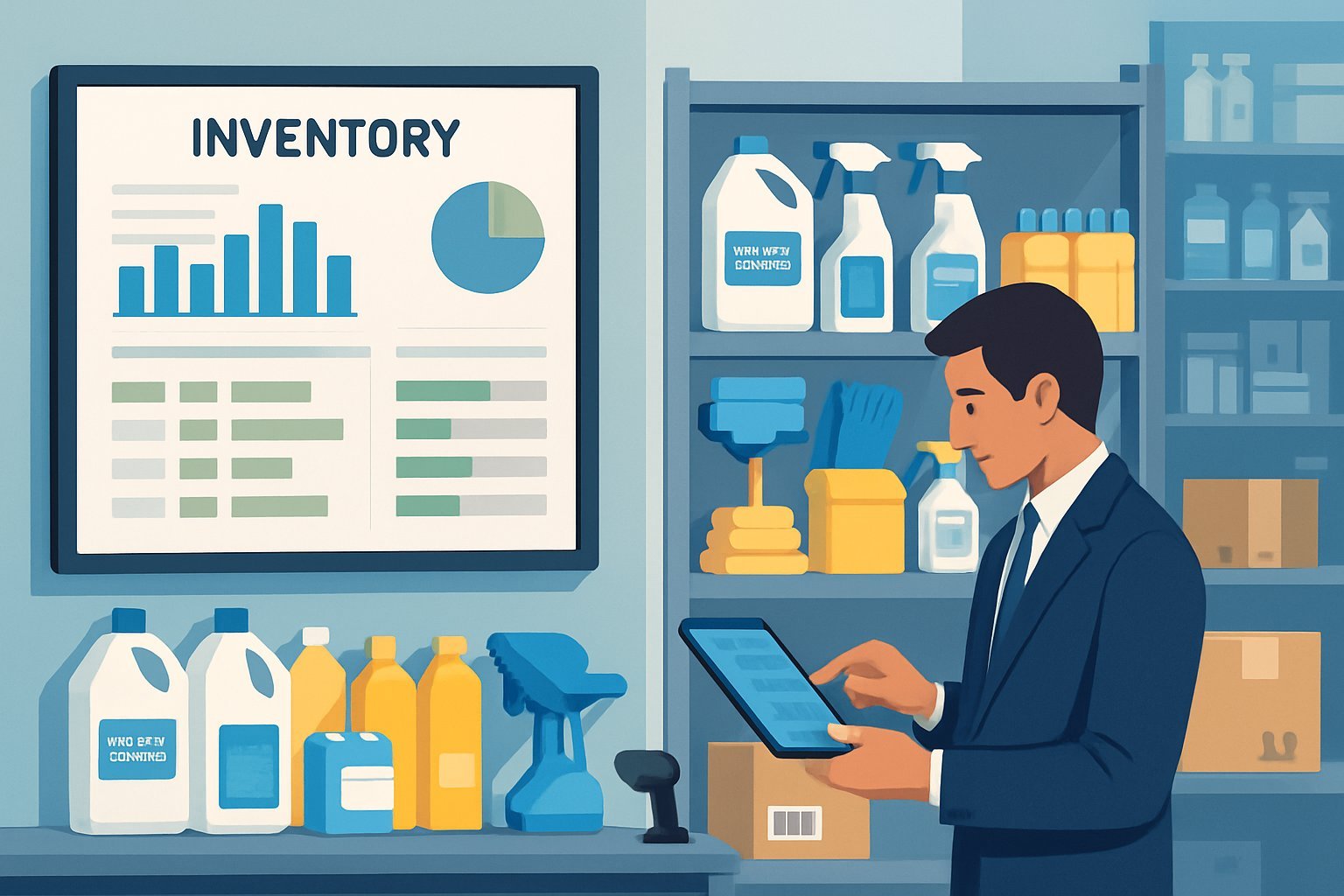
Smart inventory management systems help cleaning businesses track what they use, figure out how fast stuff runs out, and even reorder items before things get dicey. These systems also let companies buy in bulk for better prices and help teams stay stocked.
Modern cleaning companies can’t afford to wing it if they want to keep clients happy and stay ahead. With a good inventory process, you can focus on delivering solid service instead of scrambling for supplies or overspending on things that just sit in storage.
Key Takeaways
- Automated inventory systems stop stockouts and cut waste by tracking usage and setting smart reorder points.
- Bulk purchasing deals with suppliers can lower costs—if you’ve got the right data to back it up.
- Managing inventory across multiple teams needs centralized tracking so everyone stays supplied.
Core Principles of Inventory Management for Cleaning Businesses
Successful cleaning companies build their inventory routines on two essential foundations. These basics keep things running smoothly and help control costs.
The Importance of Reliable Supply Levels
Cleaning crews rely on steady supplies to deliver quality work. When you run out of stuff mid-job, the team can’t finish right, and clients notice.
Supply shortages cause all sorts of problems:
- Incomplete cleaning jobs
- Delays for clients
- Last-minute, expensive purchases
- Stressed-out teams
You need to watch usage closely to keep supplies flowing. Every job uses different amounts, depending on the type and building size.
Commercial office cleaning isn’t the same as a deep residential clean. Smart tracking helps spot these patterns.
When you keep tabs on what’s getting used, you can predict when you’ll run low—way before it becomes urgent. That means fewer panicked restocks.
Set minimum stock levels for each item. Factor in delivery times and those surprise busy weeks.
Accountability Among Cleaning Teams
Clear accountability keeps supplies from getting wasted or walking off. Every team member should know who’s responsible for what.
Good accountability means:
- Assigning a supply lead for each team
- Recording who takes what from storage
- Tracking usage per job
- Regular inventory checks
When teams know someone’s paying attention, they tend to use supplies more carefully. It’s just human nature.
Daily checklists help teams stay organized. Make sure every crew checks their kit before heading out.
That way, you avoid those mid-job supply runs that eat up time and money. Training teams on how much to use for each task helps too.
A lot of cleaners think more product means better cleaning, but that’s not always true.
Effective Inventory Tracking Systems
Modern cleaning businesses need solid systems to keep tabs on supplies and avoid running out. The right tracking combines smart inventory methods with mobile tech, giving teams real-time data.
Choosing the Right Inventory Strategies
Pick your tracking approach based on company size and how complicated your setup is. Barcode scanning systems work great if you’ve got a central storage spot.
If you’re running a small residential service, a simple spreadsheet might do the trick. Just list each product, how much you have, and your minimum levels.
Mid-sized companies should look at dedicated inventory software. These tools track supplies across locations and send alerts when you’re running low.
Big commercial outfits? You’ll want integrated platforms that connect inventory with job costing and purchasing.
Look for features like:
- Real-time stock monitoring
- Automated reorder alerts
- Product categories by type and location
- Integration with your other business tools
Don’t forget regular physical counts. Doing a quick weekly check helps catch mistakes before they snowball.
Utilizing Mobile Apps for Supply Management
Mobile apps let cleaning teams check inventory while they’re on the job. They can see what’s in stock, request more supplies, and log what they use—all from their phones.
Handy app features:
- Check supply levels at any location
- Log usage for each job
- Request reorders on the spot
- Photo uploads for supply rooms or damaged stuff
Scanning barcodes makes updates quick and cuts down on errors. No more scribbled notes or forgotten numbers.
Mobile access helps teams balance supplies between sites. If one location’s running low, you can move stock from another.
The best apps work offline and sync up when you’ve got a signal. So you’re covered, even in basements or dead zones.
Burn Rate Calculation and Usage Analytics
Figuring out your burn rate shows how fast you go through supplies. Good data turns those patterns into smart ordering decisions that keep you stocked and cut down on waste.
Tracking Product Usage Trends
Burn rate is just how quickly you use up inventory. For cleaning companies, that’s things like disinfectants, paper towels, and floor cleaners.
Basic burn rate formula:
- Total supplies used ÷ Time period = Burn rate per day/week/month
Track actual usage, not guesses. Digital systems make this easy—just scan items as you use them.
Metrics worth watching:
- Daily usage for high-volume items
- Seasonal spikes in consumption
- Team-by-team usage differences
- Waste rates and the “why”
You’ll spot trends, like offices using more supplies on Mondays. Or maybe you burn through more during busy seasons.
When you know what’s moving fastest, you can buy those items in bulk and skip overstocking the slow stuff.
Applying Data Analytics to Predict Needs
Analytics turn your usage history into real predictions. Smart cleaning companies use past burn rates to figure out when they’ll run out.
Try this math:
- Current inventory ÷ Daily burn rate = Days until stockout
- Average monthly usage × Lead time = Minimum reorder point
With analytics, you avoid running out—or buying too much. Good software flags low supplies before it’s urgent.
Advanced features:
- Automatic reorder alerts based on real usage
- Seasonal tweaks for busy times
- Team comparisons to spot outliers
- Cost per clean calculations
A lot of companies now use software that tracks burn rates for them. These tools learn your habits and suggest what to order.
Analytics can also show where you’re wasting supplies. If a team’s burn rate is sky-high, maybe they need a little extra training.
Automating Reordering and Restocking Processes
Smart inventory systems take the guesswork out by automatically ordering new supplies when you hit set levels. You get fewer mistakes and no more scrambling.
Setting Minimum Thresholds for Supplies
You’ve got to set clear reorder points for every supply. These depend on how fast you use stuff and how long it takes suppliers to deliver.
High-use items like all-purpose cleaner or paper towels need higher minimums. Maybe you reorder at 20 bottles if you usually keep 50 on hand.
Seasonal items—say, floor wax—might need a bump before winter. Lead time matters too.
If it takes five days for delivery and you use ten bottles a day, set your reorder point at 50 bottles plus a safety cushion.
Most companies pick a threshold around 25-30% of their max inventory. That gives you wiggle room without filling your shelves with expensive extras.
Integrating Smart Inventory Systems
Modern inventory systems tie together barcode scanners, mobile apps, and automated ordering for a smooth restock process. When teams use supplies or get deliveries, the system updates instantly.
Barcode scanning lets teams update inventory fast when they grab supplies. The mobile app logs it and adjusts counts.
Real-time updates across sites mean managers spot which locations need help right away. You can move stock or rush deliveries as needed.
Automated purchase orders pop up when you hit minimums. You can set favorite suppliers and delivery schedules.
If you link up with supplier systems, you can order directly—no more phone calls or emails. That shrinks ordering time down to minutes and cuts out mistakes.
Optimizing Supplier Relationships and Bulk Purchasing
Building solid partnerships with suppliers isn’t just about price—it’s about reliability. Smart negotiation and real relationships help you save money and keep supplies flowing.
Negotiating Bulk Discounts with Suppliers
Bulk buying can save you a bundle—if you do it right. The trick is balancing order size with how much space you have.
Do your homework on market prices before you sit down to negotiate. Most suppliers offer tiered discounts for bigger orders.
Think about:
- How much space you’ve got for storage
- Impact on cash flow from large buys
- Shelf life and expiration dates
- Seasonal demand
Sometimes it makes sense to bundle products together. Suppliers prefer bigger, less frequent orders.
Look at the total cost, not just the sticker price. Delivery, storage, and waste from expired goods all add up.
Keep a few suppliers in your back pocket. That way, if your main one drops the ball, you’re not left hanging.
Leveraging Supplier Relationships for Consistent Supply
A good supplier relationship is about more than price—it’s about trust and reliability.
Talk regularly with your suppliers. Let them know what you’ll need and when, so they can plan ahead.
You might score better payment terms if you’re a reliable customer. Early payment discounts or longer terms can help your cash flow.
Suppliers appreciate feedback. If you share info about product quality, you might get first dibs on new stuff.
When things go sideways, a strong relationship means suppliers will often go the extra mile. They might rush an order or suggest a workaround.
Exclusive deals can sometimes get you better prices—but don’t lock yourself in unless you’re sure. Keep an eye on supplier performance: delivery times, quality, and service all matter.
Inventory Management Across Multiple Cleaning Teams
Managing supplies for lots of teams takes a real system. You want to avoid both shortages and waste. Pre-packed kits help, and real-time tracking lets you balance inventory between crews.
Pre-Packed Inventory Kits for Mobile Crews
Mobile teams shouldn’t have to keep running back for supplies. Pre-packed kits solve that by bundling essentials together.
Standardize kits by job type. Office cleaning kits might have glass cleaner, disinfectant, paper towels, and trash bags. Medical kits need hospital-grade disinfectants and specialized cloths.
Match kit contents to average use:
- Light cleaning: 2-day supply
- Deep cleaning: 1-day supply
- Emergency kits: 3-day supply
Label kits clearly with contents and expiration dates. Waterproof labels help—nobody likes smeared ink.
Store kits in vehicles or at pickup spots. That way, teams aren’t wasting time on extra trips.
Have teams scan QR codes when they grab a kit. The app updates inventory automatically—no paperwork needed.
Monitoring and Adjusting Supplies Between Teams
Different cleaning teams go through supplies at different rates, depending on where they’re working and how often. If you keep an eye on things, you can stop one team from running out while another sits on a pile of extras.
Track usage patterns by team:
- Daily supply consumption
- Job completion times
You also want to consider client-specific requirements and how the seasons might change demand.
Supervisors with mobile access to inventory data can make quick adjustments. Teams can report low supplies right away through their phones.
When usage patterns shift, just transfer supplies between teams. If one crew finishes a big contract, they can pass along their leftovers to another team starting a new job.
Set up alerts for when team inventory drops below set levels. This way, you won’t get caught off guard by last-minute shortages that throw off cleaning schedules.
Look over team allocations every month. Change up the standard kit contents based on what teams actually use, not just guesses.
Avoiding Overstocking and Understocking Risks
Cleaning businesses deal with some odd inventory challenges. You really need a plan and regular check-ins to keep things running smoothly.
Implementing Just-in-Time Inventory Practices
With just-in-time inventory management, cleaning companies can lower storage costs and cut down on waste. The idea is to order supplies only when you need them, using real numbers instead of hunches.
Set minimum stock levels for each type of product. Disinfectants and paper goods usually need higher minimums since demand can spike out of nowhere. Specialized chemicals? You can get by with less since their usage tends to stay steady.
Digital ordering systems make just-in-time easier. They generate purchase orders automatically when inventory gets low, and they track delivery dates so you don’t get caught empty-handed during busy times.
Building strong supplier partnerships matters a lot here. Negotiate guaranteed delivery windows and keep emergency delivery options in your back pocket for surprise demand surges.
Route-based inventory allocation also helps. Managers can hand out supplies based on upcoming job schedules rather than keeping a giant central stockpile. Here’s a link with more details.
Auditing Inventory and Adjusting Strategies
Regular inventory audits show the gaps between what you think you have and what’s actually on the shelf. For items that move fast, check weekly. For specialty products, monthly is probably enough.
Physical counts need to match what’s in your digital records. Shrinkage from damaged containers or unreported usage often causes these mismatches. Teams should write down all discrepancies and try to figure out what’s going on.
Digging into usage patterns helps sharpen your ordering strategy. Seasonal swings matter—a lot. In winter, you’ll probably go through more floor cleaner, while summer means more window cleaning supplies.
ABC analysis sorts inventory by value and turnover:
- A-items: High-value, low-volume stuff—watch these closely.
- B-items: Middle of the road, keep an eye on them.
- C-items: Low-value, high-volume—order these with a bit more flexibility.
If audits show you’re overstocked, consider promo pricing or moving supplies between teams. Understocked? Order fast and rethink your minimums.
Frequently Asked Questions
Cleaning business owners run into the same headaches when managing supplies across different teams and locations. Here are some real-world tips for tracking usage, automating orders, figuring out product consumption rates, scoring better prices, and keeping inventory steady.
What are the best practices for tracking product usage in a cleaning business?
Set up a centralized inventory system that tracks supplies everywhere. Digital tools let teams update what they use in real time, right from their phones.
Clear labels help avoid mix-ups. Every product should have its name, dilution ratios, and safety info right on the label.
Set par levels for each supply at each location. When something drops below that number, the system pings you to restock.
Regular audits catch discrepancies and cut down on losses. Put specific people in charge of inventory transfers so stuff doesn’t go missing.
How can a cleaning company automate the reorder process for supplies?
Automated reorder systems kick in when stock drops below your set minimum. The system can send alerts or just place orders for you.
A lot of inventory systems hook up directly to supplier ordering platforms. That means less manual work and fewer mistakes.
Managers can get email notifications when it’s time to restock. Some systems even send orders straight to your approved suppliers without you lifting a finger.
You can also schedule regular deliveries for the stuff you use all the time. That way, you’re not constantly checking or running out.
What strategies can be employed to accurately calculate burn rates for cleaning supplies?
To figure out burn rates, track how much each team uses over set periods. Digital systems make this easier and more accurate than jotting things down by hand.
Historical usage data helps you predict what you’ll need next month. Review those patterns regularly to spot trends.
Different job sites chew through supplies at different rates. Tracking by location gives you a clearer picture.
Don’t forget about seasonal swings—busy periods can really throw off your averages.
How can a cleaning service business negotiate bulk discounts with suppliers?
Combine your orders to buy in bigger batches. Suppliers usually offer better prices when you order more.
Lock in long-term contracts if you can. Committing to annual purchase volumes often gets you a better deal.
Always get quotes from multiple suppliers. If you find a better price, your current supplier might match or beat it to keep your business.
Payment terms matter too. If you can pay faster, suppliers may give you an extra discount.
What systems can be implemented to manage inventory across multiple cleaning teams?
Cloud-based systems let you track inventory in real time, no matter where you are. Anyone on the team can check current stock levels from any location.
Mobile apps let cleaning staff update counts on the spot. No more waiting until the end of the day to update the system.
Use standardized storage setups at every site. Keeping supplies organized the same way everywhere makes life easier.
Train your teams regularly on inventory procedures. Clear protocols mean fewer mistakes and better tracking.
Are there any industry-specific inventory management software recommended for cleaning businesses?
Janitorial Manager offers inventory tracking made just for cleaning businesses. You can link supplies to specific job sites, and the mobile access is honestly handy.
Some folks in the cleaning world just stick with general platforms like QuickBooks, while others go for specialized janitorial software. The highlights? Mobile access, real-time updates, and those automated alerts that save you from surprises.
Hospital cleaning and facility operations usually need more advanced systems. Larger clients might actually find enterprise-level inventory management solutions more useful.
Your best bet depends on your business size and how complicated things get. Small cleaning crews might be fine with simple tracking apps, but bigger companies really need something more robust.