Running a successful cleaning business in 2026 takes more than good service and solid equipment. You’ve got to have the right software to juggle quotes, schedules, team chats, and your books.
Without proper systems, business owners often deal with double bookings, missed invoices, and poor communication. Manual work piles up and, honestly, it just eats into profits.
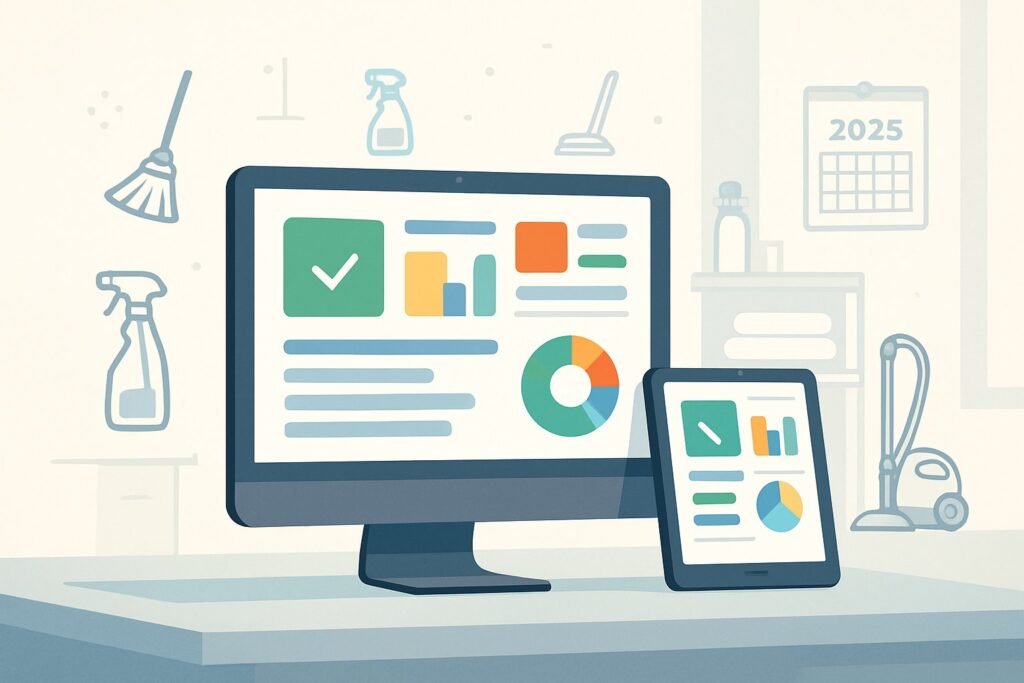
The right mix of software can completely change a cleaning business. Automate those boring tasks, keep customers happy, and get a grip on your operations and finances.
Today’s best cleaning business software covers five main areas: quoting and invoicing, scheduling and job management, accounting and financial tracking, team communication, and marketing with review management. Each one handles a different piece of the puzzle.
Smart owners know investing in solid software saves time, cuts down on mistakes, and keeps customers coming back. The five categories below are the essentials for running a tight operation and staying competitive.
From specialized cleaning industry tools to tried-and-true business platforms, these work together to form a complete management system.
Key Takeaways
- Modern cleaning businesses need integrated software for quoting, scheduling, accounting, communication, and marketing to stay ahead.
- The right software combo automates manual work, reduces mistakes, and boosts customer service.
- Investing in specialized cleaning business software and platforms like QuickBooks creates a management system that saves time and grows profits.
Overview of the Best Cleaning Business Software Solutions
Modern cleaning business software rolls up scheduling, customer management, billing, and operations into one place. Which software fits best? That depends on your needs, budget, and where you want to take your business.
Why the Right Software Matters for Cleaning Companies
Cleaning service software impacts daily operations and customer happiness. Without it, companies face missed appointments, billing errors, and communication breakdowns.
Manual scheduling often leads to double bookings and confused teams. Paper systems mean lost invoices and late payments.
Professional cleaning software solves these headaches:
- Automated scheduling avoids booking conflicts.
- Digital invoicing speeds up payments.
- Customer databases keep track of service history.
- Mobile apps keep your team in the loop.
When service providers use cleaning business software, they notice changes fast. Less paperwork, more time with clients.
Productivity jumps because workers get job details instantly on their phones.
The software also helps you look sharp. Online booking and automated reminders show clients you’re running a modern operation. That inspires confidence.
Key Criteria for Evaluating Cleaning Software
Great cleaning software should meet your needs without being overwhelming. Focus on features you’ll actually use, not just a giant list.
Core must-haves:
- Job scheduling and dispatch
- Customer contact management
- Simple invoicing and payment processing
- Mobile access for field teams
Pricing varies a lot. Some charge per user, others are flat-rate. Free trials make it easier to test-drive before committing.
Integration matters if you’re growing. Your software should connect with your accounting or marketing tools, so you’re not stuck entering the same info twice.
If the software is confusing, staff won’t use it. Look for a simple layout and clear navigation.
Good customer support is a lifesaver when you’re getting started or run into a snag.
How Software Transforms Cleaning Operations
Cleaning business software turns messy manual processes into smooth digital workflows. It affects everything, from the first customer call to the final payment.
Scheduling gets automated, and errors drop. Staff get assignments on their phones, complete with customer info and special notes.
GPS tracking helps plan routes and cuts down on wasted travel time.
Customer communication gets a boost. Automated reminders and updates mean fewer no-shows and last-minute cancellations.
Financial management gets a lot easier:
- Invoicing happens automatically.
- Payment tracking keeps tabs on what’s owed.
- Expense tracking shows where your profits are going.
- Tax prep isn’t such a nightmare anymore.
Managers can check job completion in real time. Photo documentation and customer feedback come in automatically, making it easier to spot training needs.
Business reporting gives you insights paper systems just can’t. You’ll know which services are most profitable, which customers take the most time, and which employees stand out.
Top Pick: Quote2Clean for Quoting and Invoicing
Quote2Clean stands out for cleaning businesses needing fast estimates and quicker payments. It streamlines the sales-to-payment process with features built for this industry.
Generating Fast, Accurate Quotes
Quote2Clean cuts out the slow, manual quote process. Owners can set up pricing templates for different services.
You can whip up a quote in minutes. The platform has cleaning categories and lets you tweak pricing as needed.
Key quote features:
- Service-specific templates
- Square footage calculators
- Frequency-based pricing
- Add-on options
The software totals everything and applies discounts automatically. That helps avoid pricing mistakes.
Job costing is easier with built-in calculators. You can factor in labor, supplies, and travel without headaches.
Quote2Clean spits out polished PDFs instantly. Customers get branded proposals that make your company look legit.
Streamlined Invoicing and Payment Collection
Turning approved quotes into invoices takes one click. That means no double entry and faster billing.
Quote2Clean automates recurring invoices for regular clients. Weekly, bi-weekly, and monthly jobs generate invoices automatically.
Payment features:
- Online payment processing
- Automatic reminders
- Late fee calculations
- Real-time payment tracking
Customers can pay online through secure gateways. That speeds up collections and smooths out your cash flow.
Automated reminders help you chase down overdue accounts without the awkward calls. The system sends follow-ups right on schedule.
Owners can check payment status anytime. The dashboard shows what’s paid, pending, or overdue.
Improving Customer Professionalism
Quote2Clean helps cleaning businesses look more professional to clients. Branded estimates and invoices build trust.
Custom templates let you add your logo and colors. That consistency reinforces your brand.
Professional documentation sets you apart from competitors with handwritten quotes. Customers see polished proposals and think, “These folks know what they’re doing.”
Professionalism perks:
- Branded templates
- Detailed service descriptions
- Clear pricing breakdowns
- Digital delivery
Quotes go straight to the customer’s inbox—no mailing or awkward meetups.
The platform keeps all your client communication organized. Every quote, invoice, and payment history is in one spot.
Scheduling and Calendar Tools for Efficient Job Management
Smart scheduling software stops double bookings and time conflicts. It automates staff assignments based on location and skills.
These tools help you track recurring contracts and send reminders, so you don’t miss appointments.
Automating Staff Scheduling
Jobber leads the way with automated staff scheduling. It assigns jobs based on where employees are and what they do best, saving travel time.
ServiceFusion offers drag-and-drop scheduling, which works well for commercial cleaning jobs. Teams can check their schedules on their phones, and the app sends push notifications for changes.
HouseCall Pro is great for residential cleaning. It automatically puts recurring jobs with the same team, which helps build customer relationships.
Look for features like:
- GPS tracking for accurate arrivals
- Skill-based assignment for specialty tasks
- Mobile access for field workers
- Time clock integration for payroll
Most janitorial software includes automated scheduling. It saves managers hours every week compared to doing it all by hand.
Managing Recurring Jobs and Calendars
Recurring job management gets simple with the right calendar tools. Most cleaning businesses rely on regular contracts—weekly, bi-weekly, or monthly.
Calendar sync keeps personal and work schedules from clashing. Staff see their assignments on any device, which cuts down on confusion.
Commercial cleaning contracts often require specific timing and checklists. Advanced scheduling tools tie these details to calendar entries, so teams get all the info they need before arriving.
Popular features include:
- Automated recurring appointments
- Buffer time for travel
- Client notes and checklists
- Weather alerts for outdoor jobs
The best tools connect with Google Calendar or Outlook, making life a little bit easier for busy owners.
Accounting Software and QuickBooks Integration
Managing finances gets way easier with accounting software that plays nice with QuickBooks. These tools track expenses, job costs, and payroll—without the usual mistakes.
Automating Financial Management for Cleaning Businesses
QuickBooks integration takes the pain out of bookkeeping. The software pulls in transactions from your bank and credit cards.
You can create invoices right after jobs finish. Payment tracking shows who’s paid and who hasn’t, saving hours compared to paper ledgers.
Key automated features:
- Expense sorting from receipts
- Bank reconciliation
- Tax prep help
- Financial reporting
The integration works with payment processors like Square and Stripe. Payments go straight into your accounting system, so you’re not chasing cash or checks.
Financial dashboards show profit margins for each job. You can spot your best services and tweak pricing if needed.
Ensuring Accurate Job Costing and Payroll
Job costing in QuickBooks tracks what each contract really costs. The system logs labor, supplies, and travel for every job.
You’ll see which contracts make money and which ones don’t. That lets you adjust pricing or trim costs where it matters.
Payroll integration does the math for you. Time tracking apps sync with QuickBooks, so you know exactly how many hours each worker spent.
Payroll perks:
- Automatic overtime
- Tax withholding compliance
- Direct deposit
- Worker classification tracking
The software handles different pay rates for different jobs. Deep cleaning pays more than basic work? No problem—everyone gets paid correctly.
Communication and Workforce Management Platforms
Keeping your crews connected and on task takes more than group texts. Modern workforce management platforms combine real-time messaging, GPS tracking, and digital task management.
Improving Employee Communication and Collaboration
Clear communication between office and field stops missed appointments and mistakes. Platforms like Connecteam have built-in messaging so everyone stays in the loop—no need to use personal phones.
These apps centralize shift updates, client changes, and even emergencies. Team members can share photos of finished work or ask questions about tricky jobs.
Key features:
- Instant messaging
- Shift and schedule updates
- Photo sharing for proof of work
- Team directory
Digital tools create a record for accountability. Managers can check message histories to resolve disputes or see when info went out.
Using dedicated business tools also looks better to clients than staff texting on their own phones.
GPS Tracking for Field Teams
GPS tracking takes the guesswork out of where teams are and when they’ll show up. Cleaning businesses can see which teams have arrived and how long jobs take.
Swept and similar platforms give real-time updates, so dispatchers can adjust schedules or handle last-minute requests.
Time tracking is more accurate with GPS. Crews clock in and out on site, which helps with payroll and cuts down on time theft.
Location data helps with customer service, too. Office staff can give clients precise arrival times and send the closest team for urgent jobs.
Many platforms use geofencing to log arrivals and departures automatically. That cuts down on admin work and gives you solid records for billing.
Mobile Checklists and Work Orders
Digital checklists keep service quality consistent for every cleaning job. Mobile platforms let crews fill out standardized forms for each location, noting completed tasks and any issues they find.
Cleaning checklists adapt to different property types and client needs. Teams check off items as they go, giving managers and clients real-time updates.
Work order management makes assigning tasks and handling special requests easier. Managers send instructions directly to specific team members, sometimes with photos of problem areas or unique client preferences.
Mobile forms cut down on paper waste and boost data accuracy. When teams finish checklists, the system syncs everything automatically, so service records and billing info are always up to date.
Supervisors can quickly review digital checklists. This helps them spot training needs or recognize team members who go above and beyond.
Marketing and Review Management Software
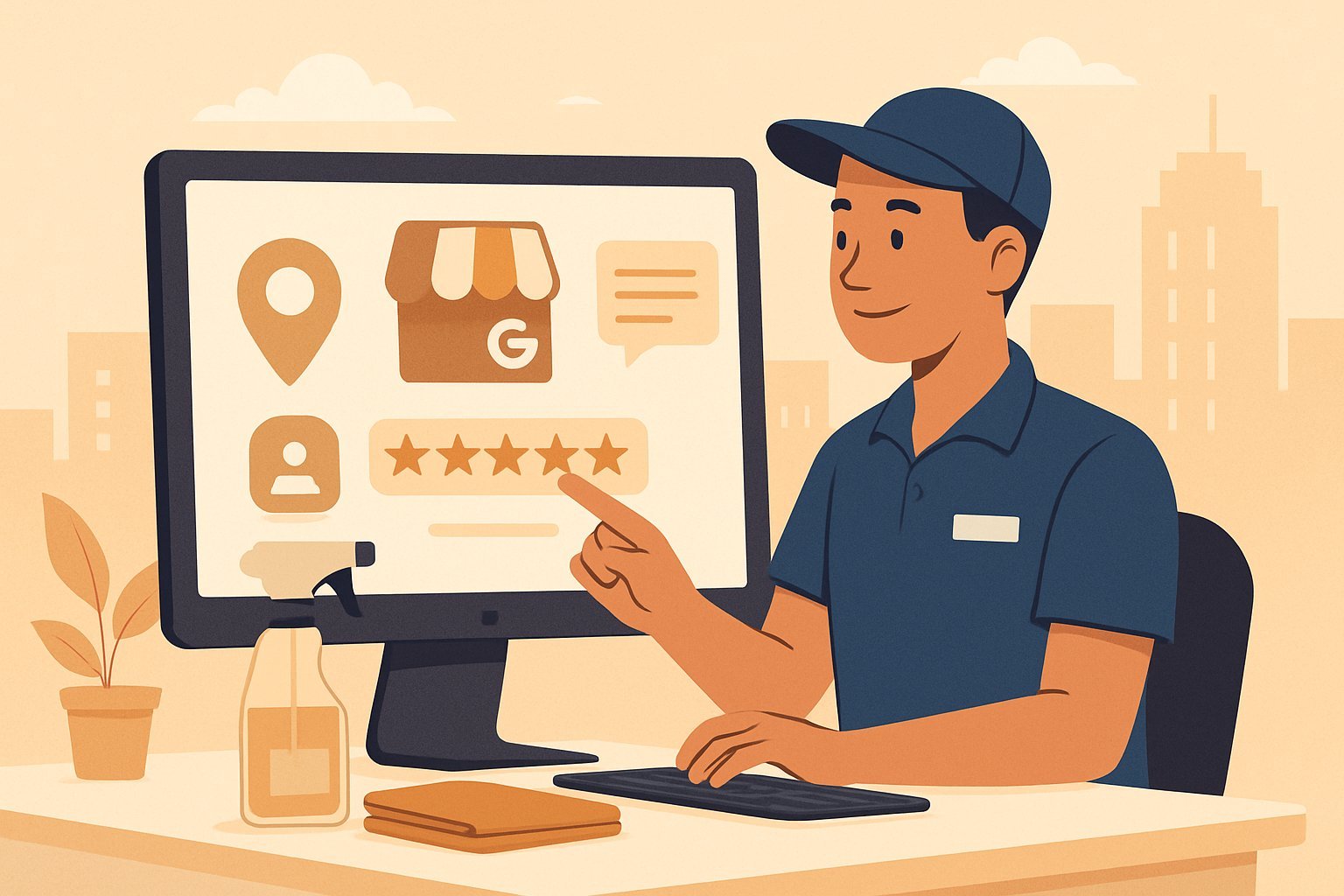
Marketing and review management software helps cleaning businesses grow their reputation. Automated customer feedback collection and online presence tools save hours of manual follow-up, and a steady flow of positive reviews draws in new clients.
Automating Review Requests
Review management tools send follow-up messages to customers after jobs wrap up. This means no one has to keep track manually, and every feedback opportunity gets covered.
Most platforms hook into existing scheduling software to trigger review requests at just the right time. Timing’s important—customers are more likely to leave a glowing review within a couple days of service.
Key automation features include:
- Customizable email templates
- SMS review requests
- Multi-platform review collection (Google, Yelp, Facebook)
- Follow-up sequences for non-responders
These systems can bump up review volume by 300-500% compared to doing it by hand. They also nudge happy customers toward public review sites, while steering complaints to private feedback channels.
The software tracks response rates and tweaks timing as needed. This data gives cleaning businesses a clearer picture of which customers are most likely to leave testimonials.
Boosting Online Presence and Reputation
Review management platforms help cleaning companies keep their branding consistent across online channels. They automatically monitor mentions on review sites and social media.
The software creates reports showing review trends and how competitors stack up. Owners can see which service areas get the most praise or complaints.
Reputation management features include:
- Review response templates
- Competitor monitoring
- Local SEO optimization
- Social media scheduling
Many tools use review gating, asking customers to rate their experience privately first. Satisfied clients get sent to public review sites, while less happy ones receive direct contact info for private resolution.
The platforms also help businesses highlight positive reviews on their websites and social channels. Good reviews attract more clients, and that cycle just keeps going.
Reporting, Analytics, and Supply Management Features
Modern cleaning software tracks data and manages inventory to help owners make smart decisions. These tools turn everyday tasks into useful insights and keep supply costs in check.
Business Insights with Reporting and Analytics
Cleaning business software now includes reporting tools that track key metrics. Owners can watch job completion rates, customer satisfaction, and team productivity in real time.
Financial tracking gets easier with automated reports. The software shows revenue per client, profit margins by service, and booking patterns by season. Owners can spot which services bring in the most profit.
Team performance analytics highlight which cleaners finish jobs fastest and get the best reviews. Managers can use this data to spot training needs or reward top performers.
Customer insights reveal booking trends and service preferences. Reports show which clients book most often and which services drive repeat business. That info shapes marketing and pricing.
Most platforms generate weekly and monthly reports on their own. Owners get summaries of total jobs, revenue, and upcoming work without having to crunch numbers.
Streamlining Supply Management for Cleaning Teams
Supply management features help cleaning businesses track inventory and control costs. Teams can see supply levels and set up automatic reorder alerts when things run low.
Inventory tracking shows real-time stock for each product. Staff can check quantities from mobile apps while on the job, so they don’t run out of essentials.
Cost control tools monitor spending per product and calculate supply costs per job. Owners can spot which products offer the best value and negotiate with suppliers.
Usage analytics break down how much product each team uses for different job types. This helps set accurate supply budgets and spot waste. Managers use this data to train teams on proper product use.
Automated purchase orders kick in when supplies hit minimum levels. That way, teams always have what they need without piling up expensive extras.
Choosing the Best Software Suite for Your Cleaning Business
Choosing the right software really comes down to your business needs and budget. If your tools work well together, you can skip a lot of double entry and headaches.
Factors to Consider Before Purchasing
Service providers should look closely at their current setup before investing in new tech. Team size matters a lot when picking features.
Business Size and Team Structure
- Small teams (1-5 employees) get by with simple scheduling and invoicing tools.
- Mid-size companies (6-20 employees) need strong communication features.
- Large janitorial companies look for advanced reporting and GPS tracking.
Essential Feature Requirements Different cleaning businesses care about different capabilities. Residential cleaners want good client communication tools. Commercial janitorial companies need detailed work order management.
Must-have features include:
- Mobile access for field teams
- Automated client notifications
- Payment processing integration
- Basic reporting
Budget and Pricing Models Most platforms charge per user or use tiered pricing. Add up the total monthly cost, including all users and extras. Don’t forget to factor in training and setup time.
Maximizing Efficiency with Integrated Solutions
Integrated software suites save time by connecting everything. You won’t have to move information between programs by hand.
Benefits of All-in-One Platforms Connected systems sync customer data, scheduling, and billing automatically. When a tech finishes a job, the system generates invoices and updates records instantly.
Service providers see time savings right away. No more copying client info from one app to another.
Combining Specialized Tools Some businesses like using best-in-class tools for each task instead of an all-in-one. This works if the tools play nicely together.
Popular combos include:
- QuickBooks for accounting + specialized cleaning software for operations
- Scheduling apps + communication tools for team coordination
- Review management platforms + CRM systems for customer relationships
Janitorial companies often keep their accounting system and just upgrade their operations tools.
Frequently Asked Questions
Cleaning business owners usually have plenty of questions about picking the right software and getting the most out of it. Most want tools that integrate smoothly and actually improve efficiency and customer satisfaction.
What are the top-rated invoicing and quoting tools for cleaning businesses?
Quote2Clean leads the way for cleaning-specific invoicing and quoting. The platform offers customizable templates for residential and commercial cleaning. You can create professional quotes in minutes and turn them into invoices automatically.
QuickBooks Online brings strong invoicing features and solid accounting integration. It handles recurring billing for cleaning contracts, tracks payment status, and sends automatic reminders.
FreshBooks is great for time-based billing and project tracking. Cleaning businesses can bill for extra services or time overruns, and the platform includes sharp invoice templates and mobile receipt scanning.
How can scheduling apps enhance the productivity of a cleaning service team?
Scheduling software prevents double bookings and cuts down on travel time. Teams see their daily schedules on mobile devices, and real-time updates keep everyone in the loop.
GPS integration helps dispatchers assign jobs based on location. This saves fuel and lets teams fit more jobs into each day. Workers get turn-by-turn directions for every stop.
Automated scheduling slashes admin time by 60-70% for most cleaning businesses. The software manages recurring appointments and seasonal patterns. Client preferences and special instructions show up right in worker schedules.
Which accounting software is most compatible with the financial needs of a cleaning business?
QuickBooks Online covers most cleaning business needs. It handles recurring revenue, tracks inventory for supplies, and manages contractor payments. Bank integration automates transaction matching.
Wave Accounting offers free basics for smaller operations. It includes invoicing, expense tracking, and basic reports. It doesn’t have advanced inventory features, though.
Xero excels at tracking multiple locations and detailed job costing. Cleaning businesses can see profitability by client, location, or service type. The software also integrates with hundreds of third-party apps.
What communication platforms are recommended for cleaning business teams to stay connected?
Slack keeps team communication organized with channels and direct messages. Teams can share job photos, ask questions, and get company news. File sharing makes it easy to send training materials and updates.
Microsoft Teams combines chat, video calls, and file storage. It’s a good pick for businesses already using Microsoft Office. Screen sharing helps with remote training and troubleshooting.
WhatsApp Business works well for smaller teams that want simple group messaging. It supports photo sharing for before-and-after documentation, and location sharing helps teams find job sites fast.
What features should cleaning businesses look for in marketing and review management tools?
Review management platforms should monitor several review sites at once. Google My Business integration is a must, since most customers search locally. Automated review requests can boost response rates by 300-400%.
Social media scheduling tools help keep your online presence steady. Posting before-and-after photos and customer testimonials works well for cleaning businesses. Analytics show which posts get the most engagement and leads.
Email marketing platforms should let you segment customers by service type and frequency. Automated campaigns can promote seasonal services or ask for feedback after jobs. CRM integration keeps messaging consistent.
How do professional cleaning businesses leverage software to improve customer service?
Customer portals let clients schedule services, view invoices, and pay online. Honestly, who has time for endless phone calls these days?
Real-time updates keep people in the loop about arrival times and when the job’s done. That’s a relief for anyone juggling a busy schedule.
Mobile apps give workers a way to snap photos and jot down notes as they finish up. Customers get instant confirmation when the work wraps up.
Digital checklists help teams deliver the same quality service everywhere. No more guessing if something got missed.
CRM systems keep track of customer preferences, service history, and those little special requests. Teams can offer a more personal touch and even anticipate what clients might want next.
Automated follow-up messages make the company look sharp and attentive. It’s a small thing, but it shows they care.