Getting paid quickly is one of the biggest headaches cleaning business owners deal with. Late payments, unclear billing terms, and outdated payment methods can seriously slow down cash flow.
Without a proper invoicing system, even thriving cleaning businesses can end up waiting weeks—or months—for payment after finishing a job.
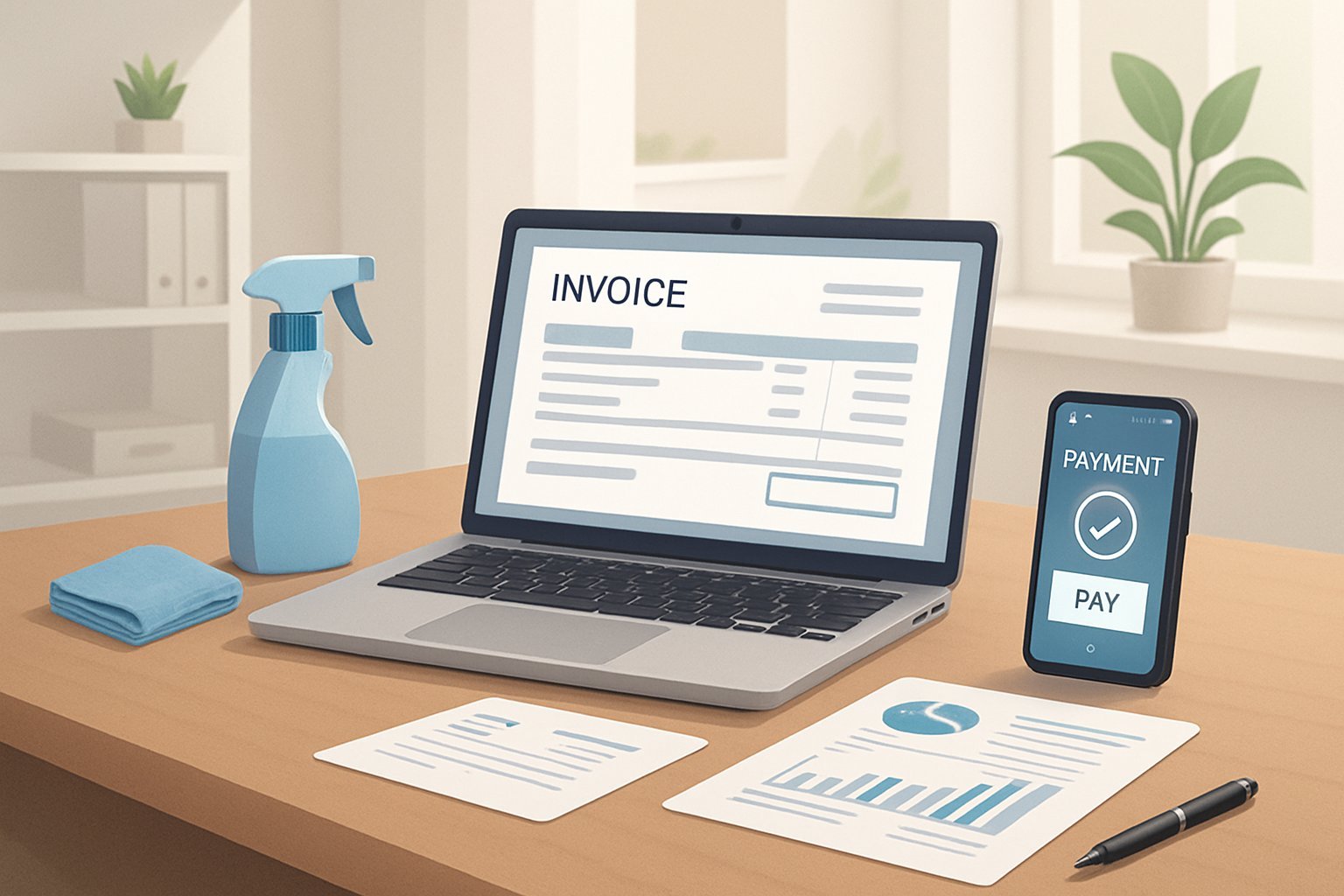
The secret to faster payments? Create professional invoices with clear terms, and offer clients multiple, convenient ways to pay. Smart cleaning business owners lean on modern invoicing tools and set clear payment policies right from the start.
These practices build trust and keep cash flowing so you can actually run your business, not just chase checks.
A few tweaks to your invoicing habits can make a big difference. Set up automatic payment reminders, accept credit cards, or try other tech tools—there are plenty of ways to get paid faster.
Key Takeaways
- Professional invoices with clear service details and payment terms help cleaning businesses get paid faster.
- Offering multiple payment options like credit cards and online payments makes it easier for clients to pay quickly.
- Using invoicing software and organized record-keeping helps track payments and follow up on overdue accounts professionally.
Building Professional Invoices
Professional invoices build trust with clients and help you get paid faster. A clear template with your company branding cuts down on confusion about services and costs.
Key Elements to Include in Every Invoice
Every cleaning service invoice should have the basics. Put your business name and contact info at the top, and make sure the client’s details are easy to spot.
Invoice numbers make tracking payments way easier. Give each invoice a unique number that follows a simple system.
Service date and invoice date are different—show both, and don’t bury them.
Service details should be simple and specific:
- Type of cleaning performed
- Hours worked or flat rate
- Date and location of service
- Any extra supplies or services
Payment terms need to be obvious. Say when payment is due and what methods you accept. If you charge late fees or offer early payment discounts, mention those upfront.
The total amount due should stand out—use bold or a bigger font so clients can’t miss it.
Using Consistent and Accurate Invoice Templates
Templates save time and help you avoid mistakes. With a template, every invoice looks the same and has all the info clients expect.
Accurate invoices keep payment delays and disputes to a minimum. Double-check service details before you send anything out.
Templates make life easier:
- Faster to fill out
- Fewer errors
- Professional look every time
- Easy to update prices or terms
Most cleaning businesses use invoicing software instead of building invoices from scratch. These tools fill in client details and totals automatically, and they track which invoices are still unpaid.
Keep templates simple and readable. Fancy designs or cluttered layouts just confuse people and can slow down payments.
Customization for Branding and Client Clarity
Custom invoices make your business look sharp and memorable. Add your logo for instant recognition, and stick to your brand colors and fonts.
Add client-specific details to clear up any confusion. Put the client’s preferred contact and any special notes right on the invoice.
Customization that works:
- Company logo and contact info
- Brand colors that match your other materials
- Clear, client-specific service descriptions
- Simple payment instructions
Some cleaning businesses use different invoice styles for residential and commercial jobs. That can help clients see exactly what they’re paying for.
But don’t overdo it—too much customization gets confusing. Stick to a basic layout and just tweak the details that actually help the client.
Setting Clear Payment Terms and Policies
Clear payment terms protect your cash flow and keep client relationships professional. Well-defined policies help you get paid on time.
Establishing Transparent Payment Deadlines
Payment deadlines tell clients exactly when you expect to get paid. Pick terms that fit your cash flow needs and what’s normal in the cleaning industry.
Common deadlines:
- Due upon receipt for one-time jobs
- Net 7 days for small residential clients
- Net 15 days for regulars
- Net 30 days for commercial contracts
Put the payment terms front and center on every invoice. You can even repeat the due date in a couple of spots.
Shorter payment periods work better for new clients or big jobs. Once you trust a client, you might offer longer terms.
Defining Late Payment Penalties
Late fees push clients to pay on time and make up for cash flow hiccups. Be reasonable, and always spell out penalties before you start work.
Penalty ideas:
- Flat fee (like $25 after 7 days late)
- Percentage of the invoice (say, 5% after 10 days)
- Monthly interest (1.5% per month on overdue amounts)
Don’t go overboard with penalties, or you’ll risk souring the relationship. Most cleaning businesses stick to a 5–10% late fee.
Check your local laws—there are usually rules about how much you can charge and what notice you have to give.
Communicating Terms Before Starting Work
Talk about payment terms before you do any cleaning. This avoids misunderstandings and sets the tone for a professional relationship.
How to communicate terms:
- Written contracts with payment details
- Signed service agreements
- Email confirmations
- Quick chats during estimates
Explain what happens if payments are late, so there are no surprises. Clients need to know the timeline and the consequences.
You can hand out a simple payment terms sheet that covers deadlines, accepted methods, and late fees. Make it easy to read and keep.
Prompt Invoicing and Timely Follow-Ups
If you want to get paid fast, send invoices right away and follow up consistently. Friendly reminders and clear communication about overdue accounts keep your cash flow steady.
Best Practices for Prompt Invoice Delivery
Send invoices as soon as you finish the cleaning job. When the work’s still fresh in your client’s mind, they’re more likely to pay quickly.
For one-time cleanings, send the invoice within 24 hours. For recurring clients, pick a set day each month to send invoices.
Include these essentials:
- Service date and location
- Detailed list of cleaning tasks
- Clear due date (usually 15–30 days)
- List of payment options
- Business contact info
Many cleaning businesses use software like QuickBooks or FreshBooks to automate this. The software fills in client info and emails invoices in seconds.
For repeat services, set up automatic invoicing so you don’t forget or fall behind. The system sends invoices on schedule, no manual effort needed.
Automating Invoice Reminders
Automated reminders help you get paid faster without chasing people down all day. Consistent, gentle reminders work better than anything else.
A solid reminder schedule:
- 3 days before due: Friendly reminder
- On due date: “Payment due today” with payment link
- 3 days overdue: First overdue notice
- 7 days overdue: Second notice, mention late fees
- 14 days overdue: Final notice before suspending service
Accounting software can handle all these reminders for you. Just make sure each message includes a payment link and clear instructions.
Don’t bombard clients—reminder frequency is more important than how stern you sound. Regular, polite nudges usually do the trick.
Send reminders on weekdays during business hours. Avoid weekends and holidays when clients aren’t likely to pay.
Professional Communication for Overdue Payments
When payments are late, stay professional but don’t be afraid to get firm if needed. Clear, respectful communication helps you collect money without burning bridges.
Start with a friendly reminder—assume it was an accident or oversight. Use language like, “Just a quick reminder,” and include payment options.
If the invoice is still unpaid after 10–14 days, get a bit firmer and mention consequences like late fees or service suspension. Be specific about when you’ll take action.
Pick up the phone for seriously overdue accounts. A quick call often solves the problem faster than another email. Jot down notes about each call.
Keep all your documentation—emails, texts, notes from calls. If you ever need to escalate things, you’ll want a paper trail.
For clients who always pay late, start requiring deposits before you schedule more work. That protects your cash flow and usually motivates them to pay on time.
Offering Multiple and Convenient Payment Options
Giving clients more ways to pay makes it easier for them—and faster for you. Modern payment options can really speed up cash flow and eliminate the hassle of chasing checks.
Accepting Credit Cards and Online Payments
Credit cards are probably the fastest way to get paid these days. Most customers expect that option.
Online payment systems like Stripe, Square, and PayPal let customers pay instantly. You’ll usually see the money in your account within a day or two.
Why card payments rock:
- Fast processing
- Instant confirmation
- Fraud protection
- Easy to track
Yes, credit card fees eat into your profits a bit (2.5%–3.5%), but the speed and reliability are usually worth it.
You can add payment links to invoices so customers just click and pay—no checks, no phone calls.
Enabling ACH and Bank Transfers
ACH transfers move money straight from your customer’s bank to yours. They cost less than credit cards, but take a few days to clear.
Bank transfers are great for bigger commercial jobs. Business clients often prefer ACH to avoid card fees on large invoices.
ACH perks:
- Lower fees (often under 1%)
- Good for recurring payments
- Secure and reliable
- Works with auto-billing
You’ll need customers’ routing and account numbers to set this up. Most payment processors let you offer ACH and cards on the same invoice.
Some businesses offer a small discount for ACH payments to save on processing fees and get paid faster.
Leveraging Payment Links and Mobile Payments
Payment links make things simple for everyone. Send them by text, email, or even print them on paper invoices.
Mobile payments—Apple Pay, Google Pay, Venmo—are super popular, especially with younger clients. They can pay you in seconds from their phone.
Why mobile payments are handy:
- Instant payment notifications
- No cash or checks needed
- Works on any smartphone
- Clients can pay anywhere
QR codes on invoices let clients scan and pay right away. This is a hit for residential jobs where people want convenience.
Text-to-pay services send a payment link by SMS after you finish the job. Clients can pay in minutes, and this often works faster than email.
Leveraging Invoicing Tools and Software
Modern invoicing software can totally change how you bill and collect payments. The right tool automates boring tasks and helps you track what’s still unpaid.
Choosing the Right Invoicing Software
Pick invoicing software that fits how your cleaning business actually works. Service businesses need different features than retail or product-based companies.
Look for something that handles recurring billing. Most cleaning contracts are weekly or monthly, so auto-invoicing saves you time.
Features that matter:
- Mobile access for invoicing on the go
- Built-in payment processing
- Client management tools
- Expense tracking
Quote2Clean has features made for cleaning businesses, like service customization and client history.
Generic accounting tools work if you just need the basics, but specialized software usually offers more value for service pros.
Consider how easy the software is to learn. If it’s too complicated, your team won’t use it. Simple interfaces get everyone on board faster.
Using Cloud Invoicing Systems
Cloud invoicing systems let you access billing from any device with an internet connection. That flexibility really helps cleaning business owners manage invoices while they’re out and about.
You can sync data in real time, which stops duplicate invoices from popping up. Team members can update job status and billing info at the same time.
Benefits of cloud systems:
- Automatic data backup
- Multi-device access
- Real-time payment tracking
- Easy client communication
Cloud systems usually charge monthly fees. But, honestly, most owners find that faster payments and less admin work more than make up for the cost.
Built-in security features protect client data. Always check for encryption and secure payment processing.
Most cloud platforms connect to your bank accounts. That speeds up payment matching and keeps an eye on cash flow.
Utilizing the Recurring Invoice Feature
The recurring invoice feature automates billing for regular cleaning contracts. It saves you from making new invoices every week or month.
Set up templates with standard services and pricing. The system sends invoices on a set schedule—you barely have to think about it.
Common recurring billing schedules:
- Weekly residential cleaning
- Bi-weekly house cleaning
- Monthly office cleaning
- Quarterly deep cleaning
Automated invoicing means clients get their bills right after service. No more waiting around or forgetting to send them.
This helps keep cash flow steady. Clients know when to expect invoices, so they can budget, and so can you.
Most systems let you tweak each recurring invoice. You can add special services or adjust prices without messing up the whole schedule.
Check in on your recurring invoices now and then. Update prices, services, or billing cycles as contracts change—nothing stays the same forever.
Maintaining Organized Records and Tracking Payments
Good record keeping keeps missed payments at bay and helps cash flow stay steady. Cleaning businesses need clear ways to track who’s paid and who still owes.
Essential Steps for Record Keeping
Give every invoice a unique number that matches the cleaning job. It’s a small thing but makes finding payment records a breeze.
Keep all client info together—contacts, service history, payment records—the works.
Digital records beat paper files. They don’t get lost and you can back them up in seconds. Tools like QuickBooks or cleaning-specific software make life easier.
Record each payment as soon as it comes in. Jot down the date, amount, and how they paid.
Hang onto receipts for all business expenses. Supplies, equipment, vehicle costs—keep it all. You’ll thank yourself at tax time.
Set up folders for different records:
- Client contracts and agreements
- Monthly invoices and payments
- Business expense receipts
- Tax documents and reports
Update records at least weekly. If you’re busy, daily updates are even better.
Monitoring Paid and Unpaid Invoices
Track invoice status with simple categories: “sent,” “paid,” or “overdue.”
Color coding makes it easier. Green for paid, yellow for pending, red for late—works like a charm.
Check unpaid invoices every few days. The longer you wait, the harder it is to collect.
Set up automatic reminders for overdue payments. Fire off the first reminder three days after the due date. Follow up weekly if they’re still late.
Keep a list of clients who always pay late. Give those accounts a little extra attention.
Track payment patterns by client:
- Average days to pay
- Preferred payment method
- History of late payments
- Total amount owed
Some cleaning software flags overdue accounts automatically. It saves you time and stops things from slipping through the cracks.
Review aging reports every month. They show which payments have been hanging around the longest.
Reconciling Transactions for Strong Cash Flow
Match bank deposits to invoices every week. That way, you’ll spot missing payments or bank mistakes fast.
Compare what clients owe to what actually came in. The numbers should match—no exceptions.
Hunt for payments that don’t match any invoice. These could be duplicates or just mistakes.
Monthly reconciliation steps:
- Check all bank transactions
- Match deposits to specific invoices
- Find missing or late payments
- Update client payment records
Cash flow issues often start with sloppy reconciliation. Small mistakes snowball if you ignore them.
Block out time each month for this. Don’t let it pile up.
Use both bank statements and invoice records. They should always tell the same story.
Fix mismatches right away. If a payment’s missing, reach out to the client or the bank—don’t wait.
Regular reconciliation shows cash flow trends. That info helps you make smarter plans and budgets.
Establishing Effective Pricing and Quoting Habits
Smart pricing and accurate quotes set the stage for getting paid without drama. If you’re clear about pricing, clients know what to expect and you avoid those awkward disputes later.
Developing a Flexible Price List
A solid price list is your backbone for quotes and invoices. Make separate pricing tiers for different services.
Basic Service Categories:
- Standard cleaning (weekly, bi-weekly, monthly)
- Deep cleaning (move-in/out, post-construction)
- Specialty services (carpet, window, upholstery cleaning)
List clear hourly rates or per-room pricing for each category. Lots of cleaning companies start with a base rate, then add on extras.
Factor in property size. Small apartments and big offices shouldn’t cost the same.
Update your prices every six months or so. Costs change, and you don’t want to fall behind.
Sending Precise Service Quotes
Detailed quotes stop payment delays and client confusion. Break down exactly what’s included in each quote.
Essential Quote Elements:
- Specific tasks
- Time estimate
- Materials and supplies included
- Travel time or fees
- Valid quote period (usually 30 days)
Send digital quotes by email or through your cleaning software. Tools like Quote2Clean make it quick and professional.
If it’s a big job, include photos or a room-by-room breakdown. That keeps everyone on the same page.
Always say what’s not included. Stuff like oven cleaning or organizing personal items is usually extra.
Adapting Prices to Client Needs
Flexible pricing helps you fit different budgets and schedules. Regulars often get better rates than one-timers.
Common Pricing Adjustments:
- Frequency discounts (10–15% for weekly service)
- Package deals for multiple services
- Seasonal pricing for holidays
- Extra charges for emergency or same-day jobs
Commercial clients might need different models than residential ones. Offices often go by square footage, not hours.
Some clients want flat rates for predictability. Others prefer itemized bills for each task.
Get all pricing agreements in writing before you start. It’s just easier when the invoice comes.
Encouraging Prompt Payments and Avoiding Disputes
Smart payment strategies help cleaning businesses get paid faster and dodge most payment headaches. Early payment rewards and clear processes make a real difference.
Offering Early Payment Incentives
Early payment discounts encourage clients to pay up quickly. Even a 2–3% discount for paying within 10 days works wonders.
Common Early Payment Incentive Options:
- 2% off if paid within 10 days
- 3% off for payment within 5 days
- 1% off for setting up automatic payments
State the discount clearly on each invoice. Use bold or highlight it so clients can’t miss it.
Some businesses skip the discount and offer perks instead—like a free add-on or priority scheduling.
Net payment terms pair nicely with incentives. “2/10, Net 30” means 2% off if paid in 10 days, or pay the full amount in 30.
Keep track of who uses early payment discounts. That way, you’ll know if the program’s actually working for you.
Preventing Common Payment Delays
Clear communication heads off most payment disputes. Go over all service details, prices, and payment expectations right at the start.
Key Info to Confirm Upfront:
- Services included
- Fees for extras
- Payment due dates and late fees
- Preferred payment methods
- How you’ll send invoices
Send invoices as soon as you finish the job. Waiting even a day or two can slow everything down.
Each invoice should include a detailed description—rooms cleaned, tasks done, any extras. That way, clients can’t say they didn’t know.
Essential Invoice Elements:
- Service date and location
- Detailed work breakdown
- Clear payment terms
- Multiple ways to pay
- Contact info for questions
Set up automatic reminders in your software. Start five days before the due date, then follow up on the due date if needed.
If there’s a payment issue, reach out quickly and professionally. A phone call usually gets things sorted faster than endless emails.
Frequently Asked Questions
Cleaning business owners run into plenty of questions about getting paid and managing billing. Here are some common ones about payment collection, invoicing, and tools that help keep cash flow steady.
What are the best practices for invoicing clients in a cleaning business to ensure prompt payment?
Send invoices right after you finish cleaning. List each service and its cost so clients know exactly what they’re paying for.
Give each invoice a unique number. That makes tracking and referencing payments a lot easier.
Include all your contact info and the client’s on the invoice. Spell out how they can pay.
Set up automated invoice reminders for unpaid bills. Most invoicing software can do this for you.
How can cleaning businesses establish clear payment terms to avoid late payments?
Put payment due dates in plain language on every invoice. Say “Due in 14 days” instead of something vague.
Match payment terms to the job. One-time cleanings might be “due upon receipt,” while regulars could get 15 or 30 days.
Add late payment fees to your terms. For example, tack on 5% if they pay more than 7 days late.
For big jobs, ask for a deposit—maybe 25–50% upfront, with the rest due when you’re done.
Which convenient payment options should cleaning businesses offer to speed up cash flow?
Take credit and debit cards for quick payments. Most clients prefer cards over checks or cash.
Offer online payment through your invoicing platform. That way, clients can pay as soon as they get the invoice.
Set up bank transfers for commercial clients who like that method. Make sure your bank info is clear on the invoice.
Consider mobile payment apps for on-the-spot payments. Handy for residential jobs.
What invoicing tools or software are recommended for cleaning businesses to manage their billing processes?
Try invoicing software like Stripe Invoicing or similar platforms. They make professional invoices and track payments automatically.
Pick software with recurring billing features for regular clients. It saves you loads of time.
Look for tools that sync with your accounting software. That cuts down on double entry and keeps records tidy.
Choose platforms that send automatic payment reminders. It’s one less thing to worry about.
How should cleaning businesses track client payments effectively to maintain financial organization?
Keep all invoices and payments in one digital system. Ditch the paper and random spreadsheets.
Update payment status as soon as clients pay. Mark invoices as paid and note the date and method.
Make separate files for each regular client. Include their service history, payment trends, and contact info.
Run monthly reports to spot overdue invoices. That way, you know who needs a nudge.
What is the professional way to handle late payments and send invoice reminders in a cleaning business setting?
Send your first reminder about 3 to 5 days after the due date passes. Keep it friendly—most people just forget, right?
If you still haven’t received payment after 10 to 14 days, send a second reminder. This time, be a bit more direct about the overdue amount, but don’t lose your polite tone.
For payments that drag on past 30 days, it’s usually best to just pick up the phone. Talking to clients directly tends to sort things out way faster than another round of emails.
If someone hasn’t paid after 45 days, you might need to consider suspending their service. Make sure you’ve made this policy clear in your payment terms from the start.
