Most cleaning business owners run into the same headache: people check out their website, maybe poke around the services, and then vanish without booking. Retargeting ads pick up the slack by following up with those interested visitors using Facebook Pixel and Google Ads, nudging them back to finish their booking—for a lot less than it costs to chase new leads. Studies say retargeted visitors are 43% more likely to convert than folks seeing your site for the first time.
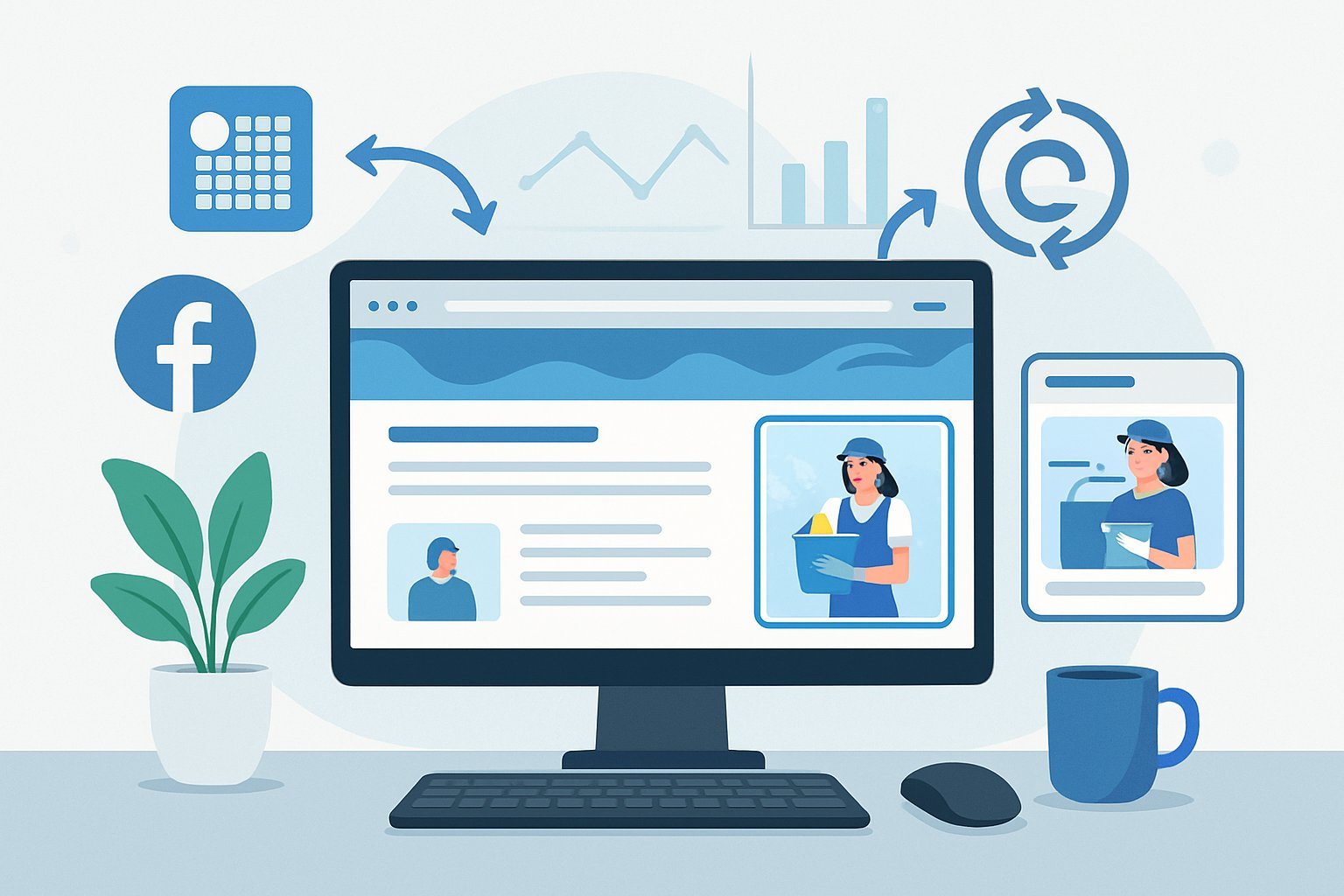
If you’re running a cleaning business on a tight budget, retargeting is probably your best bet for ROI. These campaigns usually cost 2-5 times less than cold targeting, since you’re focused on people who already know you and have shown real interest.
You don’t need a huge budget or fancy tech skills to get started. Cleaning business owners can launch retargeting campaigns with just $5-10 per day and start seeing results within a week.
The trick is figuring out which website visitors to target, what message will actually bring them back, and how to track which ads lead to bookings.
Key Takeaways
- Retargeting ads cost 2-5 times less than new customer ads and convert 43% better for cleaning businesses
- Facebook Pixel and Google Ads tracking are easy to set up for following website visitors and building targeted audiences
- Even a small daily budget ($5-10) can drive bookings if your ads match visitor behavior and concerns
Why Retargeting Ads Matter for Cleaning Businesses
Most people who land on a cleaning service website leave without booking. Retargeting ads give you a second shot at converting these folks.
These digital campaigns cost less than chasing new leads, and they help build trust by showing up again and again.
The Challenge of One-Time Visitors
Cleaning businesses constantly deal with visitors who browse their services and then never come back. In fact, about 97% of first-time visitors leave without booking or buying anything.
People usually shop around, compare prices, read a few reviews, or just get sidetracked. If you don’t have a way to follow up, those potential customers are gone for good.
A typical visitor journey goes like this:
- Finds the site through search or ads
- Checks out service pages for a couple of minutes
- Leaves to look at competitors
- Never returns
That’s money down the drain if you don’t reconnect with them.
Retargeting Ads Versus Standard Advertising
Standard ads cast a wide net, targeting people who might not even need cleaning services. Retargeting ads, on the other hand, focus only on people who already visited your site and showed some interest.
Here’s how they stack up:
| Standard Advertising | Retargeting Ads |
|---|---|
| Targets cold audiences | Targets warm prospects |
| Higher cost per click | Lower cost per click |
| 2% average conversion rate | 10% average conversion rate |
| Generic messaging | Personalized messaging |
Retargeting ads often cost 76% less than regular digital ads. They convert better too, since you’re reaching people who already recognize your brand.
You can even show ads for the exact service they viewed—if someone looked at carpet cleaning, show them a carpet cleaning ad.
Benefits of Repeat Engagement
It takes more than one touch to earn trust and get someone to book a cleaning service. Every retargeting ad they see nudges them a little closer to making a decision.
Brand recognition goes up fast when people see your cleaning company again and again. That familiarity makes them way more likely to choose you over someone they’ve never heard of.
Retargeting lets you mix up your message over time. Maybe the first ad is about your services, the next one highlights glowing customer reviews, and another shares a special offer.
How repeat engagement works:
- First ad: They notice you
- Second ad: They start considering
- Third ad: They finally act
Visitors who see retargeting ads are 70% more likely to convert than those who don’t. They’re also more likely to book premium services since they’ve had more time to think it over.
Setting Up Tracking: Facebook Pixel and Google Ads Tag
Facebook Pixel and Google Ads tags collect data from your cleaning website, making retargeting possible. Each platform needs its own setup to accurately track conversions.
How Facebook Pixel Works
Facebook Pixel is just a snippet of JavaScript that tracks what people do on your site. It fires when someone visits, books a service, or asks for a quote.
The pixel picks up on things like which pages they view, how long they stick around, and conversion actions.
Key tracking events for cleaning businesses:
- Service page views
- Contact form submissions
- Clicks on your phone number
- Completed quote requests
Meta Pixel sends all that info back to Facebook. Facebook then uses it to build custom audiences for your retargeting ads.
It also tracks which ads bring you the most new cleaning clients and revenue.
Installing Facebook Pixel and Google Ads Tag
To install Facebook Pixel, just add the code to your website’s header. You can do it manually or use Google Tag Manager if you want to keep things tidy.
Manual steps:
- Copy the code from Facebook Events Manager
- Paste it between the
<head>tags on every page - Add conversion tracking for important actions
- Test it with the Facebook Pixel Helper extension
Google Tag Manager makes things easier—just create a new tag, pick Facebook Pixel, and drop in your ID.
For Google Ads, you’ll need to install the conversion tag. It tracks which visitors actually take action after clicking your ads.
Google Ads setup:
- Add the global site tag to your header
- Place conversion tracking on thank you pages
- Set up phone call tracking for quotes
- Turn on enhanced conversions for better data
Both systems work together to give you a full picture of your visitors.
Partner Integration and Best Practices
A lot of website platforms already have integrations for Facebook Pixel and Google Ads. If you’re on WordPress, the PixelYourSite plugin does most of the work.
Popular integrations:
- WordPress: PixelYourSite or Monster Insights plugins
- Wix: Built-in Facebook Pixel support
- Squarespace: Use code injection in settings
- Shopify: Native Facebook and Google tracking options
The Conversions API adds server-side tracking, which is more reliable than just the pixel alone. It can boost data accuracy by 20-30%.
Test your tracking with browser tools and platform features. Make sure conversion events fire when someone books a cleaning.
If you use booking software like ServiceTitan or Jobber, you can set up automatic conversion tracking. These tools send booking data straight to Facebook and Google.
Set up custom audiences based on what people do on your site. Separate residential from commercial cleaning visitors for more accurate ad targeting.
Building Your Retargeting Audiences
The right retargeting audiences make or break your cleaning business campaigns. Smart segmentation and custom audiences help you get the most for your ad dollars, while lookalike audiences let you reach new prospects who are a lot like your best customers.
Custom Audience Creation
Custom audiences let you target website visitors based on their actions. The Facebook Pixel tracks who’s checking out service pages, contact forms, or pricing.
Website Custom Audiences work best when you split them by visitor behavior. For example, make one audience for people who looked at residential services and another for commercial.
Key Custom Audience Types:
- Service page visitors (last 30 days)
- Contact form viewers (last 7 days)
- Cart abandoners who started booking
- Past customers from your email list
Google Ads does something similar using conversion tracking. Both platforms need at least 100 people in each audience to work well.
Recent visitors (7-14 days) usually convert better than older ones. Test different timeframes to see what works for your business.
Audience Segmentation Techniques
Segmenting your audience means splitting them into groups based on what they care about. This makes your ads more relevant and boosts conversions.
Behavioral Segmentation looks at which services people viewed. If someone spent time on carpet cleaning, show them ads for that—not office cleaning.
Geographic Segmentation helps you avoid wasting money on people outside your service area.
Engagement-Based Segments:
- High-intent visitors (checked pricing/contact)
- Service browsers (looked at multiple types)
- Quick visitors (under 30 seconds on site)
Cart abandoners are gold—they showed strong intent but didn’t book. A simple reminder or a small offer can often win them back.
Don’t go too small (under 100 people) or too broad (everyone who visited your site). Aim for audiences between 500 and 10,000 for the best shot at results.
Lookalike Audiences and Expansion
Lookalike audiences help you find new customers who act a lot like your current ones. Facebook and Google use your customer data to find similar people.
Source Audiences should be your best customers—those who book regularly or spend the most. Upload their email addresses to build a solid base.
Audience Size Settings range from 1% (most similar, but small) to 10% (less similar, but bigger). Start narrow, then expand as you see results.
Lookalike Expansion Tips:
- Begin with 1% audiences to test
- Scale up to 3-5% for more reach
- Try different source lists for variety
- Limit by geography to stay in your service area
Mix retargeting and lookalike audiences for a balanced approach. Show ads to both past visitors and people who look like your best customers.
Update your lookalike audiences every month with new customer data to keep things fresh.
Crafting Retargeting Campaigns on a Budget
Managing your budget and bidding smartly lets you get the most out of retargeting without blowing through cash. Control ad frequency and focus on conversion rates to keep things efficient.
Budget Allocation and Bid Strategies
Set aside about 20-30% of your total ad budget for retargeting. That’s enough to keep reaching warm leads without starving your new customer campaigns.
Start with $10-15 per day on Facebook and $15-20 on Google Ads. That’s usually enough to gather useful data and keep costs reasonable.
Manual bidding helps you stay in control:
- Set cost per acquisition (CPA) targets 30-40% below your average customer value
- Use lowest cost bidding at first to collect data
- Switch to target CPA after you hit 20-30 conversions
Spend the most on high-intent audiences. Visitors who checked out service pages convert three times better than those who just landed on the homepage.
Run separate campaigns for different audiences. Cart abandoners need a different pitch than blog readers.
Test bids every week. Start low and raise them for audiences that perform well. Cut back on segments with high CPAs.
Ad Frequency and Preventing Ad Fatigue
If people see your ad more than 3-4 times a week, they’ll get tired of it. That drives up costs and drops your conversion rates.
Check frequency in your ad dashboards every week. The sweet spot is 2-3 impressions per user.
Watch for ad fatigue:
- Click-through rates drop by 25% or more
- CPA keeps climbing
- More negative comments or feedback
- Conversions go down even if traffic’s steady
Swap out ad creative every week or so. Make 3-4 versions of each ad with different images, headlines, or copy to keep things interesting.
Exclude recent converters from your retargeting. People who just booked don’t need more ads—save your budget and avoid annoying happy customers.
Use exclusions to filter out people who visited your careers page or spent time researching competitors. Focus your money on real prospects.
Maximizing Conversion Rates
Conversion rate optimization always starts with audience segmentation. In cleaning industry campaigns, recent website visitors convert 5-7x better than those who visited a month ago.
Tighter audience windows usually lead to higher conversion rates. For premium services, focus on 7-day website visitors. For basic cleaning packages, try a 14-day audience.
High-converting retargeting audiences for cleaning businesses:
- Service page visitors (last 7 days)
- Quote form abandoners (last 3 days)
- Blog readers about specific cleaning topics (last 14 days)
- Video watchers of service demonstrations (last 30 days)
Personalize ad creative based on the pages people visit. If someone checked out carpet cleaning, show them carpet-focused ads—not generic house cleaning.
Urgency can help boost conversion rates. Limited-time discounts or “Book this week” messages nudge people to act, but don’t fake scarcity—folks can spot that.
Social proof in retargeting ads works wonders. Add customer reviews, before/after photos, or testimonials. These elements can bump conversion rates by 15-20% compared to plain service ads.
Test different landing pages for retargeting traffic. Dedicated pages that match your ad message almost always outperform sending folks to your homepage.
Creating High-Converting Ad Creative
Effective retargeting ad creatives blend personalized messaging with clear calls-to-action. The goal? Bring cleaning service visitors back to finish booking.
Dynamic ads can automatically show the right services to each visitor. With some strategic creative development, you keep campaigns cost-effective and relevant.
Ad Creative Best Practices
Use clean, professional images that show real cleaning results. Before-and-after photos, especially, tend to grab attention for cleaning businesses.
Clear headlines beat clever ones every time. Try “Ready to Book Your Cleaning?” or “Complete Your Cleaning Service Booking”—skip the fluff.
Strong call-to-action buttons drive conversions. Test CTAs like:
- “Book Now”
- “Get My Quote”
- “Schedule Today”
- “Complete Booking”
Keep ad copy short and to the point. Under 125 characters works best for mobile. Stick to one main benefit per ad.
Brand consistency matters. Stick with the same colors, fonts, and logo placement so returning visitors recognize you.
Design for mobile first. Most people see ads on their phones, so make sure the text is readable and buttons are easy to click.
Developing Personalized Messaging
Behavior-based messaging targets visitors based on what they did on your site. Someone who looked at pricing gets different ad copy than someone who just landed on your homepage.
Service-specific ads really shine for cleaning companies. If a visitor browsed deep cleaning, show them ads about deep cleaning benefits and testimonials.
Location targeting adds a personal touch. Drop city names in your copy: “Trusted House Cleaning in [City Name]” or “Serving [Neighborhood] Since 2020.”
Incentive messaging can win back abandoned bookings. Offer something like “Come back and save 15% on your first cleaning” to folks who bailed during booking.
Urgency helps, but don’t overdo it. Try “Limited availability this week” or “Book within 48 hours for preferred scheduling.”
Let customer pain points guide your messaging. Address concerns like “Fully Insured and Bonded” or “Same Cleaner Every Visit” if you know visitors care about those.
Dynamic Ads and Product Catalogs
Product catalogs for cleaning services list out your service types, pricing tiers, and add-ons. Set up catalogs in Facebook Business Manager and treat each service as a separate item.
Dynamic product ads show relevant services to each visitor automatically. Someone who browsed office cleaning gets office cleaning ads, while residential browsers see home cleaning.
Automated personalization saves time and boosts performance. Dynamic ads pull service details, pricing, and images right from your catalog, so you don’t have to update creative by hand.
Service variations display well with dynamic formats. Show different cleaning frequencies (weekly, bi-weekly, monthly) or package options (basic, premium, deep clean) based on what caught a visitor’s eye.
Real-time updates keep your info accurate. Change your catalog’s pricing or availability, and dynamic ads update across all campaigns instantly.
Cross-selling pops up naturally with dynamic retargeting. If someone booked basic cleaning, show them ads for add-ons like window or carpet cleaning.
Optimizing and Tracking Results
If you want your retargeting campaigns to work, you’ve got to monitor them and tweak things constantly. Cleaning businesses should keep an eye on click-through rates, return on ad spend, and keep testing to see what performs.
Using Facebook Ads Manager and Google Analytics
Facebook Ads Manager gives you the metrics you need to track retargeting. Cleaning companies should check click-through rate (CTR), cost per click, and conversion rates daily.
The platform makes it easy to see which audiences perform best. People who viewed service pages almost always convert better than general visitors.
Google Analytics helps you see what visitors do after clicking your ads. It tracks how long they stick around and which services they check out.
Set up conversion tracking for phone calls and contact form submissions. For cleaning businesses, these matter way more than just clicks.
Key metrics to monitor:
- CTR (aim for above 2% on retargeting)
- Cost per lead
- Time spent on site
- Pages per session
Link both platforms so you can see the whole customer journey from ad click to booking.
A/B Testing for Performance
A/B testing helps you figure out which ad creative and messaging work best. Only test one thing at a time so you know what made the difference.
Start with headlines. Compare “Get Your Home Sparkling Clean” vs. “Professional House Cleaning Service.” Let each run for at least 3-4 days.
Next, test images. Before-and-after cleaning photos usually beat stock images. Real customer homes look more authentic than generic cleaning supplies.
Elements to test:
- Headlines and main text
- Call-to-action buttons
- Images or videos
- Discount offers vs. service benefits
Facebook’s ad tools make testing pretty straightforward. Split your audience evenly and keep budgets the same for a fair comparison.
Adjust your targeting carefully. Sometimes, different times of day reach busy homeowners better.
Tracking ROI and ROAS
Return on ad spend (ROAS) shows how much you’re making for every ad dollar. Cleaning businesses should aim for at least a 3:1 ROAS on retargeting.
Figure out ROAS by dividing total revenue by ad spend. Spend $100 and get $400 in bookings? That’s 4:1.
Don’t just look at first bookings—track customer lifetime value. Regular clients are worth a lot more than one-timers.
ROAS calculation example:
- Ad spend: $200
- New customers: 10
- Average job value: $120
- Total revenue: $1,200
- ROAS: 6:1
Use conversion tracking pixels to measure actual bookings, not just clicks. Phone call tracking helps you catch offline conversions, too.
Check your paid ads performance every week. Pause campaigns if ROAS drops below 2:1, and put more budget behind the winners above 4:1.
Advanced Retargeting Strategies for Cleaning Businesses
Cleaning businesses can get better retargeting results by getting more targeted. Engagement-based methods track what visitors actually do, while pixel-based and list-based strategies serve different goals.
Engagement-Based Retargeting
Engagement-based retargeting tracks specific actions people take on your website. It goes way beyond just page views.
Key Actions to Track:
- Time spent on service pages
- Quote request form starts
- Phone number clicks
- Before/after photo views
- Service area map interactions
You can build custom audiences based on these behaviors. Someone who spent three minutes on residential cleaning shows more intent than someone who bounced in 10 seconds.
Audience Segmentation Examples:
- Hot Leads: Visitors who started quote forms but didn’t finish
- Service Browsers: Users who viewed multiple service pages
- Price Shoppers: Visitors who checked pricing pages repeatedly
This approach lets you tailor ad messaging. Hot leads might get ads offering free estimates, while service browsers see ads about specific cleaning benefits.
The Facebook Pixel and Google Ads pixel can track these engagement events automatically. Set up custom conversions for each action you want to monitor.
Pixel-Based Versus List-Based Retargeting
Pixel-based and list-based retargeting do different things for cleaning businesses. Each has its own advantages depending on your goals and what customer data you have.
Pixel-Based Retargeting:
- Tracks anonymous website visitors
- Works automatically once installed
- Reaches people who haven’t shared contact info
- Limited by cookie restrictions
- Best for broad awareness campaigns
List-Based Retargeting:
- Uses customer emails or phone numbers
- Needs existing customer data
- Builds highly targeted campaigns
- Works across multiple platforms
- Perfect for customer retention
Most cleaning businesses use both. Pixel-based retargeting catches new prospects browsing online. List-based retargeting reconnects with past customers who might need regular cleaning.
Implementation Tips:
- Install pixels on key pages (services, pricing, contact)
- Upload customer lists monthly to keep things fresh
- Exclude current customers from new customer ads
- Use different ad creative for each audience type
Facebook and Google’s audience networks expand your reach beyond their main platforms. Local cleaning businesses get a visibility boost with this.
Upselling and Cross-Selling Techniques
Upselling and cross-selling through retargeting ads can really grow your revenue from existing customers. These techniques work best when you base them on past service history and behavior.
Upselling Strategies:
- Pitch premium services to basic package customers
- Offer deep cleaning to regular maintenance clients
- Suggest seasonal add-ons like carpet or window cleaning
- Target monthly customers with weekly options
Cross-Selling Opportunities:
- Residential customers: Offer commercial cleaning for their businesses
- One-time clients: Promote recurring maintenance plans
- Indoor cleaners: Suggest outdoor services like pressure washing
- Basic services: Add specialty options like post-construction cleanup
Effective Ad Messaging:
- “Ready for a deeper clean?” (upsell to premium)
- “Complete your cleaning routine” (cross-sell additional services)
- “Save 20% when you add window cleaning” (bundle incentive)
Timing matters here. Target customers 2-3 weeks after their last service, when they’re likely to need cleaning again. Use purchase history to build your segments.
List-based retargeting works best for upselling existing customers. Upload customer data with service history for precise targeting. This approach almost always converts better than generic ads.
Frequently Asked Questions
Cleaning businesses run into lots of questions about retargeting. Here are some answers on pixel installation, creative, budget, and audience targeting.
What are the best strategies for implementing Facebook Pixel to optimize retargeting campaigns for a cleaning business?
Install the Facebook Pixel on every page of your website—you want to track all visitor behavior. The pixel grabs data when people view service pages, request quotes, or check pricing.
Set up events for actions that matter. Track when visitors view residential or commercial cleaning pages, or fill out contact forms. This lets you build targeted audiences based on what they’re interested in.
Create custom audiences for different time frames. Build lists for 7-day, 14-day, and 30-day visitors. Recent visitors usually need less convincing.
Use the Conversions API along with the pixel for better tracking. Server-side tracking works even when browsers block cookies, so you get more complete data.
Set up exclusion audiences so you don’t waste money showing ads to current customers. Remove people who already booked or signed contracts to save budget and avoid annoying them.
How can cleaning businesses create high-converting ad creatives for their retargeting campaigns?
Show before-and-after photos of real cleaning jobs in your ads. These images prove your quality and remind visitors why they checked you out.
Write ad copy that speaks to common concerns about hiring cleaners. Talk about bonding, insurance, and background checks. Mention benefits like free estimates or satisfaction guarantees.
Create urgency with time-sensitive offers. For example, offer 20% off the first cleaning if they schedule within a week. Countdown timers can help drive action.
Try out different ad formats. Carousel ads let you show multiple services, and video ads with customer testimonials build trust. Sometimes, a single strong image works best for simple offers.
Use clear calls-to-action that match what visitors want. For quote page visitors, say “Schedule Free Estimate.” For those who viewed pricing, try “Book Now.”
What methods can be used by cleaning businesses to track the return on investment (ROI) from retargeting ads?
Set up conversion tracking to measure actual bookings from retargeting ads. Track when someone schedules, requests a quote, or signs a contract. Assign dollar values to each conversion.
Use unique phone numbers or promo codes in your retargeting ads. That way, you can tell which customers came from Facebook or Google. Track these leads in your CRM.
Calculate customer lifetime value, not just the first sale. Cleaning clients often book recurring services worth thousands per year. Don’t sell yourself short by just looking at the first job.
Connect Facebook Pixel data to your booking system if possible. Many scheduling platforms now integrate with Facebook, making it easier to see which ads led to appointments.
Monitor cost per lead and cost per customer acquisition. Compare these numbers to your other advertising channels. Retargeting usually delivers lower costs and higher conversion rates.
Can you provide tips for cleaning businesses on setting up Google Ads retargeting campaigns to re-engage website visitors effectively?
First, install Google Analytics and Google Ads tracking codes on your website. These tools let you build remarketing lists based on what people do and which pages they visit.
Set up separate audiences for each service page and different levels of engagement. For example, group together people who checked out your residential cleaning page and those who spent time on commercial services.
Create different campaigns for each audience segment. If someone visited your residential cleaning page, show them ads that address home cleaning worries. Commercial prospects probably care more about reliability and scale.
Use responsive display ads so your ads fit wherever they show up online. Upload a bunch of images—before-and-after shots do wonders—and write several headline options.
Google will mix and match your images and headlines to see what works best. You don’t have to guess which ad version is the winner.
Set up remarketing lists for search ads and consider bidding higher on keywords when past visitors are searching. If someone already checked out your site and now they’re Googling “cleaning services,” you want your ad in front of them.
These past visitors usually convert at a better rate. It’s worth the extra effort to stay top of mind.
Start broad on the Google Display Network, but keep an eye on where your ads actually appear. If certain sites send you clicks but nobody books, exclude them.
Regularly review placements and trim the fat. No sense paying for junk traffic.
What are some budget-friendly techniques for cleaning businesses to run successful retargeting campaigns?
Begin with a small daily budget—think $10 to $20 per campaign. Test different audiences and ad creatives, then bump up spending on campaigns that actually bring in leads or bookings.
This way, you avoid blowing your budget while you’re still figuring things out. It’s a bit of a balancing act, but totally doable.
Put most of your retargeting dollars into reaching website visitors from the last two weeks. Those folks still remember you, so you won’t have to spend as much to get them back.
Older visitor lists need more ad frequency, which can get expensive. Stick with recent visitors for better results.
Try automatic bidding strategies to keep your cost per conversion in check. Set a target cost for leads or bookings that makes sense for your business.
Let Google or Facebook handle the bidding to hit your goals. It’s less stressful than micromanaging every bid.
Test out simple image ads before you splurge on video. Sometimes, a crisp photo of sparkling countertops does the trick.
Make a few versions with different headlines and special offers. You might be surprised what grabs attention.
Consider putting about 20-30% of your total ad budget into retargeting. That usually brings solid returns but still leaves enough to attract new visitors.
Finding the right split takes a bit of trial and error, but it’s worth it if you want to stretch your marketing dollars.
In what ways can cleaning service providers ensure their retargeting ads are reaching the appropriate audience segments?
Try splitting up your audiences: one for residential cleaning prospects, and another for commercial ones. People browsing business cleaning pages usually want something different than homeowners.
Create separate ad campaigns for each group. That way, you can speak directly to their needs.
Don’t forget to exclude current customers from your retargeting. Upload your customer email lists or phone numbers, so you’re not spending money on people who already use your service.
Put your budget into finding new customers instead. It just makes more sense.
Match your geographic targeting to your actual service areas. Show ads only to folks within a reasonable driving distance.
This helps you avoid getting clicks from people you can’t actually serve.
Use demographic filters to zero in on the decision-makers for each type of service. For residential, maybe target homeowners aged 30-65.
If you’re after commercial jobs, try aiming for business owners or facility managers.
Build audiences based on how much time people spend on your website, or which pages they view. Someone who spends several minutes reading service details probably has a higher intent to buy.
Prioritize these more engaged visitors in your campaign targeting. It’s just a smarter way to use your ad dollars.